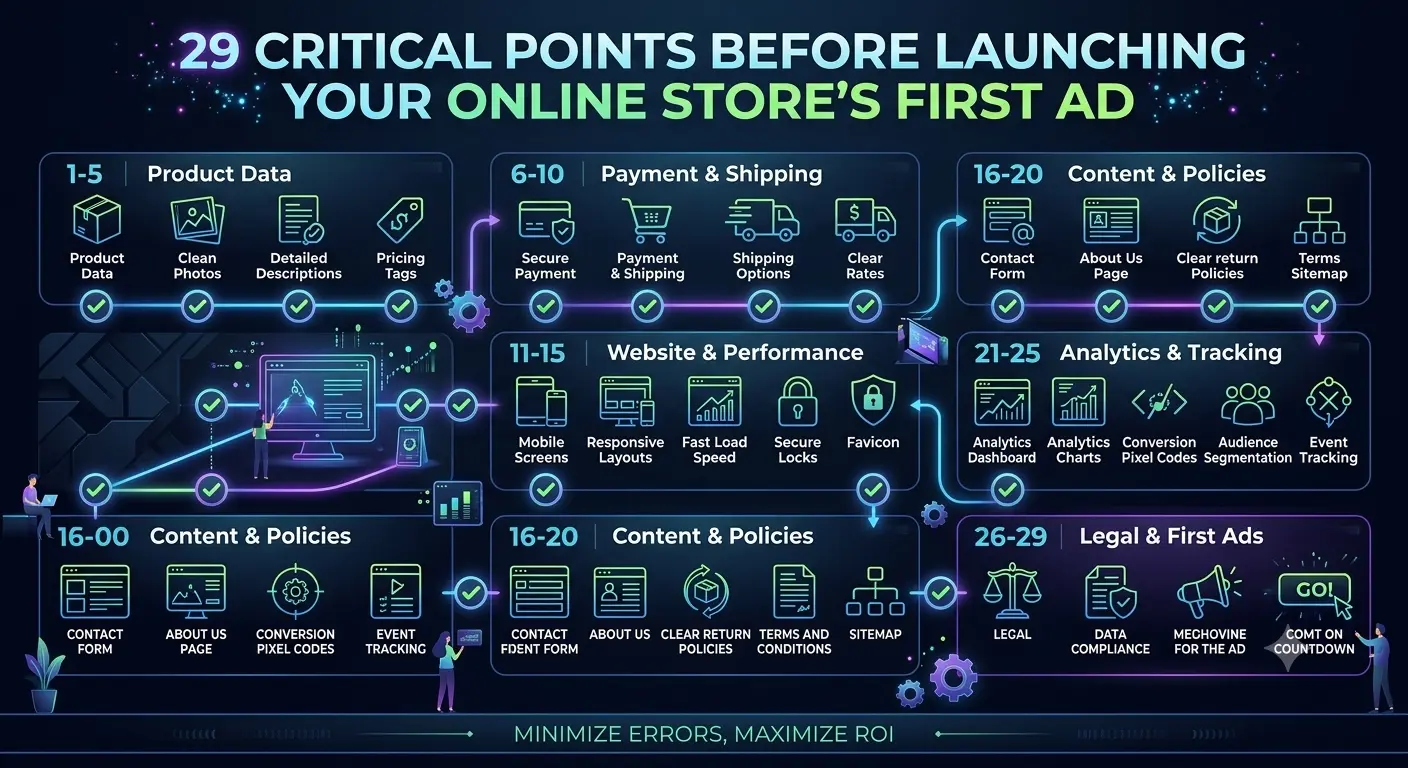
E-commerce Launch Checklist: 29 Critical Points to Check Before Your First Ad
Interactive checklist: from cart validity and mobile menu responsiveness to favicon setup and test transaction. Analysis of common mistakes that drain your budget.
Checklist Contents
- Why most stores waste their budget at launch
- Block 1: Cart and checkout (items 1-6)
- Block 2: Mobile version and responsiveness (items 7-10)
- Block 3: Payments and billing (items 11-14)
- Block 4: SEO and indexing (items 15-19)
- Block 5: Speed, content and technical details (items 20-25)
- Block 6: Summary, statistics and order history (items 26-29)
- How BooStore covers the checklist items
Why most stores waste their budget at launch
We work with online stores and see the same mistakes over and over. A store is launched, tens of thousands are invested in advertising, but there are no sales. You visit the site — and immediately notice: the cart doesn't work on mobile, no SEF URLs, no favicon, and payments fail in half the browsers. Budget wasted, nerves spent.
Another common scenario — the store is built on a custom CMS or an overloaded OpenCart, and every fix or addition requires new investment. Fix a button — pay, add a delivery method — pay, update the design for mobile — pay again. In such cases, the optimal solution is often to switch to a ready-made SaaS platform where everything already works "out of the box."
This checklist is created for exactly these situations. It suits three scenarios: when creating a new store — to avoid mistakes from the very beginning, when accepting a completed store — to make sure the contractor did everything right, and when choosing a platform — to understand what features a modern e-commerce solution should have. Go through the items — and you'll save yourself nerves, time, and money.
Block 1: Cart and checkout
The most expensive block. If there's an error here — you lose money directly.
Test purchase from a real device
Not in admin panel, not in developer mode. Take a real phone, visit the site, add a product to cart, place an order. Check if the order confirmation email arrives. Especially important — test on iPhone (Safari) and Android (Chrome).
Cart behavior with zero stock
Set product stock to 0. Check: is the product hidden, does "Out of stock" show, can it be added to cart. Common mistake: product is unavailable but can still be purchased.
Changing product quantity in the cart
Add 2 units, then change to 5, then to 0. Is the total recalculated? Does a warning appear for negative values?
Cookies and cart persistence
Close the browser, open it again. Is the product still in the cart? If not — customers will lose their cart when accidentally closing a tab. Also test on different devices.
Promo code and discounts
Create a test promo code with a 10% discount. Check: is the discount applied, is the total amount displayed correctly, is the discount doubled when applied again.
Required fields in the order form
Leave phone, email, address empty. Can the order be submitted? The system should validate required fields. Also check the phone format: does it accept +380 or require 0 before the code.
Block 2: Mobile version and responsiveness
70-80% of shoppers visit online stores from their phones. If the mobile version is poor — you lose ¾ of your audience.
Mobile menu
Open the site on a phone. The menu should open with one tap, items should be readable, search should be accessible. Check that the menu doesn't overlap content.
Buttons on mobile version
The "Buy" or "Add to cart" button should be large and prominent on mobile screens. Check that it can be tapped with a finger, not just a stylus. Recommended button size — at least 48x48px.
Responsive images
Check how product images look on a phone. They shouldn't be too small or, conversely, cropped. Use WebP format — it offers better quality at smaller size. For site design, it's recommended to use the modern fast SVG format — it scales without quality loss and is ideal for icons, logos, and UI elements.
Horizontal scroll
The mobile version should not have horizontal scrolling. If it does — some element is overflowing the screen boundaries. This is one of the most common and annoying mistakes for users.
Block 3: Payments and delivery
Test transaction with a real card
Make a real payment of 1 UAH (or the minimum amount). Check: did the payment go through, did the confirmation arrive, did the order status change. Then refund the money — test the refund process.
Displaying delivery cost
Often delivery is shown only after placing the order, and the customer sees the final amount as a surprise. It's better to show delivery cost before checkout — this reduces cart abandonment rate.
Payment systems in currency conversion
If your store is multi-currency, check that the payment system correctly accepts payment in the chosen currency. Some gateways charge a conversion fee. BooStore has automatic currency rate updates and the ability to set your own currencies even for different languages on the site. Auto-recalculation of cart total and an order snapshot with the actual cost before recalculation.
Public offer and returns
Before launching, make sure the site includes: a public offer, return policy, and contact information. Without these, you violate consumer protection laws.
Block 4: SEO and indexing
Meta Title and Description
Check that every page and product has unique Title and Description. Google penalizes duplicated meta tags. On platforms with auto-generation, check the template settings.
Sitemap.xml and robots.txt
Check that sitemap.xml is generated and robots.txt is correctly configured. Submit your sitemap to Google Search Console. Make sure service pages (cart, account) are blocked from indexing.
SEF URLs
Product URLs should be human-readable: /category/product-name, not /index.php?route=product&id=123. Check that old URLs don't return 404 after changing SEF URLs.
Schema.org markup
Check via Google Rich Results Test whether Product, Offer, Price markup is present on product pages. This affects search result display (stars, price, availability).
Canonical URLs
Check that products available in multiple categories have rel=\\"canonical\\" set to the main URL. Otherwise Google might treat them as duplicates.
Block 5: Speed, content and technical details
PageSpeed Insights
Check site speed via PageSpeed Insights. Minimum threshold for mobile — 70+, for desktop — 85+. If lower — you lose traffic (Google considers Core Web Vitals for ranking).
Favicon
Obvious but many forget. A favicon is the site icon in the browser tab. Without it, the site looks unprofessional. Upload an icon in ICO or PNG format (32x32). On BooStore you can create your own manifest, upload the main icon, as well as extended icons for different devices.
404 page
Visit a non-existent address /random-page. The 404 page should be styled to match the site design, include a link to the homepage and search. Plain "404 Not Found" text — bad form.
Image ALT tags
Check that all product images have ALT tags filled in. They are needed for SEO and for users with disabilities. ALT should describe the product, not be "image123.jpg".
Social media and messenger links
Check that all Instagram, Facebook, Telegram links lead where they should. Common story: a profile link was added, a month later the profile was deleted, and the link remains broken.
Analytics before launch
Install Google Analytics 4 and/or Facebook Pixel before launching ads. Place a test order and check if the purchase event arrives in GA4. If analytics is set up after launch — the first days of traffic will be lost for statistics.
Block 6: Summary, statistics and order history
The store is running, products are selling — but without CRM and statistics you're managing blind. These items will help set up sales control.
CRM and sales statistics
Make sure the platform has built-in CRM or sales statistics. You should be able to see: number of orders for a period, sales total, average order value, most popular products. Without this data, decision-making is impossible.
Customer communication from order
Check that from the order card you can contact the customer: message in a messenger, send an email, change status. Fast communication capability reduces abandoned orders.
Order, delivery and payment statuses
Check that orders have separate statuses: order status (processing, processed, completed, cancelled), payment status (pending, paid online, verified, refund), and delivery status (awaiting shipment, handed to courier, in transit, delivered). Statuses should be visible to both seller and buyer.
Change history and order snapshots
Check whether order change history is saved: who changed the status and when, what the previous values were. A reliable platform stores order snapshots before and after changes — this is critical in dispute situations with customers.
How BooStore covers most checklist items
Modern platforms handle some of the checks. On BooStore, many items from this checklist are already implemented at the core level:
Cart and orders
Smart cart with session persistence, field validation, auto-delivery calculation. Everything works "out of the box."
Mobile version
Mobile First architecture. Responsive templates and independent mobile menu with icons and filters.
SEO
Automatic sitemap generation, Schema.org, SEF URLs, robots.txt. PageSpeed 99-100 without modifications.
Payments and analytics
Pre-configured payment gateways. GA4 and Facebook Pixel with e-commerce events without plugins.
CRM and sales statistics
Built-in CRM with summary sales table, order history, order snapshots before and after changes. Statistics export and API access to orders.
This doesn't mean you can skip checking — always do a test transaction. But starting on the right platform reduces potential problems by an order of magnitude.
📚 Useful resources on this topic
- Setting up Google Analytics 4 (GA4) and Tag Manager for e-commerce: how to properly track purchases and order value
- Why an online store needs a blog: how to turn informational articles into a steady stream of free customers
- SaaS e-commerce without limits: from idea to scaling
- Creating an online store in 9 steps: a complete guide
- SEO for online stores: what you need to know before starting
- How to grow your online store after launch: a growth strategy
Ready to launch?
Go through this checklist before launching your first ad campaign. It will take 30-40 minutes but will save you from 20,000 UAH in wasted traffic.
❓ Frequently asked questions about launching an online store
Answers to questions most commonly asked by owners before launch.
How long does it take to check a store before launch?
Usually 30-60 minutes for a full cycle. If you use a site builder with ready-made modules (cart, payments, mobile version), many items are checked in seconds. On OpenCart or custom CMS, checking can take 2-3 hours due to the need to test each plugin separately.
What to do if the cart doesn't work in a certain browser?
Check the browser console (F12 → Console) for JavaScript errors. Most often the problem is in outdated scripts or plugins. If the site is on a modern SaaS platform like BooStore, the cart is tested on all browsers automatically during updates.
How to check that GA4 is tracking purchases correctly?
Place a test order with a minimal amount. Go to GA4 → Realtime reports → Conversions. The purchase event with the order amount should appear. If the event is missing — the issue is in DataLayer configuration. On the BooStore platform, e-commerce events are sent automatically, just insert the tracking ID in the admin panel.
Is the free plan enough for pre-launch testing?
Yes, the free plan of BooStore includes all basic features: cart, order processing, mobile version, SEO tools, product import. The limit is up to 300 products, which is sufficient for testing. Payment systems are available on the paid plan starting from $3/month.
How often should I go through the checklist?
I recommend going through the full checklist before every major ad launch (Google Ads, Facebook Ads) and after every site update (template change, new module addition, payment system update). Items 1, 11, 15, 20 — check monthly.