Delivery
Delivery in BooStore can be tuned very flexibly: the availability and cost of methods can depend on the weight and volume of goods and the order total; you can connect carrier APIs — get address hints when choosing the delivery address and automatically calculate the delivery cost; and you can also create TTNs (waybills) and configure region selection (country → region → city).Selection of delivery at checkout.
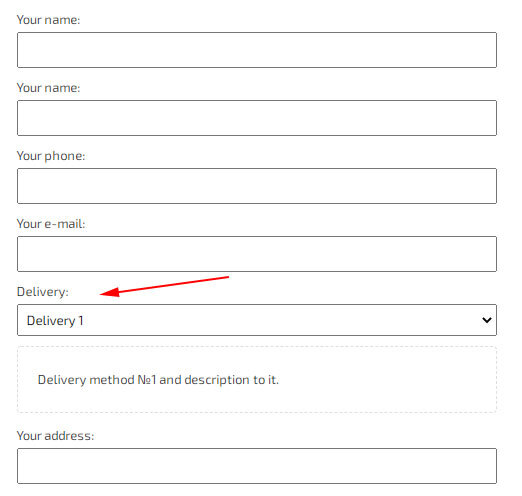
This method allows you to choose delivery directly when placing an order, and does not require additional country selection. You can set a dependency on the amount of the order, as well as connect the API to display hints when filling in the address. You can also change the fields to be filled in, for example, display only the number of the point of issue, or display the full address.
Split by countries/regions
A delivery method (admin: «Store» → «Delivery» → «Choosing a delivery method (in the order form)») has an additional option «Split by countries/regions». It is not a separate delivery method but a setting of the main method. If you enable it, you define your own value lists for the displayed address fields (country → region → city, etc.). For the buyer they are rendered as dependent dropdowns: when a country is selected, only its regions are shown, then cities, and so on. The final field (branch or postal code) is entered by the buyer manually. When a parent value changes, the child values, including an already chosen branch, are reset. The lists are shown only for the address fields enabled in the address fields setting. For delivery services with an API, the required values are pulled in automatically.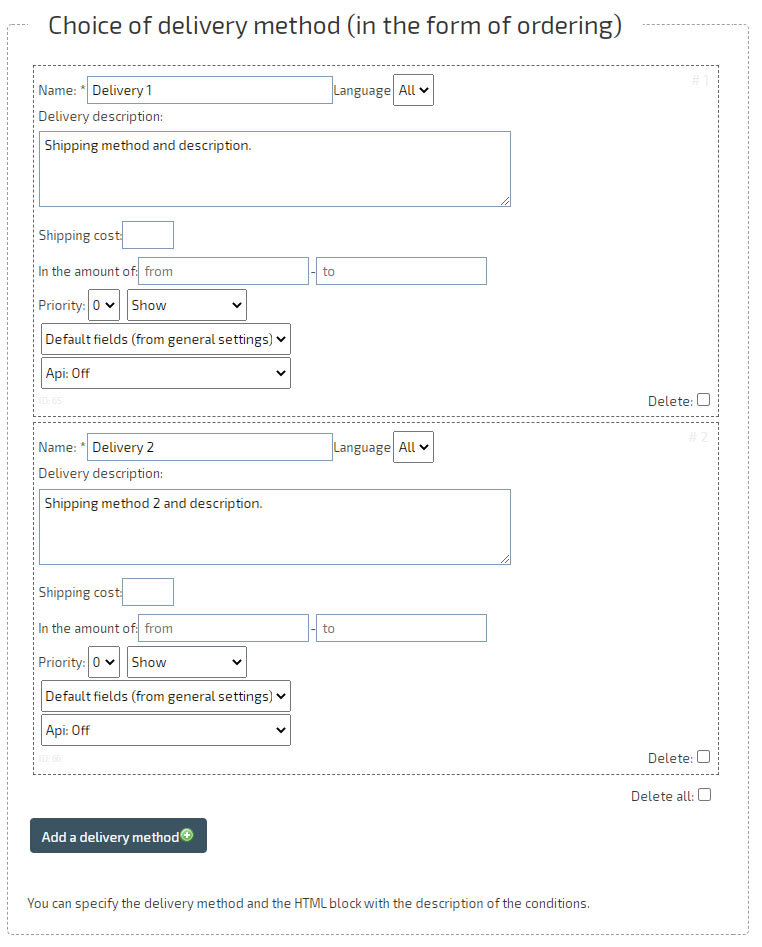
Filtering the list of delivery methods by filled-in fields
When placing an order, you can control the visibility of each delivery method depending on the address values entered by the buyer. This allows you to automatically hide unavailable delivery methods as the buyer fills in the address, and show only those for which the entered value turned out to be valid.Field filtering rules:
- Set for any filled-in address field — country, region, locality/city, street, postal code, etc.
- Filtering works by matching: a value starting with the specified one, and vice versa.
- For a single delivery method, you can specify several fields with «available» and «excluded» rules.
- If the field is empty, the delivery method is not hidden — filtering only works after a value is entered.
- The list of displayed delivery methods is automatically recalculated when any of the address fields changes.
Delivery information in the product card
For each product card, you can specify individual delivery conditions (when editing the product in the «Delivery» tab), and you can also specify general descriptions in different languages (in «Settings», in the «Store» tab, «Delivery» - «Description of delivery in item card»).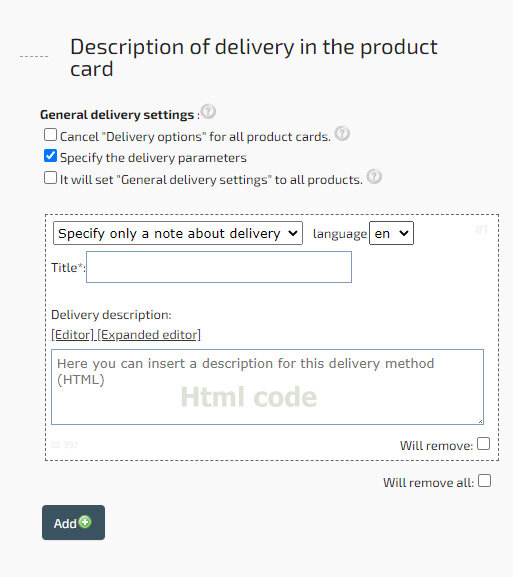
The delivery description block created for each product card or for all products (from the general settings) can contain any HTML code.
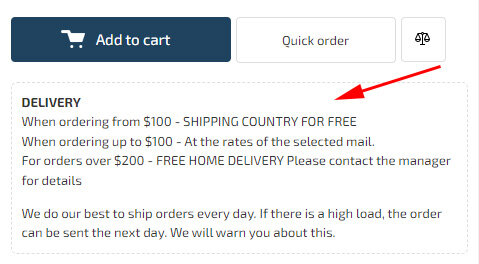
Additional block with delivery information.
In addition, you can create a separate block with delivery information (and any other data) for placement in product cards, including depending on the product category.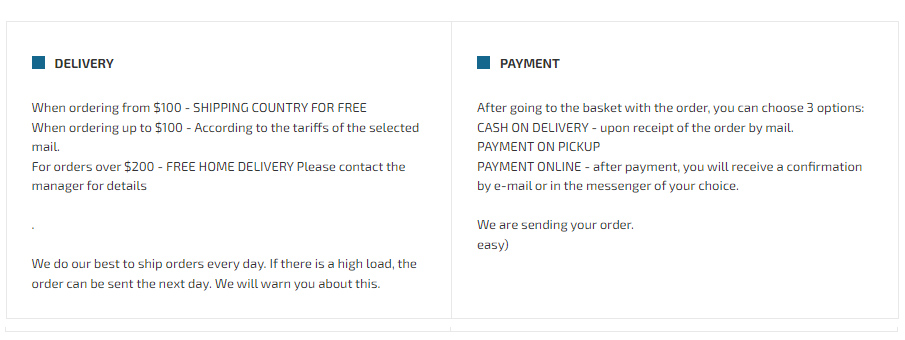
This can be done in the «Settings», in the «Shop» tab, «Product View / Tabs / Variety» - «Additional block with information in the product card».
A block can contain both delivery information and payment information, i.e. any HTML code.
API Integration for Branch Selection, Automatic TTN Creation and Delivery Cost Calculation
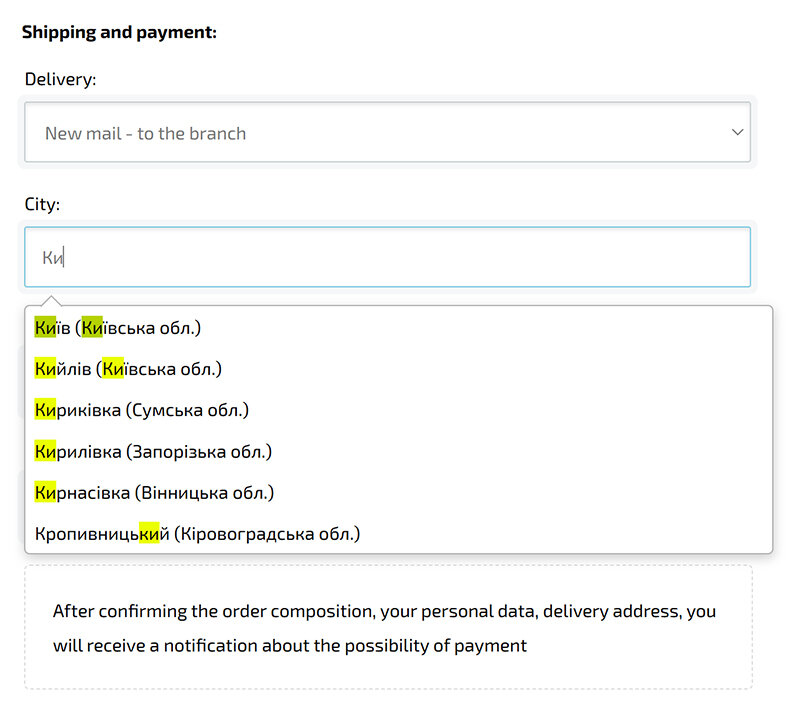
When placing an order, you can connect delivery services via API: suggestions for selecting a region, locality, street and branch/parcel locker, automatic creation of a waybill (TTN), and delivery cost calculation. Integration is supported for several services — both within Ukraine and for international shipments.Integration features:
- Branch/parcel locker, locality, region and street selection with suggestions when filling in the address.
- Automatic TTN creation when shipping an order — the tracking number is sent to the buyer without manually filling in waybills.
- Automatic delivery cost calculation according to the carrier's rates.
- International shipments via Goshippo — the buyer specifies the country and address, and the cost is calculated according to the selected carrier's rates.
To connect, enter the API key in «Settings» → «Store» → «Delivery», then in the delivery method enable the corresponding API and «Create TTN». Details are provided below.
Example of connecting the Nova Poshta API for automatic TTN creation
- Go to «Store» → «Delivery» and enter your Nova Poshta API key (it can be obtained in your personal account on the official Nova Poshta website).
- Open «Store» → «Delivery» → «Choosing a delivery method (in the order form)».
- Add a new delivery method or open an existing one.
- Activate the toggle «API: Enable NOVAPOSHTA API».
- In the «Create TTN» field select «Enable» and save the delivery method.
- Click the «gear» icon next to the TTN option and specify the sender (counterparty).
- To apply the sender to all delivery methods, tick «Use for all delivery methods».
Example of connecting the Ukrposhta API
- Obtain two Ukrposhta tokens (Bearer and Counterparty) — documentation and access at dev.ukrposhta.ua.
- In «Store» → «Delivery», enter the key in the bearer||counterparty format.
- In the delivery method, enable «API: Enable UKRPOSHTA API» and «Create TTN».
- Specify the sender via the «gear» icon (city, branch, street — with suggestions, including by postal code).
Example of connecting the Meest API
- Obtain Meest API login and password (contact Meest support or apply at meest.com; documentation — wiki.meest-group.com).
- In «Store» → «Delivery», enter the login and password.
- In the delivery method, enable «API: Enable MEEST API» and «Create TTN».
- Specify the sender (city and branch — with suggestions).
Example of connecting the Goshippo API (international delivery)
- Create an account at goshippo.com and obtain an API key in the Settings → API Keys section.
- Connect the required carriers in Settings → Carriers.
- In «Store» → «Delivery», enter the Goshippo API key.
- In the delivery method, enable «API: Enable GOSHIPPO API».
- Select the carrier and rate (for example, «UPS Worldwide Expedited» for international delivery or «FedEx Ground» for domestic US delivery).
- Enable «Create TTN» and specify the sender address via the «gear» icon.
- The buyer will specify the country and address — the cost will be calculated automatically according to the carrier's rates.
List of delivery services
Delivery notifications and automatic status checking
For delivery services with a connected API key, the delivery method gets the option of automatic TTN checking — you can flexibly enable or disable it. When enabled, the system automatically (by timer) updates the delivery status in the order without manual intervention. When a TTN is created, the buyer receives the waybill number, and when the status changes — notifications to the buyer and/or seller via the selected channels.
Notifications on delivery status change:
- • Notify the buyer by e-mail
- • Notify the buyer via Telegram (if subscribed to the site channel)
- • Notify the seller via Telegram (if subscribed to notifications)
- • Notify the seller via Viber (if subscribed to notifications)
- • Notify the seller via Push notification (if subscribed)
- • Notify the seller by e-mail
- • Notify the seller via private message
Managing Waybills (TTN) in the Seller Cabinet
In addition to automatic creation, waybills can be fully created and deleted manually from the cabinet when editing an order. This is the recommended way when you need to check the order and specify accurate data. When creating a waybill in the popup you control:
- the delivery method — for which service to issue the waybill;
- the payment method and the cash-on-delivery / payment-control mode;
- if cash on delivery or payment control is selected, you separately specify the amount expected to be returned and where to send it: cash on receipt, to a card, or to a bank account (IBAN).
The created waybill number is recorded in the order, and the buyer receives a notification with the tracking number. You can delete the waybill with the same button in the cabinet if it has not yet been accepted for shipment by the carrier.
«Create TTN» Modes (how to configure a method’s payment)
In the delivery method settings, the «Create TTN» field defines who pays and for what, and whether the waybill is created automatically. Available options:
- Disable — the waybill is not created automatically (delivery cost is not calculated), or the waybill is created manually from the order.
- Enable — Cash on delivery — the carrier itself collects the money (for goods and delivery) from the recipient on receipt; the delivery cost is not added to the order total.
- Enable — Recipient pays for delivery only — the waybill is created, the delivery cost is shown to the buyer but not added to the order; the recipient pays for delivery on receipt.
- Enable — Recipient pays for goods only — you (the seller) pay for delivery; the buyer pays only for the goods on receipt.
- Enable — No recipient payment — the buyer pays for everything at once (online); the delivery cost is not added to the order.
- Enable — Recipient pays for goods only + add delivery cost to the order — you pay for delivery but its cost is added to the order total.
- The same options are available in the «Disable» block for manual waybill creation from the order (parameters are set in the waybill creation popup).
If automatic creation is not needed — just enable the service API and leave «Create TTN» disabled. If you plan to create waybills from the order cabinet — the «Disable» mode is the right one.
Waybill Printing
For all connected services — Nova Poshta, Ukrposhta, Meest, and also international via GoShippo — waybill printing by TTN number is available right from the cabinet (from an order or from the waybill creation window).
Address Fields and Autocomplete
For each delivery method you configure which address fields the customer sees when ordering: a one-line address, or separately — country/region/city/street/house/apartment/index, or branch/parcel-locker/pickup fields. The autocomplete depends on the field set:
- if the «region + city + branch» fields are enabled, these values are suggested in any connected API while typing;
- autocomplete also works in the cabinet when creating a waybill;
- all services support the street hint if showing the street field is enabled.
Just enter the API key and select the required API for the method — and autofill starts working automatically with the appropriate fields. Different delivery methods can be created for different languages with their own descriptions shown when the method changes in the cart.
Delivery Method Visibility Conditions and Cost
A delivery method can be shown only under certain conditions:
- ranges of order amount, volume (m³) and weight — for example, only for freight branches;
- country filter — which countries see this method;
- own delivery cost added always — for example, a surcharge for handling cash on delivery;
- free delivery from an amount, different deadlines and costs.
Access to Waybill Creation (Owner and Managers)
The site owner and administrator have access to creating and deleting waybills by default. If managers run the store, enable the right to create waybills for them in the delivery settings, otherwise they will not be able to issue waybills.