BooStore.pro CMS Platform News
Updates on the BooStore.pro platform for creating websites and online stores

Updates and News


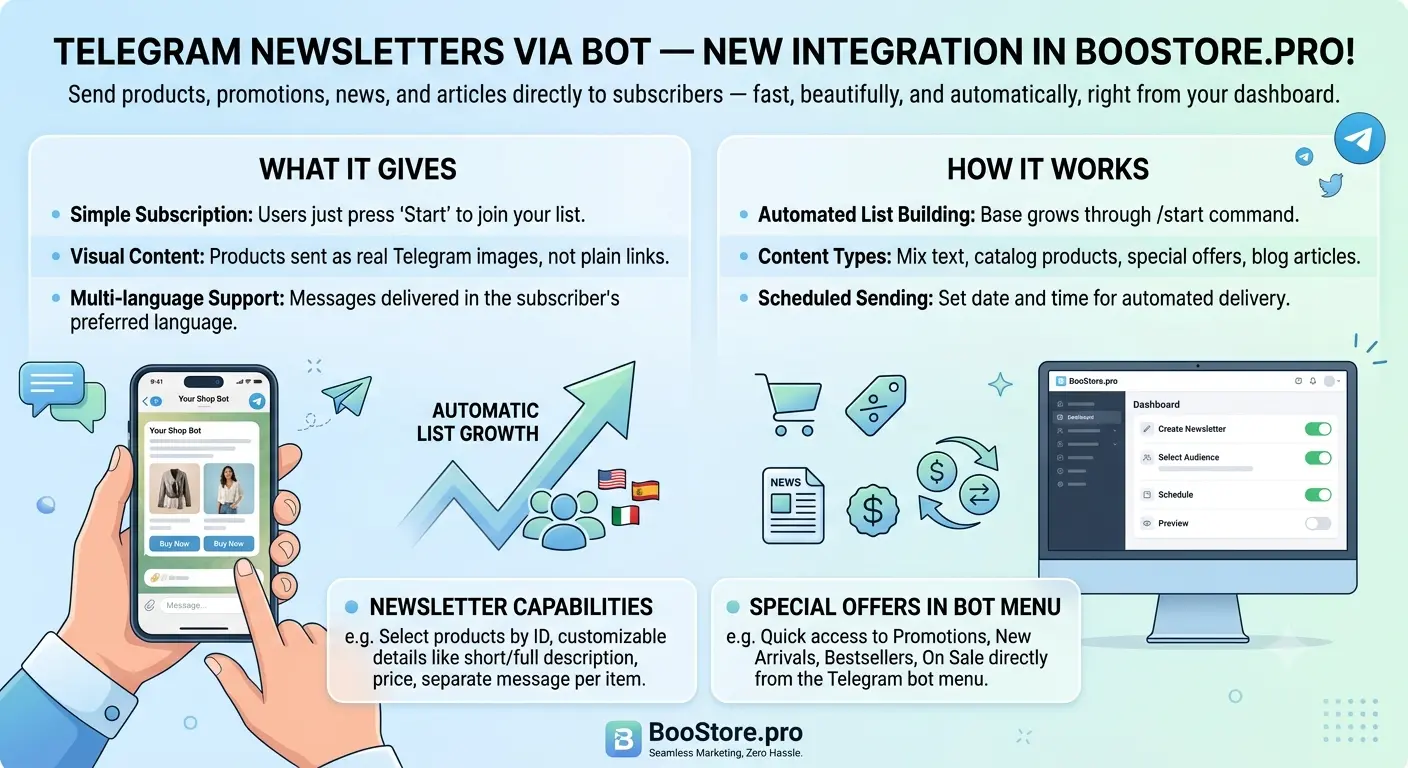
Telegram newsletters and online store via bot — new integration in BooStore.pro!

We have added full-featured Telegram newsletters through your own bot. Now products, promos, news and articles reach subscribers right inside the messenger — fast, beautiful and automatic. No third-party mailing services: everything works from your site's control panel.

What this gives you

A subscriber taps “Start” once in your bot and is automatically added to the newsletter base. You compose a message, choose the audience, and it reaches every subscriber in their language. Product images are sent as real Telegram pictures, not bare links.

Subscriber collection — automatic

  • The base grows on its own — users subscribe with the /start command right in the bot.
  • Import and export — load an existing base or export the current one to CSV.
  • Each subscriber's language — the message arrives in the language the user chose (or is detected automatically).
  • Profile in settings — a subscriber can set an email, delete it, or change the language themselves.

What the newsletter can do

  • Different content types — plain text, catalog products, promos and special offers, blog articles and news.
  • Product collection — pick products by ID or gather sale items/new arrivals/bestsellers/reduced/latest in one click.
  • Short/full description, sizes, image — everything is toggled with checkboxes.
  • Separate sending — each product or promo goes out as its own message.
  • By schedule — delayed sending at a chosen date and time.
  • Automatic currency conversion — prices are shown in the site currency, converted at the current rate.
  • Delete after sending — the newsletter does not clutter the database (checked by default).

Special offers right in the bot

The bot's main menu has “Special offers” and “Latest arrivals” buttons. The subscriber picks a category — Sale, New, Bestsellers, Reduced price — and gets a selection of products with price, image and link. All automatic and in their language.

A full online store in Telegram

The bot lets you not only send newsletters, but also create a full online store right in Telegram: a customer browses categories and subcategories, views product cards with price, image and sizes, flips pages, and searches by name and SKU. All data is taken from your catalog automatically — no programmers or third-party services. Learn more about the store in Telegram.

Sending to groups and channels

You can use the same bot to publish newsletters to a regular Telegram group or channel (for example, t.me/your_channel). Add the bot to the group and messages will be delivered there.


🤖
Your store news
online
🛍️
Salomon Quest 4D GTX shoes
$220 $280
View product
14:30 ✔✔


How to connect

  1. Create a bot with @BotFather (/newbot) and copy the API token.
  2. In the control panel open “Messenger newsletters” and connect a channel by entering the token.
  3. Share the bot link: https://t.me/your_bot.
  4. Create a newsletter — choose the type, collect products or text, set a schedule and send.

The new integration is already available to all sites on BooStore.pro. Connect your bot — and delivering news, products and promos to your customers becomes instant and visual.
Comments and Reviews Management Added to Commerce API!


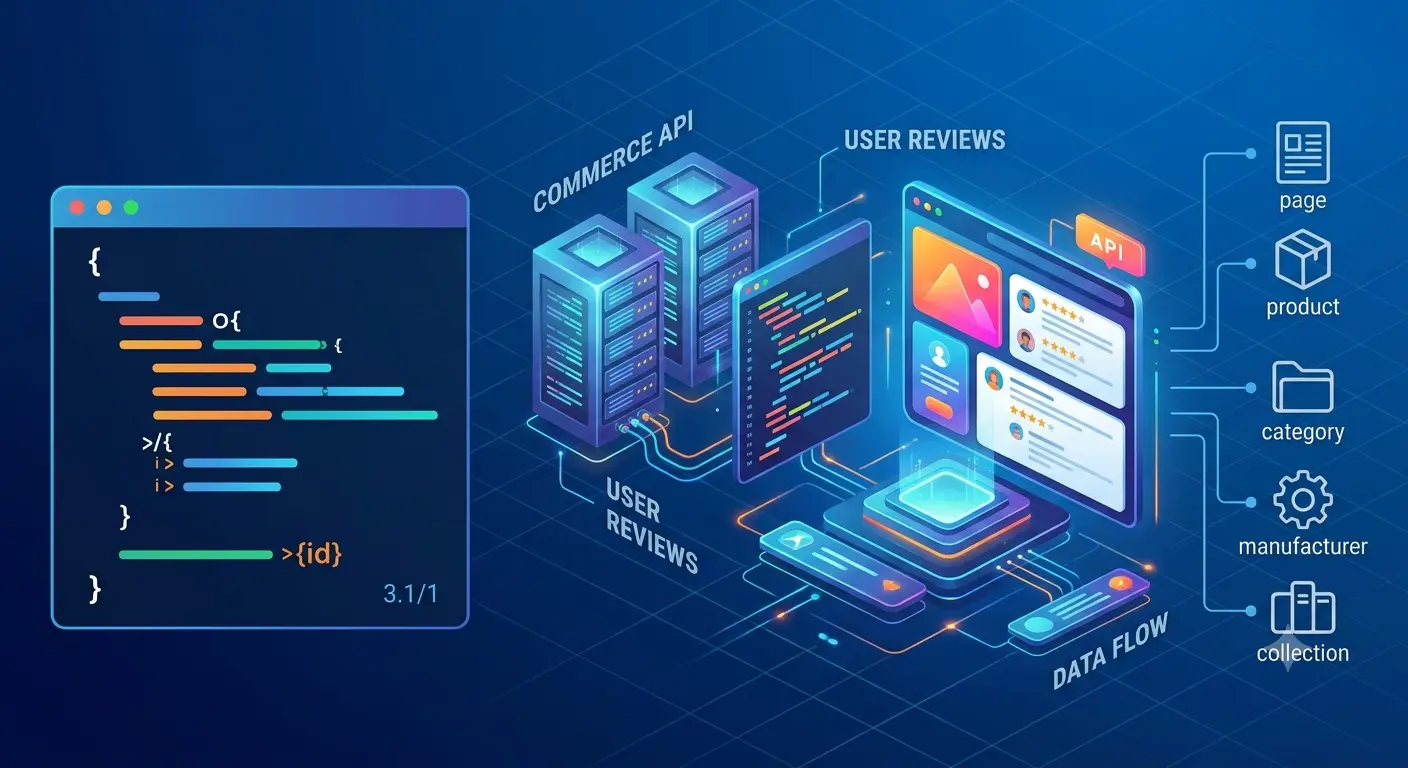
We continue to expand the capabilities of Commerce API. Now, in addition to products, categories, orders, and blog articles, you have full control over managing comments and reviews on your site.

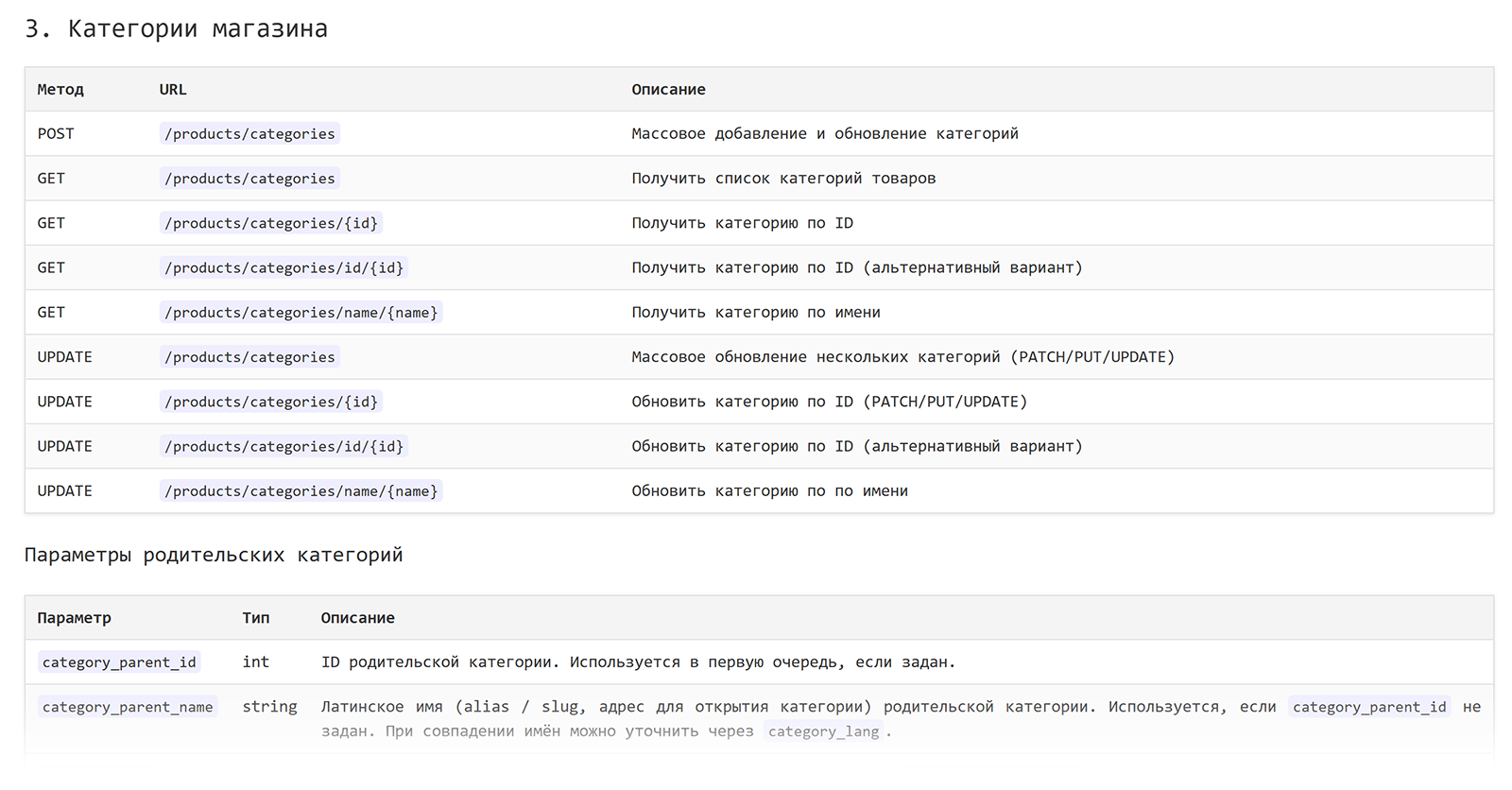
A new section — Comments and Reviews — has been added to Commerce API. You can now programmatically create, edit, bulk import, and delete reviews via the API.

New API methods for working with comments and reviews:

  • POST /comments — Create a new review or comment
  • GET /comments — Get a list of reviews with filtering
  • GET /comments/{id} — View a single review by ID
  • PUT/PATCH /comments/{id} — Update an existing review
  • DELETE /comments/{id} — Delete a review by ID

Reviews for different objects

The API lets you attach reviews to pages, blog articles, categories, products, producers, and collections. Manage rating (1–5), author, nested replies, and hiding reviews. When the rating changes, the object's review count and average score are recalculated automatically.

All details, request structure, and usage examples have been added to the documentation.

View the guide: https://boostore.pro/en/docs/category/api/

Blocks/Menu Management Added to Commerce API!


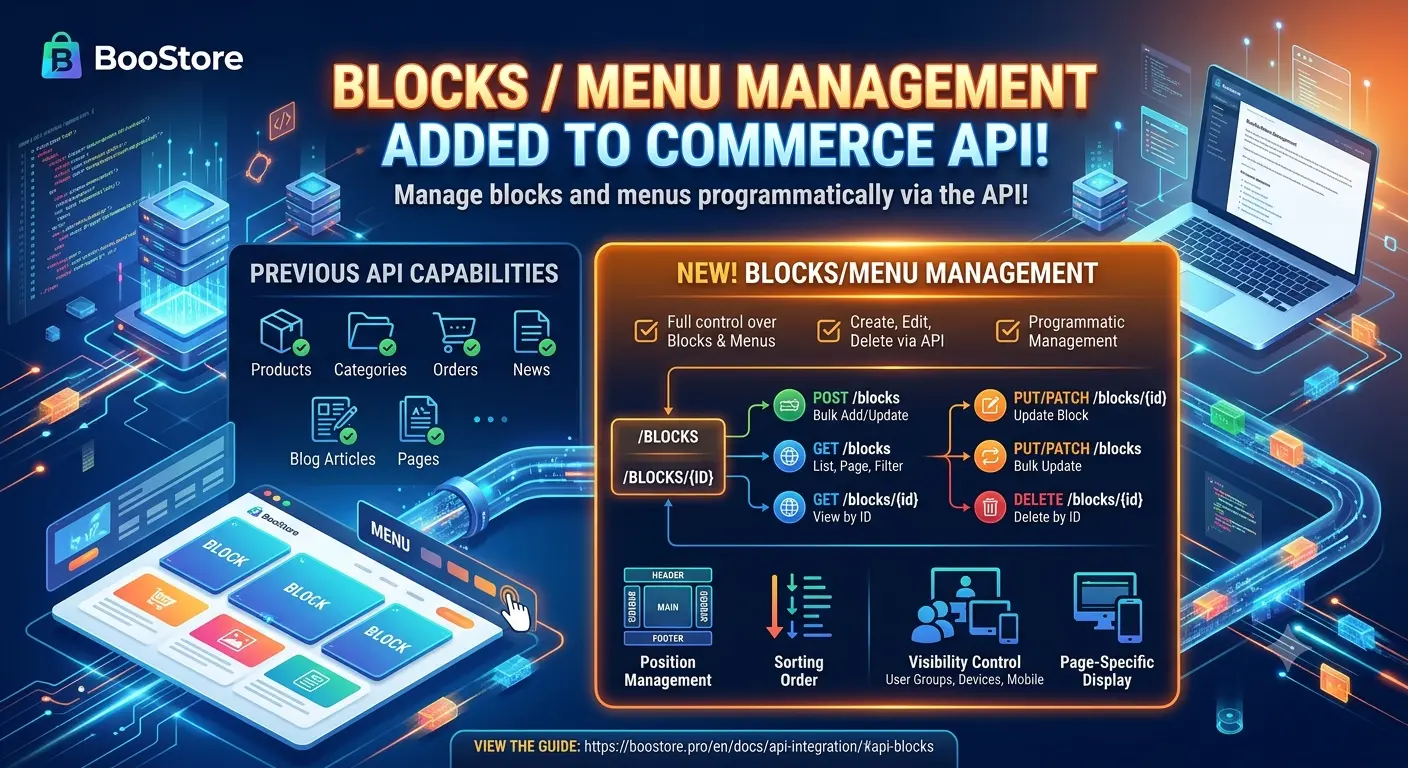
We continue to expand the capabilities of Commerce API. Now, in addition to products, categories, orders, blog articles, and pages, you have full control over managing blocks and menus on your site.

A new section — Blocks/Menu — has been added to Commerce API. You can now programmatically create, edit, and delete blocks and menus via the API.

New API methods for working with blocks and menus:

  • POST /blocks — Bulk add and update blocks/menus
  • GET /blocks — Get list of blocks with pagination, sorting, and filtering
  • GET /blocks/{id} — View a single block by ID
  • GET /blocks/slug/{slug} — Get a block by system name (slug)
  • PUT/PATCH /blocks/{id} — Update an existing block
  • PUT/PATCH /blocks — Bulk update blocks
  • DELETE /blocks/{id} — Delete a block by ID

Position and visibility management

The API allows you to manage block position (header, footer, left, right, top, etc.), sort order, visibility for different user groups and devices, and configure display on specific pages of the site.

All details, request structure, and usage examples have been added to the documentation.

View the guide: https://boostore.pro/en/docs/api-integration/#api-blocks

Major Update to the Reviews Widget on BooStore


We have completely redesigned the reviews widget, making it more flexible, faster, and responsive.

The old mechanism based on Owl Carousel has been completely removed and rewritten from scratch in pure Vanilla JavaScript. This significantly increased page load speeds and improved interface responsiveness.


What's New and Updated:

  • Updated Code Generator Interface: Entering page IDs is now much easier thanks to built-in search. You can now search and select products, articles, shop categories, collections, manufacturers, and article categories in a single click.
  • Display Reviews for Multiple Pages: Added the ability to specify a list of multiple pages at once for "Products" and "Articles" types.
  • Show All Reviews: You can now display comments for all products or all articles across the platform with convenient language filtering.
  • Flexible Responsiveness: Configure the number of reviews displayed inside a block based on the user's screen size.
  • Convenient Navigation: Added new pagination and flexible controls for navigation arrows.
  • Precise Interface Customization:
    • Change the position and order of elements (star rating, author, date) relative to the review text.
    • Customize block layout and the number of reviews per slide.
  • Media and Links:
    • Support for displaying images (for products).
    • Display product name with a link in the review header (for products and articles).
    • Option to make the star rating block itself a clickable link.

Please note: On all websites where the old widget was previously installed, an automatic replacement with the new version has been made. Settings have been updated and are ready to go.

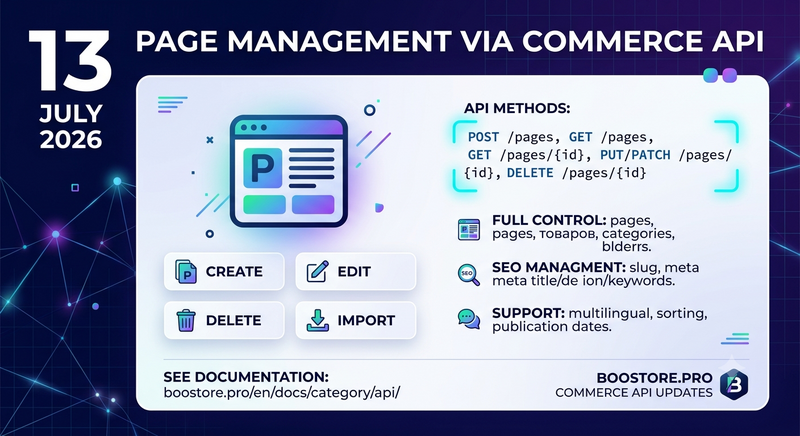
Page Management Added to Commerce API!


We continue to expand the capabilities of Commerce API. Now, in addition to products, categories, orders, and blog articles, you have full control over managing site pages (posts).

A new section — Pages — has been added to Commerce API. You can now programmatically create, edit, bulk import, and delete pages via the API.

New API methods for working with pages:

  • POST /pages — Create a new page
  • GET /pages — Get a list of all pages with filtering
  • GET /pages/{id} — View a single page by ID
  • PUT/PATCH /pages/{id} — Update an existing page
  • DELETE /pages/{id} — Delete a page by ID

SEO parameter support

The API allows full management of SEO metadata: slug (URL), meta_title, meta_de ion, meta_keywords. You can also set the page language, manage sorting order, publication date, and multilingual relations.

All details, request structure, and usage examples have been added to the documentation.

View the guide: https://boostore.pro/en/docs/category/api/

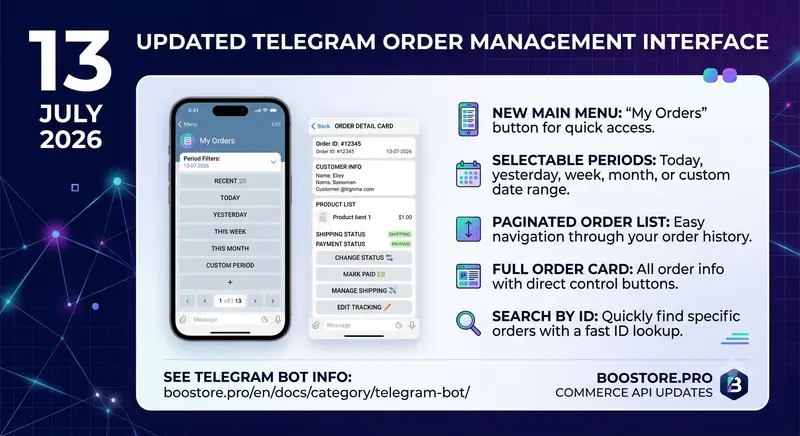
Telegram Order Management Interface Updated!


We have updated the order management interface in the Telegram bot! Now viewing and managing orders is even more convenient.

The main bot menu now features a "My Orders" button that provides access to your store’s complete order history. You can select a convenient viewing period: last 20 orders, today, yesterday, this week, this month, or the last 3 months. Search by order number is also available.

What has changed:

  • New main menu — "My Orders" button for quick access to order history
  • Period selection — view orders for today, yesterday, week, month, or custom period
  • Order list with pagination — convenient navigation through order pages
  • Order card — complete order information with status, payment, and delivery management buttons
  • Search by number — quick navigation to a specific order by its ID

All order management is now available directly in Telegram, without needing to access the admin panel. This is especially convenient for store owners who want to always stay connected to their business.

Learn more about Telegram bot features: Order Management via Telegram

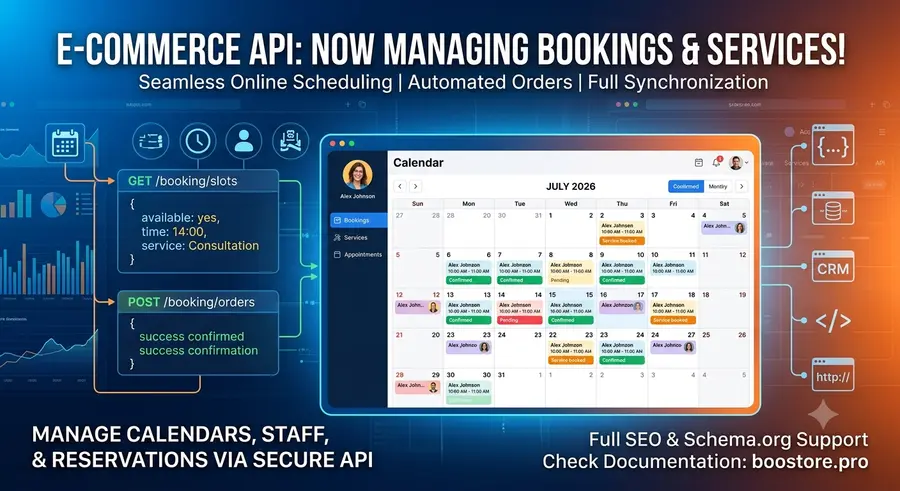
Booking and Service Management Added via E-commerce API!


Our E-commerce API capabilities have become even broader. Now, in addition to full management of categories, products, content, and the blog, you can completely automate online scheduling and rentals on your website!

A new section has been added to the API — Booking Management. You can now create, update, bulk import, and delete services, time slots, staff, and orders via secure requests.

Full Support for Synchronization and Statuses

When transmitting data, you can flexibly configure all necessary booking parameters: from linking to specific staff members/masters (staff_id), managing session durations (duration), and pricing rules to synchronizing payment statuses (payment_status), sending automated notifications to clients, handling pending bookings (pending), and automatically exchanging data with external CRM systems and calendars.

All details, request structures, field types, and JSON data examples have already been added to the general documentation.

More details in the instructions: https://boostore.pro/ru/docs/api-integration/#faq_crm

Blog and Article Management via E-commerce API Added!


The capabilities of our E-commerce API have expanded even further. Now, in addition to full management of product categories, manufacturers, and collections, you can completely automate the workflow of your website content!

A new section has been added to the API — Article Catalog (Blog). You can now create, update, bulk import, and delete articles using secure requests.

New API Methods for Blog Management:

  • POST /blog/articles — Bulk addition and updating of articles (including array import)
  • GET /blog/articles — Retrieve a list of all articles
  • GET /blog/articles/{id} — View a specific article by ID
  • PUT/PATCH /blog/articles/{id} — Update a specific article by ID
  • PUT/PATCH /blog/articles — Bulk update multiple articles simultaneously
  • DELETE /blog/articles/{id} — Delete an article by ID (soft delete supported)

Full Support for SEO and Structured Data

When sending data, you can flexibly configure all the necessary publication parameters: from SEO-friendly URLs (slug), meta tags (meta_title, meta_description, meta_keywords), and language versions (language) to comment management, ratings, scheduled publication (planned), and automatic generation of Schema.org structured data (Article, BlogPosting, NewsArticle, FAQPage, etc.).

All details, request structures, field types, and JSON data examples have already been added to the general documentation.

Learn more in the guidelines: https://boostore.pro/en/docs/api-integration/#hotengine-CommerceAPI

Scheduled Article Publishing on BooStore.pro: Another Step Towards Content Automation


We are excited to announce a new feature that will make managing your online store even simpler and more efficient — scheduled article publishing! Automating your content marketing has never been easier.

This is an incredibly convenient tool for SEO optimization and regular blogging. For search engines, the regularity and consistency of website updates are crucial. The scheduled publishing feature allows you to prepare a content plan for a week or a month ahead in a single day, ensuring a smooth, systematic release of materials without constant manual control. You no longer need to watch the calendar and the clock to release important content on weekends or holidays — the system handles everything for you.

How it works

The entire automation process takes just a few seconds and consists of three simple steps:

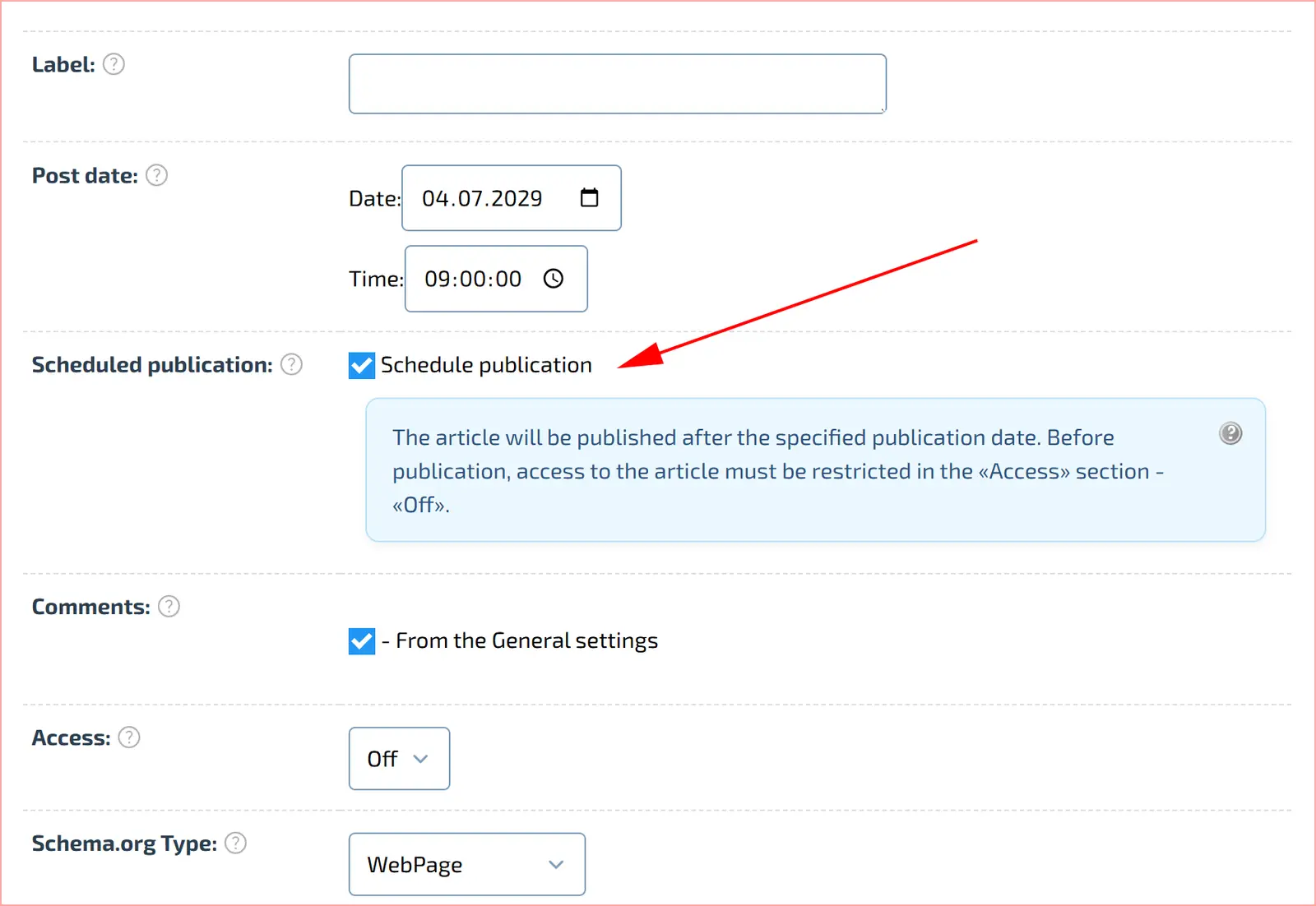
  • Set the time: when adding an article, specify the desired future date and time for its release.
  • Activate the feature: check the box for «Scheduled publication».
  • Turn off publication access: to keep it hidden until the specified publishing date arrives.

That is it! The system saves your settings, and the article will automatically appear on the website exactly at the scheduled time. Free up your time for strategic tasks by leaving the routine to BooStore.pro automation.

Markup Optimization: data-hotengine-marking


What changed?
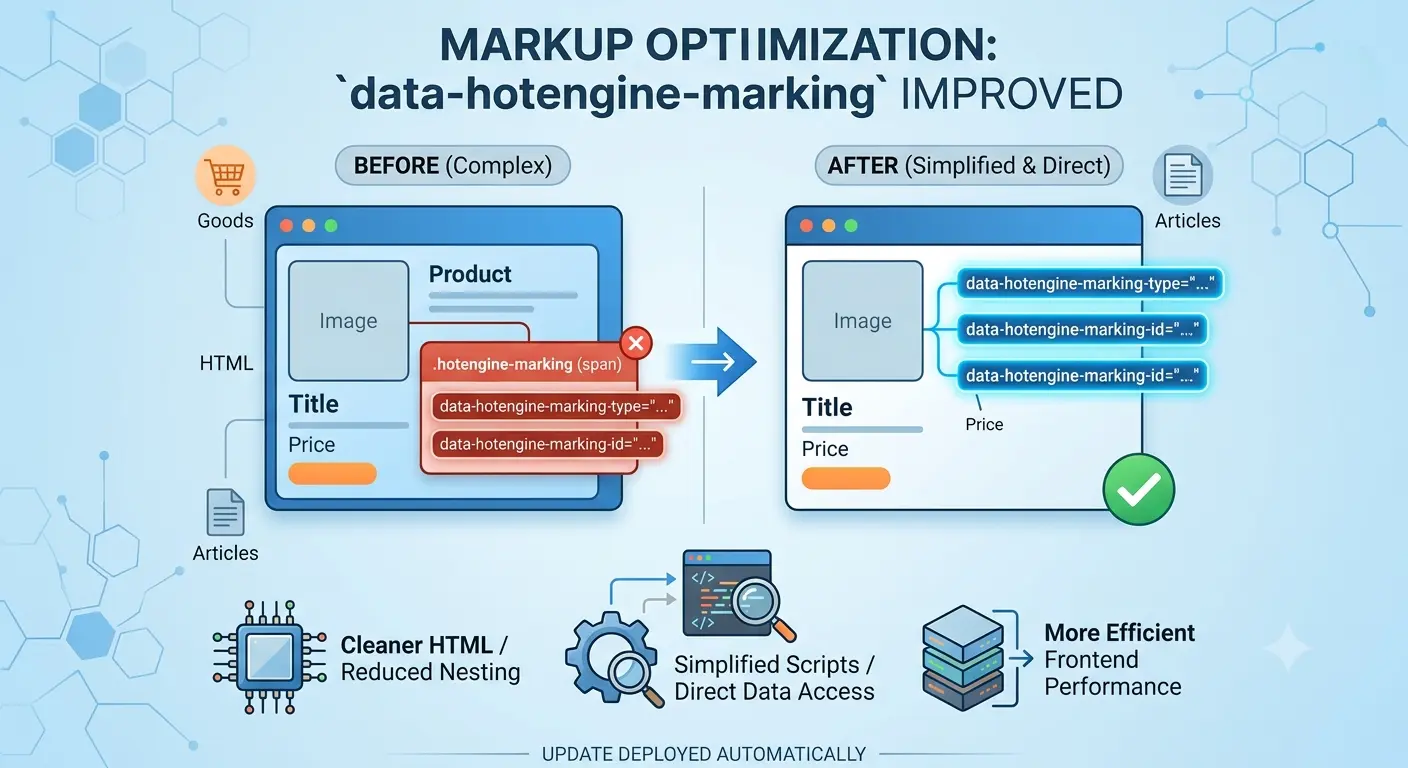
The data-hotengine-marking-* attributes are now located directly on the product and article blocks, instead of a separate <span class="hotengine-marking">.

Affected types:
blog_catalog_page_incategory — article list
shop_catalog_page_incategory — product list
+ Product and article display widgets

Why it's better:
— Fewer nested elements in HTML
— Script simplification (no need to look for a child span)
— Attributes are always where the data is

For users:
If your scripts use the .hotengine-marking selector for blog/shop lists — replace it with [data-hotengine-marking-type].

Done:
For all websites where scripts are connected via menu blocks — the update has been performed automatically.

BooStore.pro added support for a new internet marketing standard — integration with AI agents via the llms.txt file


We have officially announced the implementation of a cutting-edge tool for Generative Engine Optimization (GEO) — the ability to create a system manifest "llms.txt" directly from your online store's control panel.

What is the llms.txt file used for?

The web search landscape is changing rapidly: millions of users worldwide now look for products, services, and reviews not through classic search bars, but by asking direct questions to AI assistants like ChatGPT, Claude, Gemini, or Perplexity.

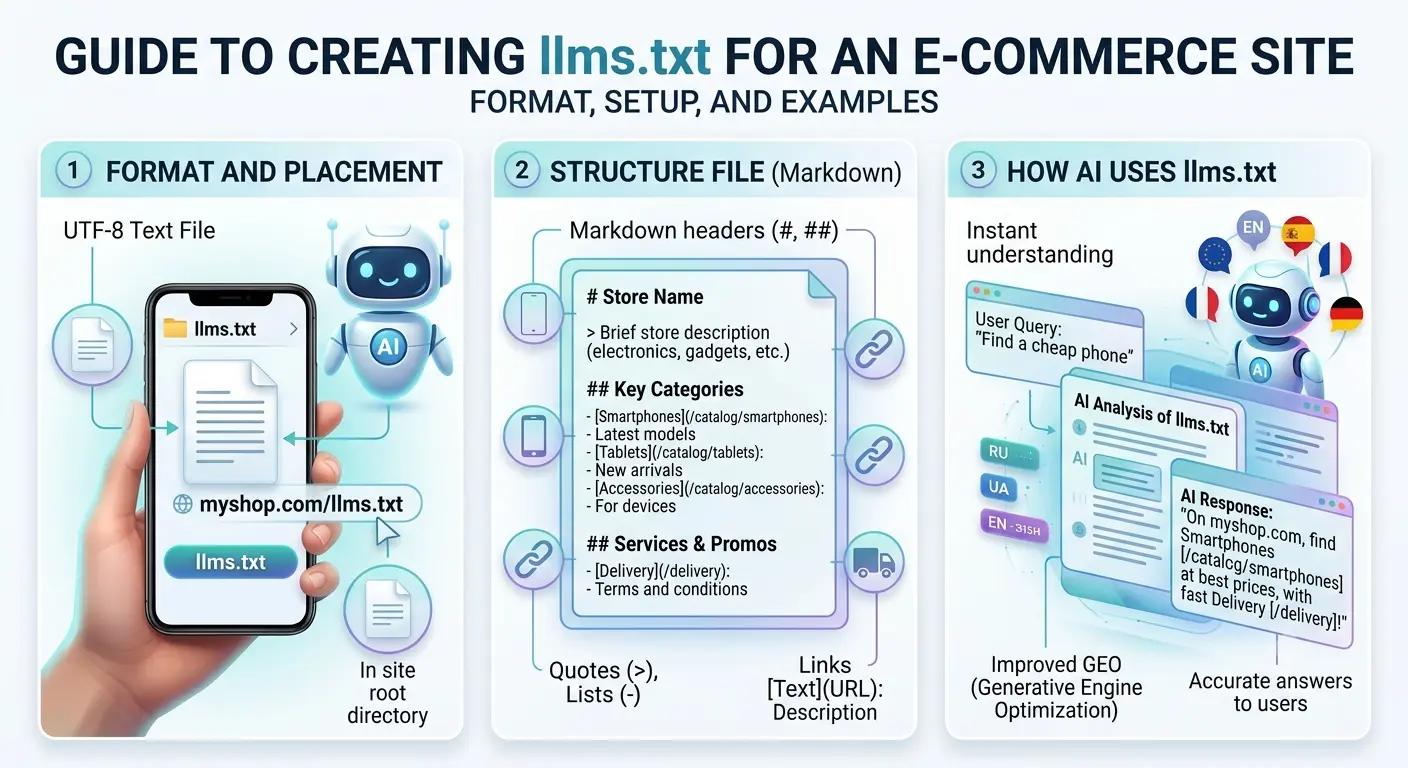
The "llms.txt" file is a new open standard that acts as a "business card" and a concise guide to your website, written in the Markdown language easily understood by artificial intelligence.

What this integration brings to your business:

  • Direct recommendations from AI: Models receive a structured summary of your store (payment methods, delivery terms, key product categories), allowing them to accurately answer user queries and provide a ready-made response complete with a link to your website.
  • Server resource savings from AI crawlers: Instead of time-consuming and expensive scanning of heavy HTML code filled with scripts, Large Language Model (LLM) bots instantly read clean facts, reducing the load on your server.
  • Generative SEO (GEO): This is your direct step toward ensuring your online store appears in the results of the smart search engines of the future.

How to set this up in BooStore.pro?

We have made the implementation process as simple as possible by fully automating complex server routing and delivering correct response headers (Content-Type: text/plain; charset=UTF-8). You don't need to modify server configuration files or write code.

To create an AI knowledge base, follow three simple steps in your admin panel:

  1. Go to the "Pages" section.
  2. Click the "Create a functional page" button.
  3. In the dropdown list, select the type: "LLM (AI knowledge base / llms.txt)".

The system will automatically link the page to the root address of the website https://your-domain.com/llms.txt, ensuring proper data processing and multi-language support for large language model bots. Implement innovations and stay one step ahead of the competition with BooStore.pro!


Instructions for creating LLMS.TXT

Ready-made style sets for forms added to the design editor


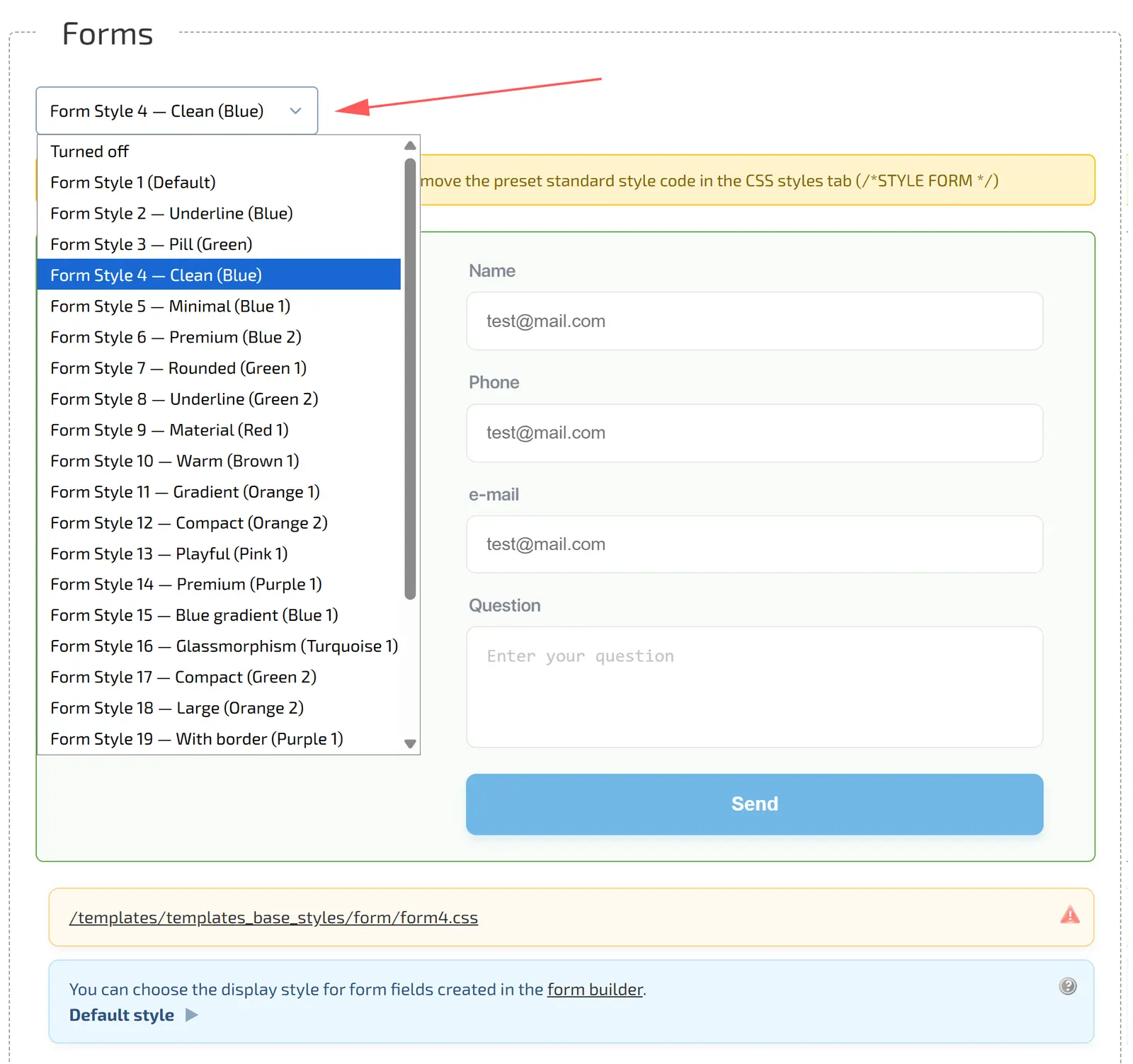
New interface customization functionality has been added to the design editor. Now you can quickly change the design and color scheme of web forms without editing CSS.

  • Where to find it: «Design Editor → Style Catalog → Forms»
  • What has been added: More than 20 ready-made presets (Minimalism, Gradients, Glassmorphism, Underlines) in various colors (Blue, Green, Red, Orange, Purple).
  • How it works: Select a style from the drop-down list — the preview form instantly changes its look. A direct link to the active CSS file is displayed below.

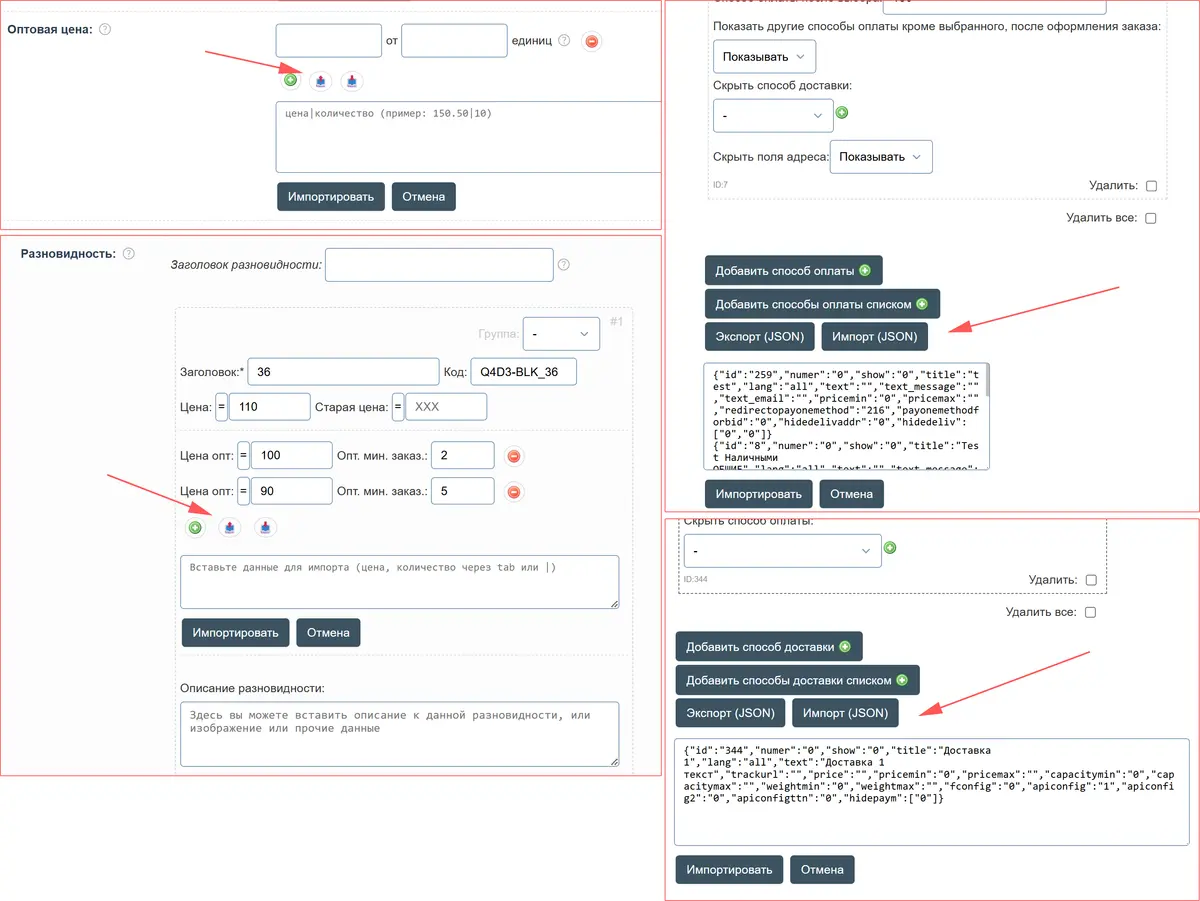
Fast data import and export from clipboard added to BooStore.pro


We are pleased to announce an update to the BooStore.pro platform functionality, which will significantly speed up your website content management.

A fast import and export tool has now been integrated into the system, allowing you to instantly add new elements or bulk update existing positions directly via the clipboard within the WEB interface.

What exactly has changed and how it works:

  • Product Variants (Modifications): Forget about manually creating each modification. In addition to the standard automatic import from XML, XLS, or CSV files, as well as text import from the clipboard, fast import of variants in JSON format is now available. This guarantees a precise data structure: you can export the current variant matrix, quickly edit it, and instantly import it back.
  • Wholesale Prices (Instant paste from Excel): Along with the classic price import from XML and Excel files, a fast format has been introduced for wholesale prices. Data is pasted directly from the clipboard as plain text, using tab characters (when copying columns from Excel or Google Sheets) or a vertical bar (|) as separators. Wholesale prices can be imported both for variants and main product pages.
  • Search Filter Characteristic Values: Catalog filter population has been enhanced with JSON exchange import. New properties are created instantly, while existing ones are updated without duplicating connections. Meanwhile, the previous plain text import functionality remains fully available.
  • Payment and Shipping Methods: Logistics settings are now also under the control of smart import. Move and copy your pre-configured shipping options and payment gateways in JSON format to replicate them across the site much faster.
  • Main and Mobile Menu Items: In the menu editor, you can now expand a complex multi-level menu for the desktop version or set up an optimized menu for mobile devices in a single click via the clipboard.

Note: Full automatic import of large catalogs from XML, XLS, and CSV files for variants and wholesale prices continues to operate normally, just as before. The new clipboard tool is designed specifically for targeted and maximum speed data editing "on the fly".

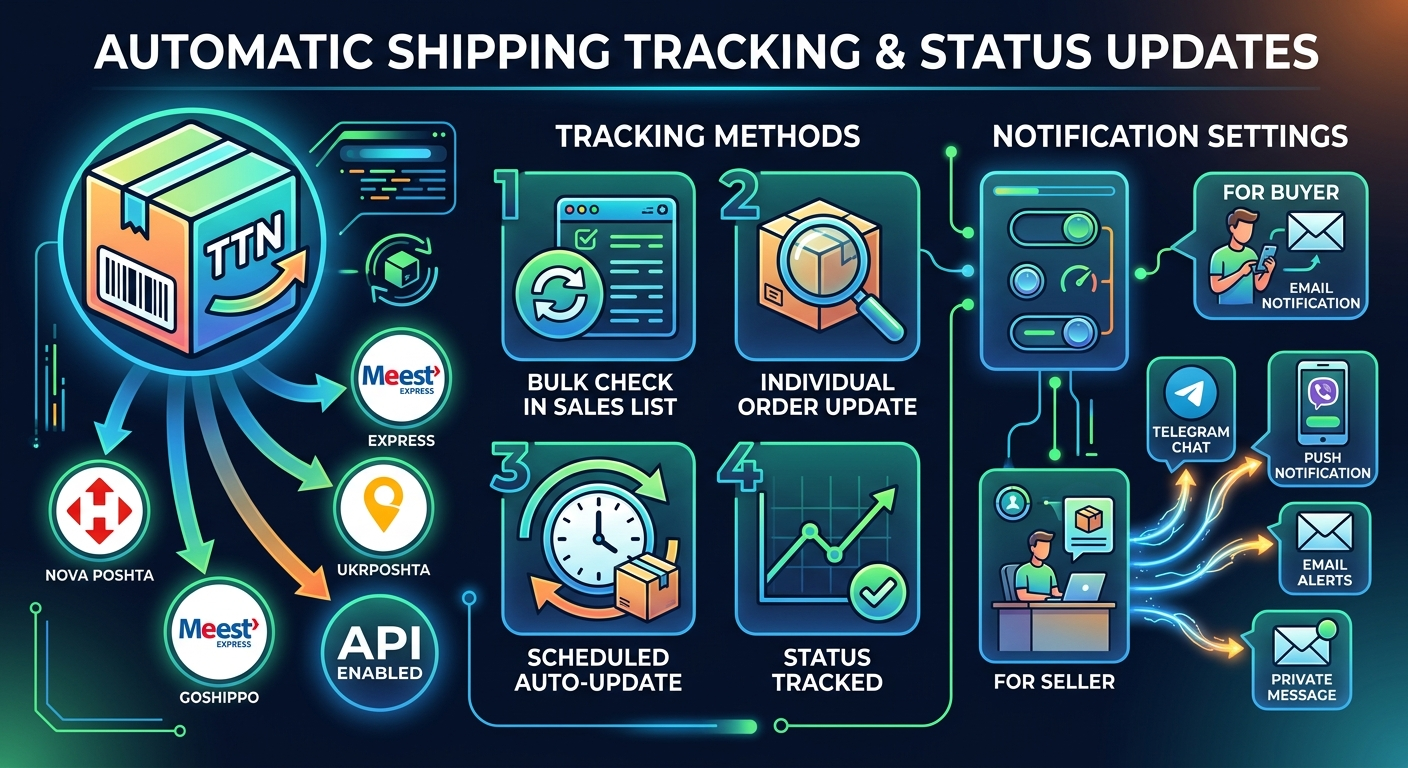
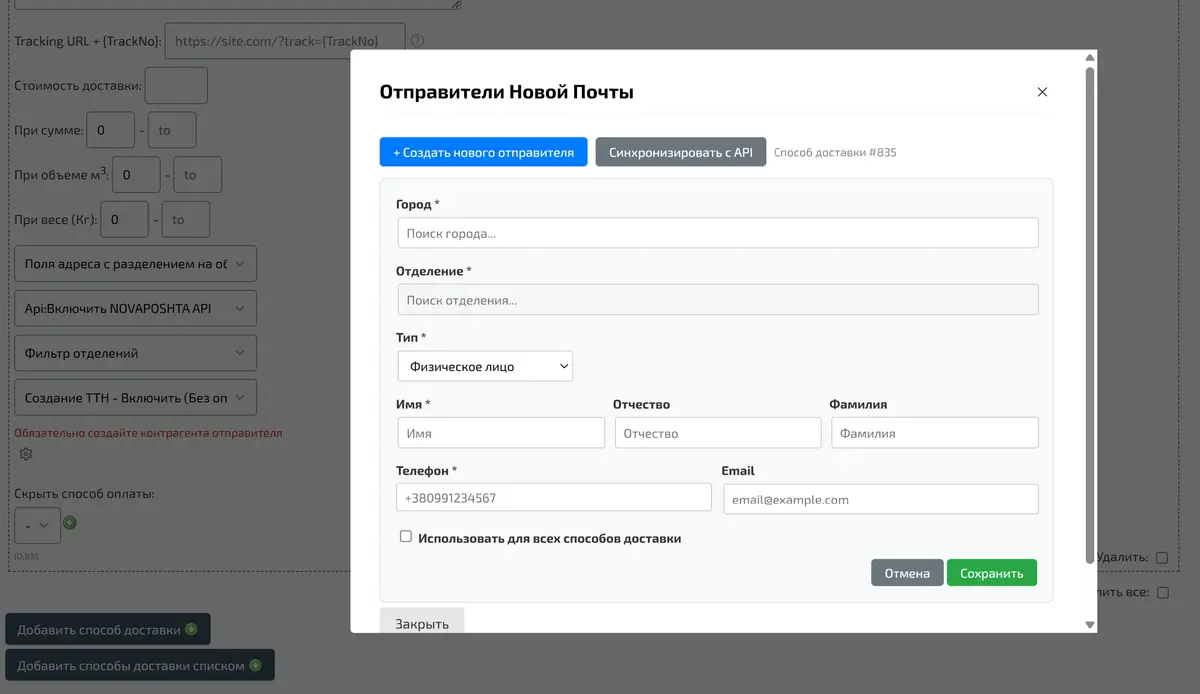
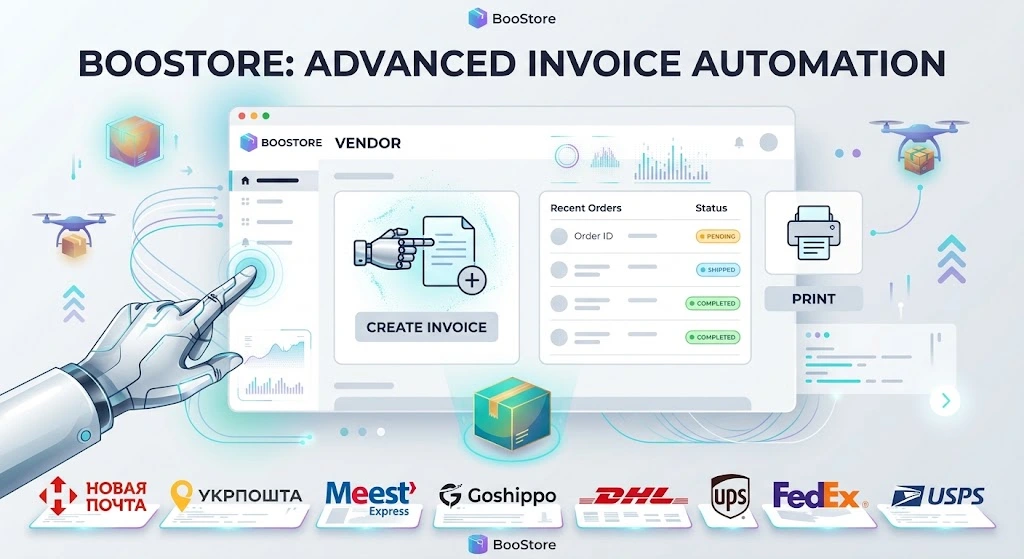
Added Automatic Creation of Waybills (TTN) for Nova Poshta + Creation of Counterparties (Senders)


We are pleased to announce the release of a new functionality that will significantly simplify and speed up the dispatch of orders. Now the platform supports automatic generation of express waybills (TTN) via the official "Nova Poshta" API with full support for counterparties.

Features of the new module:

Individual dimensions tracking: The system automatically reads the dimensions and weight of products if they are specified in the card of a particular item, ensuring an accurate calculation of shipment parameters.

Versatility of payment types: The API correctly generates waybills for any scenario — whether it is cash on delivery ("наложка"), prepaid delivery at the company's expense, or standard delivery paid by the customer.

Brief configuration instructions:

  1. Before starting the configuration, be sure to go to the section «Магазин»«Доставка» and enter your Nova Poshta API key. You can get this key in your personal account on the official Nova Poshta website.
  2. Go to the admin panel path: «Магазин»«Доставка»«Выбор способа доставки (в форме оформления заказа)».
  3. Add a new or open an existing delivery method.
  4. Activate the switch to the position «Api:Включить NOVAPOSHTA API».
  5. In the row that appears «Создание ТТН», select the value «Включить».
  6. Be sure to click the save delivery method button.
  7. After saving, return to the item and click on the configuration icon in the form of a «Gear» next to the TTN enabling option.
  8. In the window that opens, specify your sender (counterparty).
  9. In order not to configure the data again for related methods, check the checkbox «Использовать для всех способов доставки». This will automatically apply the selected sender to all other delivery options working via the Nova Poshta API.

Use the new automation tools to eliminate human error when filling out waybills and spend less time on routine shipment processing.

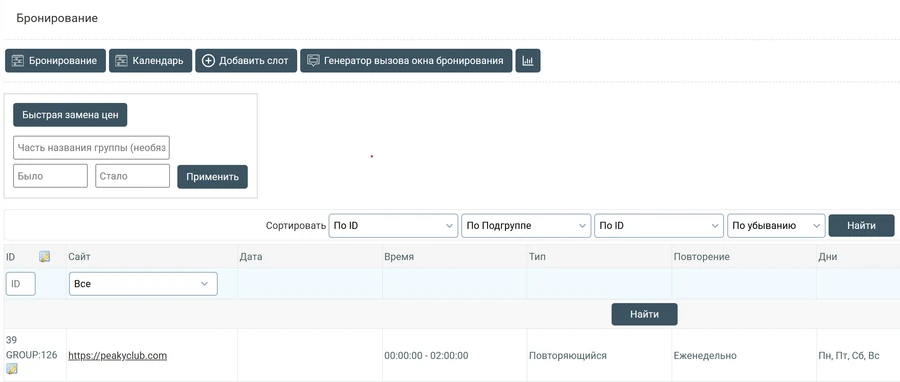
Quick price editing added to booking slots


We have added a new handy tool «Quick price replacement» for slot modules in "Booking" on BooStore. Now you can update rates several times faster!

No need to open each slot individually anymore — just specify the old price and the new price to update them with a single click in all required positions at once.

Note: The system supports automatic recognition of popular currencies («$», «€», «грн», «zł», etc.) and performs batch replacement in seconds.

What has changed:

  • Mass replacement: Instant price updates based on the "Was / Become" principle.
  • Search by name: Ability to update prices only for a specific group of slots by entering a part of its name.
  • Change counter: Upon completion, the system will immediately display the exact number of updated records in the database.

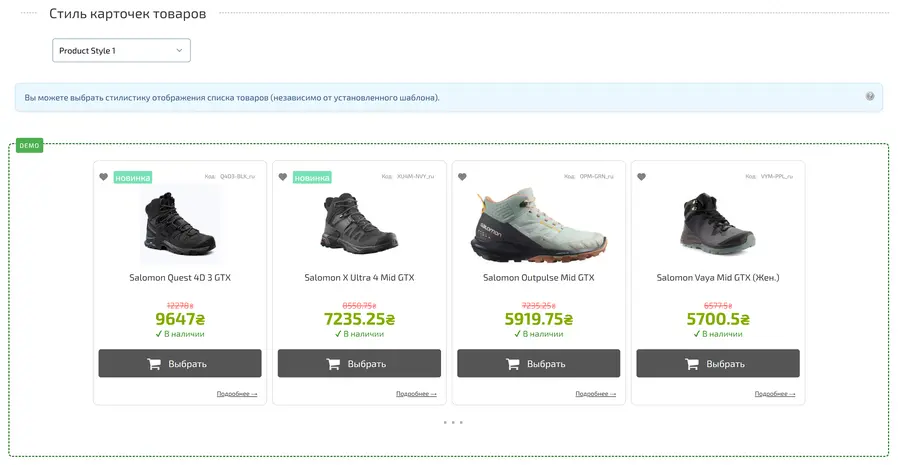
BooStore Update: Ready-made Product List Display Styles


We are pleased to announce a major expansion of the BooStore Design Editor capabilities! Creating a unique look for your store is now even easier and faster.

In the updated preset library, you can choose not only the product list color scheme but also fully change the style and display format. This allows you to transform the visual structure of your storefront — from a classic grid to modern minimalist layouts — in just one click.

Note: New settings allow you to instantly change how product cards are displayed in the list, selecting the most effective option based on your assortment and customer preferences.

Key benefits of the update:

  • Interface transformation: Change the layout of card elements (image, price, buy button) without editing code.
  • More than color: Control spacing, borders, shadows, and overall style using ready-made templates.
  • Mobile optimization: All new BooStore styles are perfectly adapted for smartphones and tablets.

Try the new features in the “Design Editor” section of your BooStore account right now!

New Update: SEO-Friendly URLs (Slugs) for Products on BooStore.pro

We continue to improve the BooStore.pro platform, making your online stores even more efficient for search engines and more convenient for users. Previously, we successfully implemented human-readable URLs (slugs) for the blog module, and now this functionality is available for the product catalog as well!


What does this bring to your business?

Instead of standard system links with cryptic IDs, each of your products now gets a unique address that contains its name directly in the link.

  • SEO Improvement: Search engines (Google, Bing) take into account the keywords contained in the URL. This directly affects rankings and helps your products reach the TOP faster.
  • Increased Search CTR: Users are more likely to click on informative links in search results because they can immediately see where they lead.
  • Customer Convenience: A "readable" link is much easier to share in messengers or social networks — it looks professional and builds trust.
  • Technical Cleanliness: Our algorithms automatically clean links from unnecessary extensions (such as .html or .php) and limit the length for maximum compliance with modern search engine standards.

Important: If you are already using our blog module, you know how it works. Now, sales management becomes just as transparent and SEO-efficient as content management.

Enable new features today and stay ahead of your competitors in search rankings!

BooStore.pro Development Team

BooStore.pro Adds SEO-Friendly URL Support for Article Catalog: A New Level of SEO Optimization

We are pleased to announce a significant update to the BooStore.pro platform. From now on, all publications in the article catalog can use SEO-Friendly URLs (Slugs). This allows you to replace standard numeric identifiers (e.g., /15282.htm) with meaningful addresses that contain keywords.


Why is this beneficial for SEO?

  • Improved Ranking: Search engines (Google, Bing) consider the presence of keywords in the page URL.
  • Increased CTR in Search Results: Users are more likely to click on links that clearly describe the article's content before they even click.
  • User Convenience: These links are easier to read, copy, and share on social media or messaging apps.

Global Multilingual Management

One of the main advantages of this update is simplified management for multilingual websites. Now you can:

Set identical page names (Slugs) for different language versions.

For example, an article about ad setup can have the same path /google-ads-setup.htm across all language folders (/ua/, /en/, /pl/). This significantly eases analytics, cross-linking, and content structuring while maintaining a consistent standard for the entire project.


Update your links today to make your content even more visible to search engines and more convenient for your customers!

🔐 Security First: Two-Factor Authentication (2FA) is now on BooStore.pro!

We continue to improve the BooStore.pro platform, prioritizing the protection of your data and the security of your online stores. We are pleased to announce the implementation of a major update — Two-Factor Authentication (2FA).


Why is this important?

A regular password, even the most complex one, may not be enough today. 2FA adds an extra layer of protection: even if an attacker finds out your password, they won't be able to log in to your account without a special one-time code generated on your smartphone.

How does it work?

We have integrated the Google Authenticator standard. This is a reliable and free solution that works offline and does not require sending paid SMS.

How to enable protection:

  • Go to your profile in the BooStore.pro control panel.
  • Find the "Two-Factor Authentication" section.
  • Scan the QR code using an app (Google Authenticator, Authy, or similar).
  • Enter the verification code from the app to activate.
Recommendation: We strongly advise all store owners to activate this feature as soon as possible. This ensures that only you have access to managing your business.

BooStore.pro — creating reliable tools for your success!

🔐 BooStore Raises Security Standards: Integration with Cloudflare

The BooStore.pro team officially announces a major infrastructure upgrade. We have implemented automation for Cloudflare — the global leader in cyber threat protection and content delivery acceleration.

🛡️ What does this mean for your shop?

  • ✅ DDoS Attack Protection: Your website is protected from malicious traffic attempting to artificially overload it.
  • ✅ Loading Speedup (CDN): Content is served from servers closest to the user, improving your Core Web Vitals metrics.
  • ✅ Real IP Hiding: Your server's direct IP address is hidden, completely neutralizing the risk of targeted attacks on your hosting.
  • ✅ SSL Encryption: Automatic provision of a secure connection between the buyer and your store.
  • ✅ WAF (Web Application Firewall): Blocking suspicious bots and SQL injection attempts at the network level.

📥 NS Servers Update Instructions

To activate protection and ensure the automation works correctly, you need to update the NS servers (Name Servers) in your domain's management panel.

Domain Type NS Server Addresses
International Domains
(.com, .net, .org, etc.)
frida.ns.cloudflare.com
jaime.ns.cloudflare.com
Ukrainian Domains (.UA)
(.pp.ua, .in.ua, .od.ua, .com.ua, etc.)
julissa.ns.cloudflare.com
fattouche.ns.cloudflare.com

Please note: Cloudflare may specify different NS servers for your domain. To verify, please reach out to us via the contact form.

Your business deserves professional protection. Update your settings today!