E-commerce: Promotion and Launch of an Online Store
Useful articles and guides on promoting, launching, and developing online stores in the E-commerce field

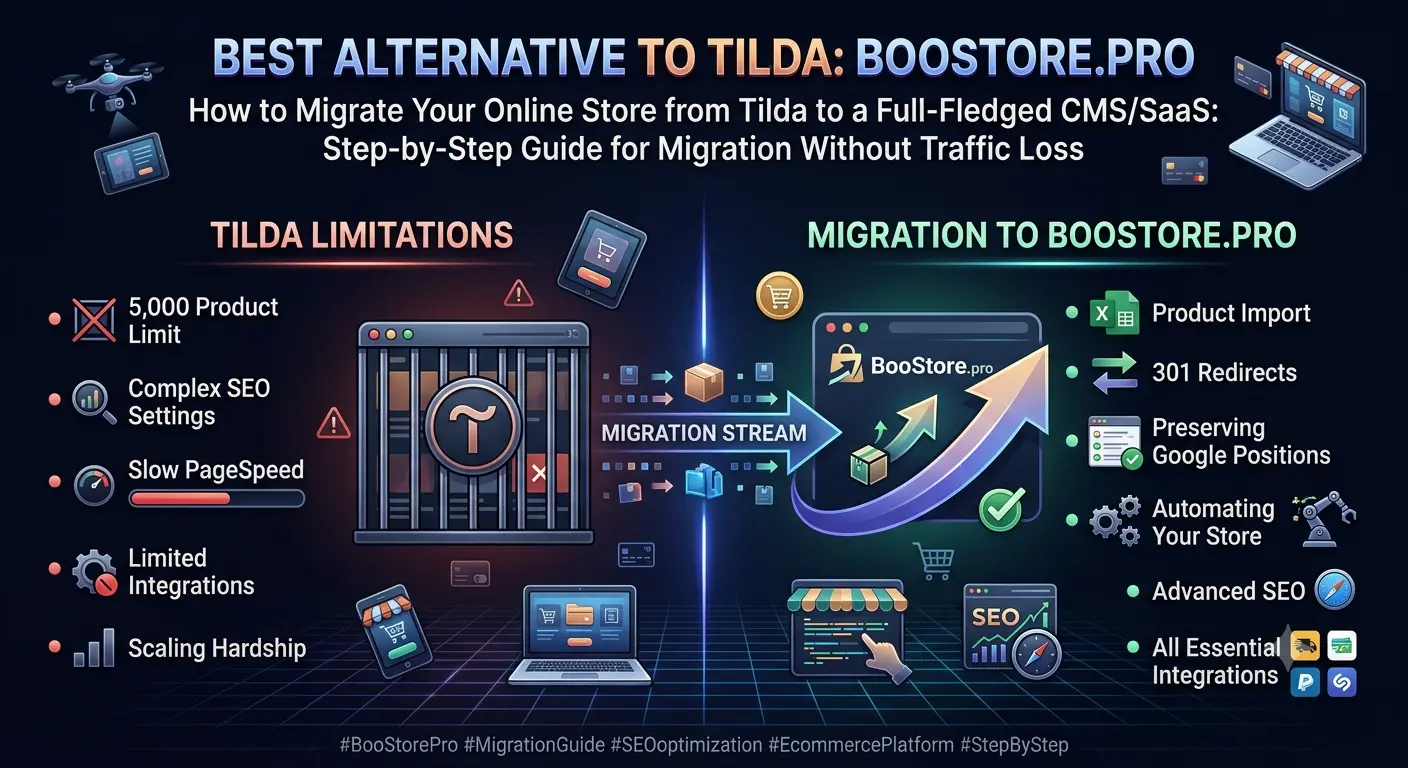
Best Tilda alternative. How to migrate your online store from Tilda to a full CMS/SaaS: step-by-step migration guide without traffic loss


Migrating an online store from Tilda to BooStore.pro: migration with traffic preservation


Best Tilda Alternative. How to Migrate Your Online Store from Tilda to a Full CMS/SaaS Without Losing Traffic

BooStore.pro — the best Tilda alternative for your online store. A complete migration guide: why Tilda isn't suitable for a serious online store, how to transfer your catalog, products, set up 301 redirects, automate your store and SEO promotion, connect all necessary integrations, and achieve PageSpeed 99-100 on the BooStore.pro platform.

Why Tilda is a dead end for an online store

Tilda Publishing is a great builder for landing pages, blogs and small websites. But when it comes to a full-fledged online store with hundreds and thousands of products, severe limitations kick in that slow down your business:

  • 5,000 product limit — on the Business plan, a maximum of 5,000 products in the catalog. For a clothing, electronics or home goods store, this is a ceiling you hit very quickly. You can't expand — only migrate.
  • SEO problems — Tilda generates pages via JavaScript, making indexing difficult. SEO-friendly URLs are limited, meta tags aren't flexible, Schema.org markup is basic. Google ranks such pages lower.
  • Low PageSpeed — due to an abundance of JS scripts, heavy Zero Blocks and built-in analytics, page load speed on Tilda rarely exceeds 40-60 points on Google PageSpeed. This directly affects rankings and conversion.
  • Broken layout in Zero Block — when creating custom blocks via Zero Block, the layout breaks on mobile devices. Each block requires individual responsive settings, which takes hours.
  • No full-featured search filter — product filtering on Tilda requires a separate subscription (e.g. Searchal) or JavaScript workarounds. There's no built-in solution for filtering by attributes.
  • No bulk product import — each product on Tilda is added manually or via CSV, but without flexible settings. You can't import variants, attributes, or wholesale prices.
Reality: If you have more than 1,000 products or plans to grow — Tilda ceases to be a viable solution. You either hit limits or get unsatisfactory performance and traffic loss.

The solution — switching to a professional SaaS platform BooStore.pro, which was originally designed for online stores with unlimited catalogs, maximum speed and SEO flexibility.

Tilda vs BooStore.pro: feature comparison

ParameterTildaBooStore.pro
Max products5,000 (Business plan)Unlimited
PageSpeed40-6099-100
Product importCSV without variantsCSV, XLS, XML, Google Sheets, clipboard
Search filterOnly via third-party servicesBuilt-in smart filter by any attributes
SEO-friendly URLsLimited templatesFull control over SEO URLs
301 redirectsVia plugins / workaroundsBuilt-in bulk import of "old → new" pairs
Product variantsNoSizes, colors with individual prices and SKUs
Wholesale pricesNoQuantity-based price grids
Collections / selectionsManual onlyAutomatic and manual collections
Marketplace integrationsNoRozetka, Prom, Hotline, Epicenter, Google Merchant
API for external systemsNoCommerce REST API v2.0 + webhooks for real-time events
Blog / article catalogLimited blogFull blog with scheduled posts, categories, SEO settings
Price$25-50/month (Business)Free plan + paid from $3/month
Main difference: Tilda is a website builder with a shopping cart added. BooStore.pro is a professional e-commerce platform where every feature is optimized for sales, SEO and scaling.

Migrating categories and catalog structure

The first step of migration — transferring the catalog structure. In Tilda, categories are organized through pages or catalog tabs. On BooStore.pro you get a full category tree with any level of nesting.

Ways to migrate categories

Import from CSV/XLS

The fastest way for dozens of categories. Format: name, parent category, description, SEO URL, Meta Title, Meta Description, image, menu icon, sorting order.

Import from Google Sheets

Connect a Google Sheet as a source — the system will load the data automatically. Any changes in the sheet are automatically synced with the site.

Clipboard

Copy a row in Excel → paste into the BooStore import form → category created. Perfect for 5-10 categories. For large catalogs and complex hierarchies, import from CSV/XLS/Google Sheets is available — the structure loads entirely, with all nesting levels and SEO parameters.

Icons and SVG

For each category you can upload a menu icon (including SVG) and a large icon for the category page. A built-in library of SVG icons is available.

Tip: When migrating, keep the category SEO-friendly URLs the same as on Tilda — this will simplify setting up 301 redirects. If the structure changes — an Excel formula will prepare redirect pairs in 2 minutes.

Migrating products: import via Excel and Google Sheets

Products are the main value of your store. On Tilda, each product is a separate page created manually or via CSV. On BooStore.pro, product import is a process that takes minutes, even for thousands of items.

What you can import in one upload

  • Basic data: name, short and full description, price, old price (for promotions), currency
  • SEO: Meta Title, Meta Description, SEO-friendly URL (SEO URL), H1 heading
  • Variants: sizes, colors with individual prices, markups, SKUs and wholesale prices
  • Images: upload by URL — the system will download, optimize and convert to WebP automatically
  • Attributes: any product properties linked to the search filter
  • Categories: assignment to one or multiple categories
  • Manufacturers and collections: additional categories with their own product lists
  • Wholesale prices: price grids with quantity dependency

Supported import formats

  • CSV / XLS (Excel) — universal format. Can be copied directly from clipboard
  • Google Sheets — live connection: changes sync automatically
  • XML / YML — standard price-list format with flexible field mapping
  • ZIP archives — the system will unpack and process XML/CSV inside automatically
Important: Unlike Tilda, where import is a one-time operation, on BooStore.pro import can be set up on a schedule. Prices, stock and products will update automatically — from 4 hours to 28 days. No manual work.

After import, all products immediately appear in the general catalog with bulk editing capabilities: percentage markup, formula-based price changes, category reassignment, stock updates — all via web interface without page reload.

301 redirects and preserving Google rankings

The most common problem when migrating from Tilda — traffic loss due to changed URLs. Tilda uses its own link structure, and when moving to a new platform without 301 redirects, Google will find 404 errors and search rankings will drop.

BooStore.pro offers a simple solution: built-in 301 redirect system with bulk import of "old URL → new URL" pairs. A 301 redirect transfers ~99% of link equity from the old address to the new one.

How to prepare the redirect list when migrating from Tilda

  1. Export the URL structure from Tilda — product pages, categories, articles. Each Tilda page looks like `https://yoursite.tilda.ws/page123456.html`.
  2. Create a table in Excel — in column A old URLs, in column B — new URLs on BooStore.pro.
  3. Use a formula for bulk generation if the structure changes.
  4. Upload the list to the "301 redirects" section of the BooStore.pro admin panel — via CSV file or clipboard.

What this gives you:

  • Google will see the 301 status and transfer the weight of old pages to new ones
  • Visitors won't get 404 errors
  • Search rankings will be preserved within a few days after index update
  • PageSpeed 99-100 on BooStore.pro will give an additional boost to rankings
Case study: A store with 2,000 products on Tilda. Migration to BooStore.pro took just a few hours (data preparation + import). The catalog transfers especially fast — categories and products are loaded via Excel/Google Sheets in minutes. 301 redirects were set up in 20 minutes via Excel. After migration, traffic didn't drop, and after a month — grew by 35% due to faster page load speeds.

SEO advantages of BooStore.pro over Tilda

  • PageSpeed 99-100 — a Google ranking factor. Tilda rarely scores above 60.
  • Schema.org markup — automatic JSON-LD markup for products and categories. Google better understands page content.
  • Full SEO URL control — you set the SEO URL for each product and category yourself.
  • XML Sitemap — automatic generation with correct priorities and update frequencies.
  • Open Graph — social media display settings for each product.
  • H1, Title, Description — individual for each page, with shortcode support for automatic generation.

SEO promotion recommendations after migration

After migrating your store to BooStore.pro, it's important to consolidate and improve your rankings. Here are key steps for SEO promotion:

Migrating design: Zero Block → flexible layout

Tilda's Zero Block is a powerful but heavyweight tool. Each block generates a mountain of JS code that slows down loading. On BooStore.pro, all layout is clean HTML+CSS, without tables or unnecessary scripts.

What you get instead of Zero Block

Block layout

Modern block layout without tables — clean code, perfect mobile adaptation, maximum PageSpeed scores.

Flexible blocks/menus

Any HTML content or ready-made widgets. Customize display by page, language, device or display conditions.

Shortcodes and microdata

Dynamic data in content — product name, price, SKU, image. Automatically inserted depending on the page.

Full CSS/JS control

Any customization through your own styles and scripts. No editor restrictions — full access to code.

At the same time, all styles are served minified, data and images are cached, and pages are additionally compressed before delivery. This gives minimal page size and maximum speed.

On BooStore.pro: Visual editor + interactive block library + full HTML/CSS/JS access. You get Zero Block flexibility, but without its drawbacks: pages load instantly, not in 3-5 seconds. Watch the editor demo.

PageSpeed 99-100: why BooStore is 2-3 times faster than Tilda

Load speed is one of the key Google ranking factors. Tilda averages 40-60 PageSpeed points. BooStore.pro consistently delivers 99-100 across all metrics. The difference is in the architecture.

MetricTildaBooStore.pro
PageSpeed (Performance)40-6099-100
LCP (Largest Contentful Paint)2.5-4.0 sec0.8-1.2 sec
FID (First Input Delay)100-300 ms<50 ms
CLS (Cumulative Layout Shift)0.15-0.35<0.05
JavaScript load500-800 KB per pageMinimal, no heavy libraries
Core Web Vitals readinessRequires manual optimizationOut of the box

BooStore.pro is built on a modern high-performance architecture: optimized core, multi-level caching, automatic WebP image conversion, Gzip compression of HTML/CSS/JS, CDN readiness and no heavy libraries. After migrating from Tilda, you don't just preserve rankings — you get a boost from speed.

Search filters and product collections

On Tilda, organizing a search filter is a pain. Either a third-party service with a monthly fee, or a custom JavaScript workaround that slows down loading. In BooStore.pro, filters are built into the core.

What's available out of the box

Product attributes

Create attributes for different product types. Separate for laptops, clothing, food — any parameters.

Smart search filters

Multiple filters for different product types. Price, brand, attributes — visitor finds a product in 2 clicks.

Collections and selections

Automatic and manual collections: "New Arrivals", "Best Sellers", "Promotions" or any thematic selections.

Product comparison

Enable attribute-based comparison. Visitors can select 2-3 products and compare their parameters in a table.

All attributes can be filled not only manually, but also via import from XLS/CSV/Google Sheets. This is especially important during migration — you load attributes together with products, and the filter starts working immediately after import.

Store automation after migration

After migrating to BooStore.pro, you get not just a working store, but a system that handles routine operations automatically. On Tilda, there are no tools for this.

Automatic product import

Price, stock and assortment updates on a schedule — from 4 hours to 28 days. Multiple independent sources with different settings. Supports CSV, XLS, XML, YML, Google Sheets and ZIP archives. On Tilda, import is a one-time operation without automation.

Commerce API (products, orders, articles)

Full REST API v2.0 for integration with CRM, 1C, ERP and any external systems. Programmatic management of products, orders, customers, articles and categories. Webhooks for real-time events.

SEO automation via article catalog

Built-in blog with scheduled posts. Create SEO-optimized articles, schedule publications — Google regularly indexes new content, improving the entire site's ranking. Tilda has no full-fledged blog.

All necessary integrations

Google Analytics 4, Google Merchant Center, Facebook Pixel, Rozetka, Prom.ua, Hotline, Epicenter — built-in product export and data transfer. Mass CSV Export/Import for backup and data exchange. Tilda has no marketplace integrations.

BooStore.pro Commerce API gives full programmatic access to store management:

  • Products — create, update, delete, manage stock, prices and variants
  • Orders — retrieve, update statuses, sync with CRM and 1C
  • Articles — manage blog content, article categories, scheduled publications
  • Categories — full management of catalog tree, collections and manufacturers
  • Customers — sync customer database with external systems, order history via API
More about automation: All functions are described on the BooStore.pro Store Automation page — scheduled import, webhooks, Telegram/Viber notifications, description generation and much more. Step-by-step guide to creating a store with a search filter.

Free features to get started

One of the key advantages of BooStore.pro — you can start your migration right now without any investment. The free plan is unlimited in duration and includes all basic functionality.

Up to 300 products

On the free plan, you can host up to 300 products — plenty for testing and migration.

Import from CSV/XLS/XML

Manual import of categories, products, articles, manufacturers is available for free.

PageSpeed 99-100

Maximum load speed on all plans, including the free one.

All SEO tools

SEO URLs, meta tags, Schema.org, sitemap.xml — all free and unlimited.

To increase limits and connect payment systems, hosting from $3/month is available. But you can start migration and test all features absolutely free. More about the free plan.

Frequently asked questions about migrating from Tilda to BooStore.pro

Answers to the most common questions from store owners planning migration from Tilda.

How long does it take to migrate a store from Tilda to BooStore.pro?

The time depends on the amount of data. A store with 500-1,000 products can be migrated in 1-3 hours via Excel import. With proper data preparation (export products from Tilda to CSV, set up 301 redirects), the entire process takes one business day. Large catalogs (5,000+ products) — up to 2 days, including automation setup.

Will Google rankings be preserved after switching from Tilda to BooStore?

Yes, with proper 301 redirect setup, rankings are preserved. BooStore.pro supports bulk redirect import via CSV. Moreover, PageSpeed 99-100 (vs 40-60 on Tilda) gives an additional boost to rankings — Google considers load speed as one of the most important ranking factors. Also available: Schema.org markup, full SEO URL control, individual Meta Title/Description and automatic XML Sitemap.

How to transfer products from Tilda if there's no CSV export?

The easiest way — copy data through the Tilda admin panel, paste into Excel and adjust the format for BooStore.pro import. If there are many products, you can:

  • Use a catalog page parser via ready-made services or a script
  • Upload images separately (by URL — the system will download and optimize automatically)
  • Set up a Google Sheet as an intermediate step: collect data → upload to Google Sheets → connect to BooStore

When ordering a paid plan, the BooStore.pro team can perform a free migration of your store.

Can I keep the design and page structure from Tilda?

Yes, the design can be transferred one-to-one. BooStore.pro gives full control over HTML/CSS/JS, so you can recreate the same blocks you had on Tilda, but without unnecessary JavaScript code. The platform also offers ready-made templates and an interactive block library for quick design creation.

How is BooStore.pro better than Tilda for an online store with 1,000+ products?

Key differences:

  • Unlimited catalog — no 5,000 product limit
  • PageSpeed 99-100 — 2-3 times faster than Tilda, affecting rankings
  • Full-featured search filter — by any attributes, built-in
  • Bulk import — Excel, Google Sheets, XML, CSV with variants and wholesale prices
  • Automation — scheduled import, notifications, marketplace exports
  • SEO flexibility — full URL control, meta tags, Schema.org, redirects
  • Price — free plan vs $25-50/month on Tilda Business
How much does BooStore.pro cost? Is there a free plan?

Yes, BooStore.pro offers a free unlimited plan that includes up to 300 products, import from CSV/XLS/XML, PageSpeed 99-100, SSL certificate, all SEO tools and full design customization access. Paid plans start at $3/month with increased limits, payment system integration, scheduled automatic import and priority support. All plans.

How to set up 301 redirects from old Tilda URLs to new ones?

In the BooStore.pro admin panel, there is a "Redirects (301 redirects)" section. You specify "old path → new path" pairs, and the system automatically processes all requests. Redirects can be imported in bulk via CSV file or clipboard. No messing with .htaccess or modules. More details in the article section about 301 redirects.

Can I export products to Rozetka, Prom, Hotline from BooStore.pro?

Yes, BooStore.pro has built-in integrations with leading Ukrainian marketplaces: Rozetka, Prom.ua, Hotline, Epicenter, Google Merchant and others. Export is configured in the admin panel in minutes. All exports work on a schedule — prices, stock and products update automatically. Tilda has no such integrations.

What if I had custom scripts and forms on Tilda?

BooStore.pro supports connecting any custom scripts, HTML code and JavaScript. The built-in popup and form generator allows creating any data collection forms, callbacks, quick orders. Webhooks are also available for sending form data to external servers and callback functions for custom event processing.

; $content = $m.Groups[2].Value if ($content.EndsWith($suffix)) { $m.Groups[1].Value + $content.Substring(0, $content.Length - $suffix.Length) + $m.Groups[3].Value } else { $m.Value }

Migrating an online store from Tilda to BooStore.pro: migration with traffic preservation


Best Tilda Alternative. How to Migrate Your Online Store from Tilda to a Full CMS/SaaS Without Losing Traffic

BooStore.pro — the best Tilda alternative for your online store. A complete migration guide: why Tilda isn't suitable for a serious online store, how to transfer your catalog, products, set up 301 redirects, automate your store and SEO promotion, connect all necessary integrations, and achieve PageSpeed 99-100 on the BooStore.pro platform.

Why Tilda is a dead end for an online store

Tilda Publishing is a great builder for landing pages, blogs and small websites. But when it comes to a full-fledged online store with hundreds and thousands of products, severe limitations kick in that slow down your business:

  • 5,000 product limit — on the Business plan, a maximum of 5,000 products in the catalog. For a clothing, electronics or home goods store, this is a ceiling you hit very quickly. You can't expand — only migrate.
  • SEO problems — Tilda generates pages via JavaScript, making indexing difficult. SEO-friendly URLs are limited, meta tags aren't flexible, Schema.org markup is basic. Google ranks such pages lower.
  • Low PageSpeed — due to an abundance of JS scripts, heavy Zero Blocks and built-in analytics, page load speed on Tilda rarely exceeds 40-60 points on Google PageSpeed. This directly affects rankings and conversion.
  • Broken layout in Zero Block — when creating custom blocks via Zero Block, the layout breaks on mobile devices. Each block requires individual responsive settings, which takes hours.
  • No full-featured search filter — product filtering on Tilda requires a separate subscription (e.g. Searchal) or JavaScript workarounds. There's no built-in solution for filtering by attributes.
  • No bulk product import — each product on Tilda is added manually or via CSV, but without flexible settings. You can't import variants, attributes, or wholesale prices.
Reality: If you have more than 1,000 products or plans to grow — Tilda ceases to be a viable solution. You either hit limits or get unsatisfactory performance and traffic loss.

The solution — switching to a professional SaaS platform BooStore.pro, which was originally designed for online stores with unlimited catalogs, maximum speed and SEO flexibility.

Tilda vs BooStore.pro: feature comparison

ParameterTildaBooStore.pro
Max products5,000 (Business plan)Unlimited
PageSpeed40-6099-100
Product importCSV without variantsCSV, XLS, XML, Google Sheets, clipboard
Search filterOnly via third-party servicesBuilt-in smart filter by any attributes
SEO-friendly URLsLimited templatesFull control over SEO URLs
301 redirectsVia plugins / workaroundsBuilt-in bulk import of "old → new" pairs
Product variantsNoSizes, colors with individual prices and SKUs
Wholesale pricesNoQuantity-based price grids
Collections / selectionsManual onlyAutomatic and manual collections
Marketplace integrationsNoRozetka, Prom, Hotline, Epicenter, Google Merchant
API for external systemsNoCommerce REST API v2.0 + webhooks for real-time events
Blog / article catalogLimited blogFull blog with scheduled posts, categories, SEO settings
Price$25-50/month (Business)Free plan + paid from $3/month
Main difference: Tilda is a website builder with a shopping cart added. BooStore.pro is a professional e-commerce platform where every feature is optimized for sales, SEO and scaling.

Migrating categories and catalog structure

The first step of migration — transferring the catalog structure. In Tilda, categories are organized through pages or catalog tabs. On BooStore.pro you get a full category tree with any level of nesting.

Ways to migrate categories

Import from CSV/XLS

The fastest way for dozens of categories. Format: name, parent category, description, SEO URL, Meta Title, Meta Description, image, menu icon, sorting order.

Import from Google Sheets

Connect a Google Sheet as a source — the system will load the data automatically. Any changes in the sheet are automatically synced with the site.

Clipboard

Copy a row in Excel → paste into the BooStore import form → category created. Perfect for 5-10 categories. For large catalogs and complex hierarchies, import from CSV/XLS/Google Sheets is available — the structure loads entirely, with all nesting levels and SEO parameters.

Icons and SVG

For each category you can upload a menu icon (including SVG) and a large icon for the category page. A built-in library of SVG icons is available.

Tip: When migrating, keep the category SEO-friendly URLs the same as on Tilda — this will simplify setting up 301 redirects. If the structure changes — an Excel formula will prepare redirect pairs in 2 minutes.

Migrating products: import via Excel and Google Sheets

Products are the main value of your store. On Tilda, each product is a separate page created manually or via CSV. On BooStore.pro, product import is a process that takes minutes, even for thousands of items.

What you can import in one upload

  • Basic data: name, short and full description, price, old price (for promotions), currency
  • SEO: Meta Title, Meta Description, SEO-friendly URL (SEO URL), H1 heading
  • Variants: sizes, colors with individual prices, markups, SKUs and wholesale prices
  • Images: upload by URL — the system will download, optimize and convert to WebP automatically
  • Attributes: any product properties linked to the search filter
  • Categories: assignment to one or multiple categories
  • Manufacturers and collections: additional categories with their own product lists
  • Wholesale prices: price grids with quantity dependency

Supported import formats

  • CSV / XLS (Excel) — universal format. Can be copied directly from clipboard
  • Google Sheets — live connection: changes sync automatically
  • XML / YML — standard price-list format with flexible field mapping
  • ZIP archives — the system will unpack and process XML/CSV inside automatically
Important: Unlike Tilda, where import is a one-time operation, on BooStore.pro import can be set up on a schedule. Prices, stock and products will update automatically — from 4 hours to 28 days. No manual work.

After import, all products immediately appear in the general catalog with bulk editing capabilities: percentage markup, formula-based price changes, category reassignment, stock updates — all via web interface without page reload.

301 redirects and preserving Google rankings

The most common problem when migrating from Tilda — traffic loss due to changed URLs. Tilda uses its own link structure, and when moving to a new platform without 301 redirects, Google will find 404 errors and search rankings will drop.

BooStore.pro offers a simple solution: built-in 301 redirect system with bulk import of "old URL → new URL" pairs. A 301 redirect transfers ~99% of link equity from the old address to the new one.

How to prepare the redirect list when migrating from Tilda

  1. Export the URL structure from Tilda — product pages, categories, articles. Each Tilda page looks like `https://yoursite.tilda.ws/page123456.html`.
  2. Create a table in Excel — in column A old URLs, in column B — new URLs on BooStore.pro.
  3. Use a formula for bulk generation if the structure changes.
  4. Upload the list to the "301 redirects" section of the BooStore.pro admin panel — via CSV file or clipboard.

What this gives you:

  • Google will see the 301 status and transfer the weight of old pages to new ones
  • Visitors won't get 404 errors
  • Search rankings will be preserved within a few days after index update
  • PageSpeed 99-100 on BooStore.pro will give an additional boost to rankings
Case study: A store with 2,000 products on Tilda. Migration to BooStore.pro took just a few hours (data preparation + import). The catalog transfers especially fast — categories and products are loaded via Excel/Google Sheets in minutes. 301 redirects were set up in 20 minutes via Excel. After migration, traffic didn't drop, and after a month — grew by 35% due to faster page load speeds.

SEO advantages of BooStore.pro over Tilda

  • PageSpeed 99-100 — a Google ranking factor. Tilda rarely scores above 60.
  • Schema.org markup — automatic JSON-LD markup for products and categories. Google better understands page content.
  • Full SEO URL control — you set the SEO URL for each product and category yourself.
  • XML Sitemap — automatic generation with correct priorities and update frequencies.
  • Open Graph — social media display settings for each product.
  • H1, Title, Description — individual for each page, with shortcode support for automatic generation.

SEO promotion recommendations after migration

After migrating your store to BooStore.pro, it's important to consolidate and improve your rankings. Here are key steps for SEO promotion:

Migrating design: Zero Block → flexible layout

Tilda's Zero Block is a powerful but heavyweight tool. Each block generates a mountain of JS code that slows down loading. On BooStore.pro, all layout is clean HTML+CSS, without tables or unnecessary scripts.

What you get instead of Zero Block

Block layout

Modern block layout without tables — clean code, perfect mobile adaptation, maximum PageSpeed scores.

Flexible blocks/menus

Any HTML content or ready-made widgets. Customize display by page, language, device or display conditions.

Shortcodes and microdata

Dynamic data in content — product name, price, SKU, image. Automatically inserted depending on the page.

Full CSS/JS control

Any customization through your own styles and scripts. No editor restrictions — full access to code.

At the same time, all styles are served minified, data and images are cached, and pages are additionally compressed before delivery. This gives minimal page size and maximum speed.

On BooStore.pro: Visual editor + interactive block library + full HTML/CSS/JS access. You get Zero Block flexibility, but without its drawbacks: pages load instantly, not in 3-5 seconds. Watch the editor demo.

PageSpeed 99-100: why BooStore is 2-3 times faster than Tilda

Load speed is one of the key Google ranking factors. Tilda averages 40-60 PageSpeed points. BooStore.pro consistently delivers 99-100 across all metrics. The difference is in the architecture.

MetricTildaBooStore.pro
PageSpeed (Performance)40-6099-100
LCP (Largest Contentful Paint)2.5-4.0 sec0.8-1.2 sec
FID (First Input Delay)100-300 ms<50 ms
CLS (Cumulative Layout Shift)0.15-0.35<0.05
JavaScript load500-800 KB per pageMinimal, no heavy libraries
Core Web Vitals readinessRequires manual optimizationOut of the box

BooStore.pro is built on a modern high-performance architecture: optimized core, multi-level caching, automatic WebP image conversion, Gzip compression of HTML/CSS/JS, CDN readiness and no heavy libraries. After migrating from Tilda, you don't just preserve rankings — you get a boost from speed.

Search filters and product collections

On Tilda, organizing a search filter is a pain. Either a third-party service with a monthly fee, or a custom JavaScript workaround that slows down loading. In BooStore.pro, filters are built into the core.

What's available out of the box

Product attributes

Create attributes for different product types. Separate for laptops, clothing, food — any parameters.

Smart search filters

Multiple filters for different product types. Price, brand, attributes — visitor finds a product in 2 clicks.

Collections and selections

Automatic and manual collections: "New Arrivals", "Best Sellers", "Promotions" or any thematic selections.

Product comparison

Enable attribute-based comparison. Visitors can select 2-3 products and compare their parameters in a table.

All attributes can be filled not only manually, but also via import from XLS/CSV/Google Sheets. This is especially important during migration — you load attributes together with products, and the filter starts working immediately after import.

Store automation after migration

After migrating to BooStore.pro, you get not just a working store, but a system that handles routine operations automatically. On Tilda, there are no tools for this.

Automatic product import

Price, stock and assortment updates on a schedule — from 4 hours to 28 days. Multiple independent sources with different settings. Supports CSV, XLS, XML, YML, Google Sheets and ZIP archives. On Tilda, import is a one-time operation without automation.

Commerce API (products, orders, articles)

Full REST API v2.0 for integration with CRM, 1C, ERP and any external systems. Programmatic management of products, orders, customers, articles and categories. Webhooks for real-time events.

SEO automation via article catalog

Built-in blog with scheduled posts. Create SEO-optimized articles, schedule publications — Google regularly indexes new content, improving the entire site's ranking. Tilda has no full-fledged blog.

All necessary integrations

Google Analytics 4, Google Merchant Center, Facebook Pixel, Rozetka, Prom.ua, Hotline, Epicenter — built-in product export and data transfer. Mass CSV Export/Import for backup and data exchange. Tilda has no marketplace integrations.

BooStore.pro Commerce API gives full programmatic access to store management:

  • Products — create, update, delete, manage stock, prices and variants
  • Orders — retrieve, update statuses, sync with CRM and 1C
  • Articles — manage blog content, article categories, scheduled publications
  • Categories — full management of catalog tree, collections and manufacturers
  • Customers — sync customer database with external systems, order history via API
More about automation: All functions are described on the BooStore.pro Store Automation page — scheduled import, webhooks, Telegram/Viber notifications, description generation and much more. Step-by-step guide to creating a store with a search filter.

Free features to get started

One of the key advantages of BooStore.pro — you can start your migration right now without any investment. The free plan is unlimited in duration and includes all basic functionality.

Up to 300 products

On the free plan, you can host up to 300 products — plenty for testing and migration.

Import from CSV/XLS/XML

Manual import of categories, products, articles, manufacturers is available for free.

PageSpeed 99-100

Maximum load speed on all plans, including the free one.

All SEO tools

SEO URLs, meta tags, Schema.org, sitemap.xml — all free and unlimited.

To increase limits and connect payment systems, hosting from $3/month is available. But you can start migration and test all features absolutely free. More about the free plan.

Frequently asked questions about migrating from Tilda to BooStore.pro

Answers to the most common questions from store owners planning migration from Tilda.

How long does it take to migrate a store from Tilda to BooStore.pro?

The time depends on the amount of data. A store with 500-1,000 products can be migrated in 1-3 hours via Excel import. With proper data preparation (export products from Tilda to CSV, set up 301 redirects), the entire process takes one business day. Large catalogs (5,000+ products) — up to 2 days, including automation setup.

Will Google rankings be preserved after switching from Tilda to BooStore?

Yes, with proper 301 redirect setup, rankings are preserved. BooStore.pro supports bulk redirect import via CSV. Moreover, PageSpeed 99-100 (vs 40-60 on Tilda) gives an additional boost to rankings — Google considers load speed as one of the most important ranking factors. Also available: Schema.org markup, full SEO URL control, individual Meta Title/Description and automatic XML Sitemap.

How to transfer products from Tilda if there's no CSV export?

The easiest way — copy data through the Tilda admin panel, paste into Excel and adjust the format for BooStore.pro import. If there are many products, you can:

  • Use a catalog page parser via ready-made services or a script
  • Upload images separately (by URL — the system will download and optimize automatically)
  • Set up a Google Sheet as an intermediate step: collect data → upload to Google Sheets → connect to BooStore

When ordering a paid plan, the BooStore.pro team can perform a free migration of your store.

Can I keep the design and page structure from Tilda?

Yes, the design can be transferred one-to-one. BooStore.pro gives full control over HTML/CSS/JS, so you can recreate the same blocks you had on Tilda, but without unnecessary JavaScript code. The platform also offers ready-made templates and an interactive block library for quick design creation.

How is BooStore.pro better than Tilda for an online store with 1,000+ products?

Key differences:

  • Unlimited catalog — no 5,000 product limit
  • PageSpeed 99-100 — 2-3 times faster than Tilda, affecting rankings
  • Full-featured search filter — by any attributes, built-in
  • Bulk import — Excel, Google Sheets, XML, CSV with variants and wholesale prices
  • Automation — scheduled import, notifications, marketplace exports
  • SEO flexibility — full URL control, meta tags, Schema.org, redirects
  • Price — free plan vs $25-50/month on Tilda Business
How much does BooStore.pro cost? Is there a free plan?

Yes, BooStore.pro offers a free unlimited plan that includes up to 300 products, import from CSV/XLS/XML, PageSpeed 99-100, SSL certificate, all SEO tools and full design customization access. Paid plans start at $3/month with increased limits, payment system integration, scheduled automatic import and priority support. All plans.

How to set up 301 redirects from old Tilda URLs to new ones?

In the BooStore.pro admin panel, there is a "Redirects (301 redirects)" section. You specify "old path → new path" pairs, and the system automatically processes all requests. Redirects can be imported in bulk via CSV file or clipboard. No messing with .htaccess or modules. More details in the article section about 301 redirects.

Can I export products to Rozetka, Prom, Hotline from BooStore.pro?

Yes, BooStore.pro has built-in integrations with leading Ukrainian marketplaces: Rozetka, Prom.ua, Hotline, Epicenter, Google Merchant and others. Export is configured in the admin panel in minutes. All exports work on a schedule — prices, stock and products update automatically. Tilda has no such integrations.

What if I had custom scripts and forms on Tilda?

BooStore.pro supports connecting any custom scripts, HTML code and JavaScript. The built-in popup and form generator allows creating any data collection forms, callbacks, quick orders. Webhooks are also available for sending form data to external servers and callback functions for custom event processing.

; $content = $m.Groups[2].Value if ($content.EndsWith($suffix)) { $m.Groups[1].Value + $content.Substring(0, $content.Length - $suffix.Length) + $m.Groups[3].Value } else { $m.Value } $m = Best Tilda alternative. How to migrate your online store from Tilda to a full CMS/SaaS: step-by-step migration guide without traffic loss $m = Best Tilda alternative. How to migrate your online store from Tilda to a full CMS/SaaS: step-by-step migration guide without traffic loss $m = Best Tilda alternative. How to migrate your online store from Tilda to a full CMS/SaaS: step-by-step migration guide without traffic loss

Migrating an online store from Tilda to BooStore.pro: migration with traffic preservation


Best Tilda Alternative. How to Migrate Your Online Store from Tilda to a Full CMS/SaaS Without Losing Traffic

BooStore.pro — the best Tilda alternative for your online store. A complete migration guide: why Tilda isn't suitable for a serious online store, how to transfer your catalog, products, set up 301 redirects, automate your store and SEO promotion, connect all necessary integrations, and achieve PageSpeed 99-100 on the BooStore.pro platform.

Why Tilda is a dead end for an online store

Tilda Publishing is a great builder for landing pages, blogs and small websites. But when it comes to a full-fledged online store with hundreds and thousands of products, severe limitations kick in that slow down your business:

  • 5,000 product limit — on the Business plan, a maximum of 5,000 products in the catalog. For a clothing, electronics or home goods store, this is a ceiling you hit very quickly. You can't expand — only migrate.
  • SEO problems — Tilda generates pages via JavaScript, making indexing difficult. SEO-friendly URLs are limited, meta tags aren't flexible, Schema.org markup is basic. Google ranks such pages lower.
  • Low PageSpeed — due to an abundance of JS scripts, heavy Zero Blocks and built-in analytics, page load speed on Tilda rarely exceeds 40-60 points on Google PageSpeed. This directly affects rankings and conversion.
  • Broken layout in Zero Block — when creating custom blocks via Zero Block, the layout breaks on mobile devices. Each block requires individual responsive settings, which takes hours.
  • No full-featured search filter — product filtering on Tilda requires a separate subscription (e.g. Searchal) or JavaScript workarounds. There's no built-in solution for filtering by attributes.
  • No bulk product import — each product on Tilda is added manually or via CSV, but without flexible settings. You can't import variants, attributes, or wholesale prices.
Reality: If you have more than 1,000 products or plans to grow — Tilda ceases to be a viable solution. You either hit limits or get unsatisfactory performance and traffic loss.

The solution — switching to a professional SaaS platform BooStore.pro, which was originally designed for online stores with unlimited catalogs, maximum speed and SEO flexibility.

Tilda vs BooStore.pro: feature comparison

ParameterTildaBooStore.pro
Max products5,000 (Business plan)Unlimited
PageSpeed40-6099-100
Product importCSV without variantsCSV, XLS, XML, Google Sheets, clipboard
Search filterOnly via third-party servicesBuilt-in smart filter by any attributes
SEO-friendly URLsLimited templatesFull control over SEO URLs
301 redirectsVia plugins / workaroundsBuilt-in bulk import of "old → new" pairs
Product variantsNoSizes, colors with individual prices and SKUs
Wholesale pricesNoQuantity-based price grids
Collections / selectionsManual onlyAutomatic and manual collections
Marketplace integrationsNoRozetka, Prom, Hotline, Epicenter, Google Merchant
API for external systemsNoCommerce REST API v2.0 + webhooks for real-time events
Blog / article catalogLimited blogFull blog with scheduled posts, categories, SEO settings
Price$25-50/month (Business)Free plan + paid from $3/month
Main difference: Tilda is a website builder with a shopping cart added. BooStore.pro is a professional e-commerce platform where every feature is optimized for sales, SEO and scaling.

Migrating categories and catalog structure

The first step of migration — transferring the catalog structure. In Tilda, categories are organized through pages or catalog tabs. On BooStore.pro you get a full category tree with any level of nesting.

Ways to migrate categories

Import from CSV/XLS

The fastest way for dozens of categories. Format: name, parent category, description, SEO URL, Meta Title, Meta Description, image, menu icon, sorting order.

Import from Google Sheets

Connect a Google Sheet as a source — the system will load the data automatically. Any changes in the sheet are automatically synced with the site.

Clipboard

Copy a row in Excel → paste into the BooStore import form → category created. Perfect for 5-10 categories. For large catalogs and complex hierarchies, import from CSV/XLS/Google Sheets is available — the structure loads entirely, with all nesting levels and SEO parameters.

Icons and SVG

For each category you can upload a menu icon (including SVG) and a large icon for the category page. A built-in library of SVG icons is available.

Tip: When migrating, keep the category SEO-friendly URLs the same as on Tilda — this will simplify setting up 301 redirects. If the structure changes — an Excel formula will prepare redirect pairs in 2 minutes.

Migrating products: import via Excel and Google Sheets

Products are the main value of your store. On Tilda, each product is a separate page created manually or via CSV. On BooStore.pro, product import is a process that takes minutes, even for thousands of items.

What you can import in one upload

  • Basic data: name, short and full description, price, old price (for promotions), currency
  • SEO: Meta Title, Meta Description, SEO-friendly URL (SEO URL), H1 heading
  • Variants: sizes, colors with individual prices, markups, SKUs and wholesale prices
  • Images: upload by URL — the system will download, optimize and convert to WebP automatically
  • Attributes: any product properties linked to the search filter
  • Categories: assignment to one or multiple categories
  • Manufacturers and collections: additional categories with their own product lists
  • Wholesale prices: price grids with quantity dependency

Supported import formats

  • CSV / XLS (Excel) — universal format. Can be copied directly from clipboard
  • Google Sheets — live connection: changes sync automatically
  • XML / YML — standard price-list format with flexible field mapping
  • ZIP archives — the system will unpack and process XML/CSV inside automatically
Important: Unlike Tilda, where import is a one-time operation, on BooStore.pro import can be set up on a schedule. Prices, stock and products will update automatically — from 4 hours to 28 days. No manual work.

After import, all products immediately appear in the general catalog with bulk editing capabilities: percentage markup, formula-based price changes, category reassignment, stock updates — all via web interface without page reload.

301 redirects and preserving Google rankings

The most common problem when migrating from Tilda — traffic loss due to changed URLs. Tilda uses its own link structure, and when moving to a new platform without 301 redirects, Google will find 404 errors and search rankings will drop.

BooStore.pro offers a simple solution: built-in 301 redirect system with bulk import of "old URL → new URL" pairs. A 301 redirect transfers ~99% of link equity from the old address to the new one.

How to prepare the redirect list when migrating from Tilda

  1. Export the URL structure from Tilda — product pages, categories, articles. Each Tilda page looks like `https://yoursite.tilda.ws/page123456.html`.
  2. Create a table in Excel — in column A old URLs, in column B — new URLs on BooStore.pro.
  3. Use a formula for bulk generation if the structure changes.
  4. Upload the list to the "301 redirects" section of the BooStore.pro admin panel — via CSV file or clipboard.

What this gives you:

  • Google will see the 301 status and transfer the weight of old pages to new ones
  • Visitors won't get 404 errors
  • Search rankings will be preserved within a few days after index update
  • PageSpeed 99-100 on BooStore.pro will give an additional boost to rankings
Case study: A store with 2,000 products on Tilda. Migration to BooStore.pro took just a few hours (data preparation + import). The catalog transfers especially fast — categories and products are loaded via Excel/Google Sheets in minutes. 301 redirects were set up in 20 minutes via Excel. After migration, traffic didn't drop, and after a month — grew by 35% due to faster page load speeds.

SEO advantages of BooStore.pro over Tilda

  • PageSpeed 99-100 — a Google ranking factor. Tilda rarely scores above 60.
  • Schema.org markup — automatic JSON-LD markup for products and categories. Google better understands page content.
  • Full SEO URL control — you set the SEO URL for each product and category yourself.
  • XML Sitemap — automatic generation with correct priorities and update frequencies.
  • Open Graph — social media display settings for each product.
  • H1, Title, Description — individual for each page, with shortcode support for automatic generation.

SEO promotion recommendations after migration

After migrating your store to BooStore.pro, it's important to consolidate and improve your rankings. Here are key steps for SEO promotion:

Migrating design: Zero Block → flexible layout

Tilda's Zero Block is a powerful but heavyweight tool. Each block generates a mountain of JS code that slows down loading. On BooStore.pro, all layout is clean HTML+CSS, without tables or unnecessary scripts.

What you get instead of Zero Block

Block layout

Modern block layout without tables — clean code, perfect mobile adaptation, maximum PageSpeed scores.

Flexible blocks/menus

Any HTML content or ready-made widgets. Customize display by page, language, device or display conditions.

Shortcodes and microdata

Dynamic data in content — product name, price, SKU, image. Automatically inserted depending on the page.

Full CSS/JS control

Any customization through your own styles and scripts. No editor restrictions — full access to code.

At the same time, all styles are served minified, data and images are cached, and pages are additionally compressed before delivery. This gives minimal page size and maximum speed.

On BooStore.pro: Visual editor + interactive block library + full HTML/CSS/JS access. You get Zero Block flexibility, but without its drawbacks: pages load instantly, not in 3-5 seconds. Watch the editor demo.

PageSpeed 99-100: why BooStore is 2-3 times faster than Tilda

Load speed is one of the key Google ranking factors. Tilda averages 40-60 PageSpeed points. BooStore.pro consistently delivers 99-100 across all metrics. The difference is in the architecture.

MetricTildaBooStore.pro
PageSpeed (Performance)40-6099-100
LCP (Largest Contentful Paint)2.5-4.0 sec0.8-1.2 sec
FID (First Input Delay)100-300 ms<50 ms
CLS (Cumulative Layout Shift)0.15-0.35<0.05
JavaScript load500-800 KB per pageMinimal, no heavy libraries
Core Web Vitals readinessRequires manual optimizationOut of the box

BooStore.pro is built on a modern high-performance architecture: optimized core, multi-level caching, automatic WebP image conversion, Gzip compression of HTML/CSS/JS, CDN readiness and no heavy libraries. After migrating from Tilda, you don't just preserve rankings — you get a boost from speed.

Search filters and product collections

On Tilda, organizing a search filter is a pain. Either a third-party service with a monthly fee, or a custom JavaScript workaround that slows down loading. In BooStore.pro, filters are built into the core.

What's available out of the box

Product attributes

Create attributes for different product types. Separate for laptops, clothing, food — any parameters.

Smart search filters

Multiple filters for different product types. Price, brand, attributes — visitor finds a product in 2 clicks.

Collections and selections

Automatic and manual collections: "New Arrivals", "Best Sellers", "Promotions" or any thematic selections.

Product comparison

Enable attribute-based comparison. Visitors can select 2-3 products and compare their parameters in a table.

All attributes can be filled not only manually, but also via import from XLS/CSV/Google Sheets. This is especially important during migration — you load attributes together with products, and the filter starts working immediately after import.

Store automation after migration

After migrating to BooStore.pro, you get not just a working store, but a system that handles routine operations automatically. On Tilda, there are no tools for this.

Automatic product import

Price, stock and assortment updates on a schedule — from 4 hours to 28 days. Multiple independent sources with different settings. Supports CSV, XLS, XML, YML, Google Sheets and ZIP archives. On Tilda, import is a one-time operation without automation.

Commerce API (products, orders, articles)

Full REST API v2.0 for integration with CRM, 1C, ERP and any external systems. Programmatic management of products, orders, customers, articles and categories. Webhooks for real-time events.

SEO automation via article catalog

Built-in blog with scheduled posts. Create SEO-optimized articles, schedule publications — Google regularly indexes new content, improving the entire site's ranking. Tilda has no full-fledged blog.

All necessary integrations

Google Analytics 4, Google Merchant Center, Facebook Pixel, Rozetka, Prom.ua, Hotline, Epicenter — built-in product export and data transfer. Mass CSV Export/Import for backup and data exchange. Tilda has no marketplace integrations.

BooStore.pro Commerce API gives full programmatic access to store management:

  • Products — create, update, delete, manage stock, prices and variants
  • Orders — retrieve, update statuses, sync with CRM and 1C
  • Articles — manage blog content, article categories, scheduled publications
  • Categories — full management of catalog tree, collections and manufacturers
  • Customers — sync customer database with external systems, order history via API
More about automation: All functions are described on the BooStore.pro Store Automation page — scheduled import, webhooks, Telegram/Viber notifications, description generation and much more. Step-by-step guide to creating a store with a search filter.

Free features to get started

One of the key advantages of BooStore.pro — you can start your migration right now without any investment. The free plan is unlimited in duration and includes all basic functionality.

Up to 300 products

On the free plan, you can host up to 300 products — plenty for testing and migration.

Import from CSV/XLS/XML

Manual import of categories, products, articles, manufacturers is available for free.

PageSpeed 99-100

Maximum load speed on all plans, including the free one.

All SEO tools

SEO URLs, meta tags, Schema.org, sitemap.xml — all free and unlimited.

To increase limits and connect payment systems, hosting from $3/month is available. But you can start migration and test all features absolutely free. More about the free plan.

Frequently asked questions about migrating from Tilda to BooStore.pro

Answers to the most common questions from store owners planning migration from Tilda.

How long does it take to migrate a store from Tilda to BooStore.pro?

The time depends on the amount of data. A store with 500-1,000 products can be migrated in 1-3 hours via Excel import. With proper data preparation (export products from Tilda to CSV, set up 301 redirects), the entire process takes one business day. Large catalogs (5,000+ products) — up to 2 days, including automation setup.

Will Google rankings be preserved after switching from Tilda to BooStore?

Yes, with proper 301 redirect setup, rankings are preserved. BooStore.pro supports bulk redirect import via CSV. Moreover, PageSpeed 99-100 (vs 40-60 on Tilda) gives an additional boost to rankings — Google considers load speed as one of the most important ranking factors. Also available: Schema.org markup, full SEO URL control, individual Meta Title/Description and automatic XML Sitemap.

How to transfer products from Tilda if there's no CSV export?

The easiest way — copy data through the Tilda admin panel, paste into Excel and adjust the format for BooStore.pro import. If there are many products, you can:

  • Use a catalog page parser via ready-made services or a script
  • Upload images separately (by URL — the system will download and optimize automatically)
  • Set up a Google Sheet as an intermediate step: collect data → upload to Google Sheets → connect to BooStore

When ordering a paid plan, the BooStore.pro team can perform a free migration of your store.

Can I keep the design and page structure from Tilda?

Yes, the design can be transferred one-to-one. BooStore.pro gives full control over HTML/CSS/JS, so you can recreate the same blocks you had on Tilda, but without unnecessary JavaScript code. The platform also offers ready-made templates and an interactive block library for quick design creation.

How is BooStore.pro better than Tilda for an online store with 1,000+ products?

Key differences:

  • Unlimited catalog — no 5,000 product limit
  • PageSpeed 99-100 — 2-3 times faster than Tilda, affecting rankings
  • Full-featured search filter — by any attributes, built-in
  • Bulk import — Excel, Google Sheets, XML, CSV with variants and wholesale prices
  • Automation — scheduled import, notifications, marketplace exports
  • SEO flexibility — full URL control, meta tags, Schema.org, redirects
  • Price — free plan vs $25-50/month on Tilda Business
How much does BooStore.pro cost? Is there a free plan?

Yes, BooStore.pro offers a free unlimited plan that includes up to 300 products, import from CSV/XLS/XML, PageSpeed 99-100, SSL certificate, all SEO tools and full design customization access. Paid plans start at $3/month with increased limits, payment system integration, scheduled automatic import and priority support. All plans.

How to set up 301 redirects from old Tilda URLs to new ones?

In the BooStore.pro admin panel, there is a "Redirects (301 redirects)" section. You specify "old path → new path" pairs, and the system automatically processes all requests. Redirects can be imported in bulk via CSV file or clipboard. No messing with .htaccess or modules. More details in the article section about 301 redirects.

Can I export products to Rozetka, Prom, Hotline from BooStore.pro?

Yes, BooStore.pro has built-in integrations with leading Ukrainian marketplaces: Rozetka, Prom.ua, Hotline, Epicenter, Google Merchant and others. Export is configured in the admin panel in minutes. All exports work on a schedule — prices, stock and products update automatically. Tilda has no such integrations.

What if I had custom scripts and forms on Tilda?

BooStore.pro supports connecting any custom scripts, HTML code and JavaScript. The built-in popup and form generator allows creating any data collection forms, callbacks, quick orders. Webhooks are also available for sending form data to external servers and callback functions for custom event processing.

; $content = $m.Groups[2].Value if ($content.EndsWith($suffix)) { $m.Groups[1].Value + $content.Substring(0, $content.Length - $suffix.Length) + $m.Groups[3].Value } else { $m.Value }

Migrating an online store from Tilda to BooStore.pro: migration with traffic preservation


Best Tilda Alternative. How to Migrate Your Online Store from Tilda to a Full CMS/SaaS Without Losing Traffic

BooStore.pro — the best Tilda alternative for your online store. A complete migration guide: why Tilda isn't suitable for a serious online store, how to transfer your catalog, products, set up 301 redirects, automate your store and SEO promotion, connect all necessary integrations, and achieve PageSpeed 99-100 on the BooStore.pro platform.

Why Tilda is a dead end for an online store

Tilda Publishing is a great builder for landing pages, blogs and small websites. But when it comes to a full-fledged online store with hundreds and thousands of products, severe limitations kick in that slow down your business:

  • 5,000 product limit — on the Business plan, a maximum of 5,000 products in the catalog. For a clothing, electronics or home goods store, this is a ceiling you hit very quickly. You can't expand — only migrate.
  • SEO problems — Tilda generates pages via JavaScript, making indexing difficult. SEO-friendly URLs are limited, meta tags aren't flexible, Schema.org markup is basic. Google ranks such pages lower.
  • Low PageSpeed — due to an abundance of JS scripts, heavy Zero Blocks and built-in analytics, page load speed on Tilda rarely exceeds 40-60 points on Google PageSpeed. This directly affects rankings and conversion.
  • Broken layout in Zero Block — when creating custom blocks via Zero Block, the layout breaks on mobile devices. Each block requires individual responsive settings, which takes hours.
  • No full-featured search filter — product filtering on Tilda requires a separate subscription (e.g. Searchal) or JavaScript workarounds. There's no built-in solution for filtering by attributes.
  • No bulk product import — each product on Tilda is added manually or via CSV, but without flexible settings. You can't import variants, attributes, or wholesale prices.
Reality: If you have more than 1,000 products or plans to grow — Tilda ceases to be a viable solution. You either hit limits or get unsatisfactory performance and traffic loss.

The solution — switching to a professional SaaS platform BooStore.pro, which was originally designed for online stores with unlimited catalogs, maximum speed and SEO flexibility.

Tilda vs BooStore.pro: feature comparison

ParameterTildaBooStore.pro
Max products5,000 (Business plan)Unlimited
PageSpeed40-6099-100
Product importCSV without variantsCSV, XLS, XML, Google Sheets, clipboard
Search filterOnly via third-party servicesBuilt-in smart filter by any attributes
SEO-friendly URLsLimited templatesFull control over SEO URLs
301 redirectsVia plugins / workaroundsBuilt-in bulk import of "old → new" pairs
Product variantsNoSizes, colors with individual prices and SKUs
Wholesale pricesNoQuantity-based price grids
Collections / selectionsManual onlyAutomatic and manual collections
Marketplace integrationsNoRozetka, Prom, Hotline, Epicenter, Google Merchant
API for external systemsNoCommerce REST API v2.0 + webhooks for real-time events
Blog / article catalogLimited blogFull blog with scheduled posts, categories, SEO settings
Price$25-50/month (Business)Free plan + paid from $3/month
Main difference: Tilda is a website builder with a shopping cart added. BooStore.pro is a professional e-commerce platform where every feature is optimized for sales, SEO and scaling.

Migrating categories and catalog structure

The first step of migration — transferring the catalog structure. In Tilda, categories are organized through pages or catalog tabs. On BooStore.pro you get a full category tree with any level of nesting.

Ways to migrate categories

Import from CSV/XLS

The fastest way for dozens of categories. Format: name, parent category, description, SEO URL, Meta Title, Meta Description, image, menu icon, sorting order.

Import from Google Sheets

Connect a Google Sheet as a source — the system will load the data automatically. Any changes in the sheet are automatically synced with the site.

Clipboard

Copy a row in Excel → paste into the BooStore import form → category created. Perfect for 5-10 categories. For large catalogs and complex hierarchies, import from CSV/XLS/Google Sheets is available — the structure loads entirely, with all nesting levels and SEO parameters.

Icons and SVG

For each category you can upload a menu icon (including SVG) and a large icon for the category page. A built-in library of SVG icons is available.

Tip: When migrating, keep the category SEO-friendly URLs the same as on Tilda — this will simplify setting up 301 redirects. If the structure changes — an Excel formula will prepare redirect pairs in 2 minutes.

Migrating products: import via Excel and Google Sheets

Products are the main value of your store. On Tilda, each product is a separate page created manually or via CSV. On BooStore.pro, product import is a process that takes minutes, even for thousands of items.

What you can import in one upload

  • Basic data: name, short and full description, price, old price (for promotions), currency
  • SEO: Meta Title, Meta Description, SEO-friendly URL (SEO URL), H1 heading
  • Variants: sizes, colors with individual prices, markups, SKUs and wholesale prices
  • Images: upload by URL — the system will download, optimize and convert to WebP automatically
  • Attributes: any product properties linked to the search filter
  • Categories: assignment to one or multiple categories
  • Manufacturers and collections: additional categories with their own product lists
  • Wholesale prices: price grids with quantity dependency

Supported import formats

  • CSV / XLS (Excel) — universal format. Can be copied directly from clipboard
  • Google Sheets — live connection: changes sync automatically
  • XML / YML — standard price-list format with flexible field mapping
  • ZIP archives — the system will unpack and process XML/CSV inside automatically
Important: Unlike Tilda, where import is a one-time operation, on BooStore.pro import can be set up on a schedule. Prices, stock and products will update automatically — from 4 hours to 28 days. No manual work.

After import, all products immediately appear in the general catalog with bulk editing capabilities: percentage markup, formula-based price changes, category reassignment, stock updates — all via web interface without page reload.

301 redirects and preserving Google rankings

The most common problem when migrating from Tilda — traffic loss due to changed URLs. Tilda uses its own link structure, and when moving to a new platform without 301 redirects, Google will find 404 errors and search rankings will drop.

BooStore.pro offers a simple solution: built-in 301 redirect system with bulk import of "old URL → new URL" pairs. A 301 redirect transfers ~99% of link equity from the old address to the new one.

How to prepare the redirect list when migrating from Tilda

  1. Export the URL structure from Tilda — product pages, categories, articles. Each Tilda page looks like `https://yoursite.tilda.ws/page123456.html`.
  2. Create a table in Excel — in column A old URLs, in column B — new URLs on BooStore.pro.
  3. Use a formula for bulk generation if the structure changes.
  4. Upload the list to the "301 redirects" section of the BooStore.pro admin panel — via CSV file or clipboard.

What this gives you:

  • Google will see the 301 status and transfer the weight of old pages to new ones
  • Visitors won't get 404 errors
  • Search rankings will be preserved within a few days after index update
  • PageSpeed 99-100 on BooStore.pro will give an additional boost to rankings
Case study: A store with 2,000 products on Tilda. Migration to BooStore.pro took just a few hours (data preparation + import). The catalog transfers especially fast — categories and products are loaded via Excel/Google Sheets in minutes. 301 redirects were set up in 20 minutes via Excel. After migration, traffic didn't drop, and after a month — grew by 35% due to faster page load speeds.

SEO advantages of BooStore.pro over Tilda

  • PageSpeed 99-100 — a Google ranking factor. Tilda rarely scores above 60.
  • Schema.org markup — automatic JSON-LD markup for products and categories. Google better understands page content.
  • Full SEO URL control — you set the SEO URL for each product and category yourself.
  • XML Sitemap — automatic generation with correct priorities and update frequencies.
  • Open Graph — social media display settings for each product.
  • H1, Title, Description — individual for each page, with shortcode support for automatic generation.

SEO promotion recommendations after migration

After migrating your store to BooStore.pro, it's important to consolidate and improve your rankings. Here are key steps for SEO promotion:

Migrating design: Zero Block → flexible layout

Tilda's Zero Block is a powerful but heavyweight tool. Each block generates a mountain of JS code that slows down loading. On BooStore.pro, all layout is clean HTML+CSS, without tables or unnecessary scripts.

What you get instead of Zero Block

Block layout

Modern block layout without tables — clean code, perfect mobile adaptation, maximum PageSpeed scores.

Flexible blocks/menus

Any HTML content or ready-made widgets. Customize display by page, language, device or display conditions.

Shortcodes and microdata

Dynamic data in content — product name, price, SKU, image. Automatically inserted depending on the page.

Full CSS/JS control

Any customization through your own styles and scripts. No editor restrictions — full access to code.

At the same time, all styles are served minified, data and images are cached, and pages are additionally compressed before delivery. This gives minimal page size and maximum speed.

On BooStore.pro: Visual editor + interactive block library + full HTML/CSS/JS access. You get Zero Block flexibility, but without its drawbacks: pages load instantly, not in 3-5 seconds. Watch the editor demo.

PageSpeed 99-100: why BooStore is 2-3 times faster than Tilda

Load speed is one of the key Google ranking factors. Tilda averages 40-60 PageSpeed points. BooStore.pro consistently delivers 99-100 across all metrics. The difference is in the architecture.

MetricTildaBooStore.pro
PageSpeed (Performance)40-6099-100
LCP (Largest Contentful Paint)2.5-4.0 sec0.8-1.2 sec
FID (First Input Delay)100-300 ms<50 ms
CLS (Cumulative Layout Shift)0.15-0.35<0.05
JavaScript load500-800 KB per pageMinimal, no heavy libraries
Core Web Vitals readinessRequires manual optimizationOut of the box

BooStore.pro is built on a modern high-performance architecture: optimized core, multi-level caching, automatic WebP image conversion, Gzip compression of HTML/CSS/JS, CDN readiness and no heavy libraries. After migrating from Tilda, you don't just preserve rankings — you get a boost from speed.

Search filters and product collections

On Tilda, organizing a search filter is a pain. Either a third-party service with a monthly fee, or a custom JavaScript workaround that slows down loading. In BooStore.pro, filters are built into the core.

What's available out of the box

Product attributes

Create attributes for different product types. Separate for laptops, clothing, food — any parameters.

Smart search filters

Multiple filters for different product types. Price, brand, attributes — visitor finds a product in 2 clicks.

Collections and selections

Automatic and manual collections: "New Arrivals", "Best Sellers", "Promotions" or any thematic selections.

Product comparison

Enable attribute-based comparison. Visitors can select 2-3 products and compare their parameters in a table.

All attributes can be filled not only manually, but also via import from XLS/CSV/Google Sheets. This is especially important during migration — you load attributes together with products, and the filter starts working immediately after import.

Store automation after migration

After migrating to BooStore.pro, you get not just a working store, but a system that handles routine operations automatically. On Tilda, there are no tools for this.

Automatic product import

Price, stock and assortment updates on a schedule — from 4 hours to 28 days. Multiple independent sources with different settings. Supports CSV, XLS, XML, YML, Google Sheets and ZIP archives. On Tilda, import is a one-time operation without automation.

Commerce API (products, orders, articles)

Full REST API v2.0 for integration with CRM, 1C, ERP and any external systems. Programmatic management of products, orders, customers, articles and categories. Webhooks for real-time events.

SEO automation via article catalog

Built-in blog with scheduled posts. Create SEO-optimized articles, schedule publications — Google regularly indexes new content, improving the entire site's ranking. Tilda has no full-fledged blog.

All necessary integrations

Google Analytics 4, Google Merchant Center, Facebook Pixel, Rozetka, Prom.ua, Hotline, Epicenter — built-in product export and data transfer. Mass CSV Export/Import for backup and data exchange. Tilda has no marketplace integrations.

BooStore.pro Commerce API gives full programmatic access to store management:

  • Products — create, update, delete, manage stock, prices and variants
  • Orders — retrieve, update statuses, sync with CRM and 1C
  • Articles — manage blog content, article categories, scheduled publications
  • Categories — full management of catalog tree, collections and manufacturers
  • Customers — sync customer database with external systems, order history via API
More about automation: All functions are described on the BooStore.pro Store Automation page — scheduled import, webhooks, Telegram/Viber notifications, description generation and much more. Step-by-step guide to creating a store with a search filter.

Free features to get started

One of the key advantages of BooStore.pro — you can start your migration right now without any investment. The free plan is unlimited in duration and includes all basic functionality.

Up to 300 products

On the free plan, you can host up to 300 products — plenty for testing and migration.

Import from CSV/XLS/XML

Manual import of categories, products, articles, manufacturers is available for free.

PageSpeed 99-100

Maximum load speed on all plans, including the free one.

All SEO tools

SEO URLs, meta tags, Schema.org, sitemap.xml — all free and unlimited.

To increase limits and connect payment systems, hosting from $3/month is available. But you can start migration and test all features absolutely free. More about the free plan.

Frequently asked questions about migrating from Tilda to BooStore.pro

Answers to the most common questions from store owners planning migration from Tilda.

How long does it take to migrate a store from Tilda to BooStore.pro?

The time depends on the amount of data. A store with 500-1,000 products can be migrated in 1-3 hours via Excel import. With proper data preparation (export products from Tilda to CSV, set up 301 redirects), the entire process takes one business day. Large catalogs (5,000+ products) — up to 2 days, including automation setup.

Will Google rankings be preserved after switching from Tilda to BooStore?

Yes, with proper 301 redirect setup, rankings are preserved. BooStore.pro supports bulk redirect import via CSV. Moreover, PageSpeed 99-100 (vs 40-60 on Tilda) gives an additional boost to rankings — Google considers load speed as one of the most important ranking factors. Also available: Schema.org markup, full SEO URL control, individual Meta Title/Description and automatic XML Sitemap.

How to transfer products from Tilda if there's no CSV export?

The easiest way — copy data through the Tilda admin panel, paste into Excel and adjust the format for BooStore.pro import. If there are many products, you can:

  • Use a catalog page parser via ready-made services or a script
  • Upload images separately (by URL — the system will download and optimize automatically)
  • Set up a Google Sheet as an intermediate step: collect data → upload to Google Sheets → connect to BooStore

When ordering a paid plan, the BooStore.pro team can perform a free migration of your store.

Can I keep the design and page structure from Tilda?

Yes, the design can be transferred one-to-one. BooStore.pro gives full control over HTML/CSS/JS, so you can recreate the same blocks you had on Tilda, but without unnecessary JavaScript code. The platform also offers ready-made templates and an interactive block library for quick design creation.

How is BooStore.pro better than Tilda for an online store with 1,000+ products?

Key differences:

  • Unlimited catalog — no 5,000 product limit
  • PageSpeed 99-100 — 2-3 times faster than Tilda, affecting rankings
  • Full-featured search filter — by any attributes, built-in
  • Bulk import — Excel, Google Sheets, XML, CSV with variants and wholesale prices
  • Automation — scheduled import, notifications, marketplace exports
  • SEO flexibility — full URL control, meta tags, Schema.org, redirects
  • Price — free plan vs $25-50/month on Tilda Business
How much does BooStore.pro cost? Is there a free plan?

Yes, BooStore.pro offers a free unlimited plan that includes up to 300 products, import from CSV/XLS/XML, PageSpeed 99-100, SSL certificate, all SEO tools and full design customization access. Paid plans start at $3/month with increased limits, payment system integration, scheduled automatic import and priority support. All plans.

How to set up 301 redirects from old Tilda URLs to new ones?

In the BooStore.pro admin panel, there is a "Redirects (301 redirects)" section. You specify "old path → new path" pairs, and the system automatically processes all requests. Redirects can be imported in bulk via CSV file or clipboard. No messing with .htaccess or modules. More details in the article section about 301 redirects.

Can I export products to Rozetka, Prom, Hotline from BooStore.pro?

Yes, BooStore.pro has built-in integrations with leading Ukrainian marketplaces: Rozetka, Prom.ua, Hotline, Epicenter, Google Merchant and others. Export is configured in the admin panel in minutes. All exports work on a schedule — prices, stock and products update automatically. Tilda has no such integrations.

What if I had custom scripts and forms on Tilda?

BooStore.pro supports connecting any custom scripts, HTML code and JavaScript. The built-in popup and form generator allows creating any data collection forms, callbacks, quick orders. Webhooks are also available for sending form data to external servers and callback functions for custom event processing.

; $content = $m.Groups[2].Value if ($content.EndsWith($suffix)) { $m.Groups[1].Value + $content.Substring(0, $content.Length - $suffix.Length) + $m.Groups[3].Value } else { $m.Value }

Migrating an online store from Tilda to BooStore.pro: migration with traffic preservation


Best Tilda Alternative. How to Migrate Your Online Store from Tilda to a Full CMS/SaaS Without Losing Traffic

BooStore.pro — the best Tilda alternative for your online store. A complete migration guide: why Tilda isn't suitable for a serious online store, how to transfer your catalog, products, set up 301 redirects, automate your store and SEO promotion, connect all necessary integrations, and achieve PageSpeed 99-100 on the BooStore.pro platform.

Why Tilda is a dead end for an online store

Tilda Publishing is a great builder for landing pages, blogs and small websites. But when it comes to a full-fledged online store with hundreds and thousands of products, severe limitations kick in that slow down your business:

  • 5,000 product limit — on the Business plan, a maximum of 5,000 products in the catalog. For a clothing, electronics or home goods store, this is a ceiling you hit very quickly. You can't expand — only migrate.
  • SEO problems — Tilda generates pages via JavaScript, making indexing difficult. SEO-friendly URLs are limited, meta tags aren't flexible, Schema.org markup is basic. Google ranks such pages lower.
  • Low PageSpeed — due to an abundance of JS scripts, heavy Zero Blocks and built-in analytics, page load speed on Tilda rarely exceeds 40-60 points on Google PageSpeed. This directly affects rankings and conversion.
  • Broken layout in Zero Block — when creating custom blocks via Zero Block, the layout breaks on mobile devices. Each block requires individual responsive settings, which takes hours.
  • No full-featured search filter — product filtering on Tilda requires a separate subscription (e.g. Searchal) or JavaScript workarounds. There's no built-in solution for filtering by attributes.
  • No bulk product import — each product on Tilda is added manually or via CSV, but without flexible settings. You can't import variants, attributes, or wholesale prices.
Reality: If you have more than 1,000 products or plans to grow — Tilda ceases to be a viable solution. You either hit limits or get unsatisfactory performance and traffic loss.

The solution — switching to a professional SaaS platform BooStore.pro, which was originally designed for online stores with unlimited catalogs, maximum speed and SEO flexibility.

Tilda vs BooStore.pro: feature comparison

ParameterTildaBooStore.pro
Max products5,000 (Business plan)Unlimited
PageSpeed40-6099-100
Product importCSV without variantsCSV, XLS, XML, Google Sheets, clipboard
Search filterOnly via third-party servicesBuilt-in smart filter by any attributes
SEO-friendly URLsLimited templatesFull control over SEO URLs
301 redirectsVia plugins / workaroundsBuilt-in bulk import of "old → new" pairs
Product variantsNoSizes, colors with individual prices and SKUs
Wholesale pricesNoQuantity-based price grids
Collections / selectionsManual onlyAutomatic and manual collections
Marketplace integrationsNoRozetka, Prom, Hotline, Epicenter, Google Merchant
API for external systemsNoCommerce REST API v2.0 + webhooks for real-time events
Blog / article catalogLimited blogFull blog with scheduled posts, categories, SEO settings
Price$25-50/month (Business)Free plan + paid from $3/month
Main difference: Tilda is a website builder with a shopping cart added. BooStore.pro is a professional e-commerce platform where every feature is optimized for sales, SEO and scaling.

Migrating categories and catalog structure

The first step of migration — transferring the catalog structure. In Tilda, categories are organized through pages or catalog tabs. On BooStore.pro you get a full category tree with any level of nesting.

Ways to migrate categories

Import from CSV/XLS

The fastest way for dozens of categories. Format: name, parent category, description, SEO URL, Meta Title, Meta Description, image, menu icon, sorting order.

Import from Google Sheets

Connect a Google Sheet as a source — the system will load the data automatically. Any changes in the sheet are automatically synced with the site.

Clipboard

Copy a row in Excel → paste into the BooStore import form → category created. Perfect for 5-10 categories. For large catalogs and complex hierarchies, import from CSV/XLS/Google Sheets is available — the structure loads entirely, with all nesting levels and SEO parameters.

Icons and SVG

For each category you can upload a menu icon (including SVG) and a large icon for the category page. A built-in library of SVG icons is available.

Tip: When migrating, keep the category SEO-friendly URLs the same as on Tilda — this will simplify setting up 301 redirects. If the structure changes — an Excel formula will prepare redirect pairs in 2 minutes.

Migrating products: import via Excel and Google Sheets

Products are the main value of your store. On Tilda, each product is a separate page created manually or via CSV. On BooStore.pro, product import is a process that takes minutes, even for thousands of items.

What you can import in one upload

  • Basic data: name, short and full description, price, old price (for promotions), currency
  • SEO: Meta Title, Meta Description, SEO-friendly URL (SEO URL), H1 heading
  • Variants: sizes, colors with individual prices, markups, SKUs and wholesale prices
  • Images: upload by URL — the system will download, optimize and convert to WebP automatically
  • Attributes: any product properties linked to the search filter
  • Categories: assignment to one or multiple categories
  • Manufacturers and collections: additional categories with their own product lists
  • Wholesale prices: price grids with quantity dependency

Supported import formats

  • CSV / XLS (Excel) — universal format. Can be copied directly from clipboard
  • Google Sheets — live connection: changes sync automatically
  • XML / YML — standard price-list format with flexible field mapping
  • ZIP archives — the system will unpack and process XML/CSV inside automatically
Important: Unlike Tilda, where import is a one-time operation, on BooStore.pro import can be set up on a schedule. Prices, stock and products will update automatically — from 4 hours to 28 days. No manual work.

After import, all products immediately appear in the general catalog with bulk editing capabilities: percentage markup, formula-based price changes, category reassignment, stock updates — all via web interface without page reload.

301 redirects and preserving Google rankings

The most common problem when migrating from Tilda — traffic loss due to changed URLs. Tilda uses its own link structure, and when moving to a new platform without 301 redirects, Google will find 404 errors and search rankings will drop.

BooStore.pro offers a simple solution: built-in 301 redirect system with bulk import of "old URL → new URL" pairs. A 301 redirect transfers ~99% of link equity from the old address to the new one.

How to prepare the redirect list when migrating from Tilda

  1. Export the URL structure from Tilda — product pages, categories, articles. Each Tilda page looks like `https://yoursite.tilda.ws/page123456.html`.
  2. Create a table in Excel — in column A old URLs, in column B — new URLs on BooStore.pro.
  3. Use a formula for bulk generation if the structure changes.
  4. Upload the list to the "301 redirects" section of the BooStore.pro admin panel — via CSV file or clipboard.

What this gives you:

  • Google will see the 301 status and transfer the weight of old pages to new ones
  • Visitors won't get 404 errors
  • Search rankings will be preserved within a few days after index update
  • PageSpeed 99-100 on BooStore.pro will give an additional boost to rankings
Case study: A store with 2,000 products on Tilda. Migration to BooStore.pro took just a few hours (data preparation + import). The catalog transfers especially fast — categories and products are loaded via Excel/Google Sheets in minutes. 301 redirects were set up in 20 minutes via Excel. After migration, traffic didn't drop, and after a month — grew by 35% due to faster page load speeds.

SEO advantages of BooStore.pro over Tilda

  • PageSpeed 99-100 — a Google ranking factor. Tilda rarely scores above 60.
  • Schema.org markup — automatic JSON-LD markup for products and categories. Google better understands page content.
  • Full SEO URL control — you set the SEO URL for each product and category yourself.
  • XML Sitemap — automatic generation with correct priorities and update frequencies.
  • Open Graph — social media display settings for each product.
  • H1, Title, Description — individual for each page, with shortcode support for automatic generation.

SEO promotion recommendations after migration

After migrating your store to BooStore.pro, it's important to consolidate and improve your rankings. Here are key steps for SEO promotion:

Migrating design: Zero Block → flexible layout

Tilda's Zero Block is a powerful but heavyweight tool. Each block generates a mountain of JS code that slows down loading. On BooStore.pro, all layout is clean HTML+CSS, without tables or unnecessary scripts.

What you get instead of Zero Block

Block layout

Modern block layout without tables — clean code, perfect mobile adaptation, maximum PageSpeed scores.

Flexible blocks/menus

Any HTML content or ready-made widgets. Customize display by page, language, device or display conditions.

Shortcodes and microdata

Dynamic data in content — product name, price, SKU, image. Automatically inserted depending on the page.

Full CSS/JS control

Any customization through your own styles and scripts. No editor restrictions — full access to code.

At the same time, all styles are served minified, data and images are cached, and pages are additionally compressed before delivery. This gives minimal page size and maximum speed.

On BooStore.pro: Visual editor + interactive block library + full HTML/CSS/JS access. You get Zero Block flexibility, but without its drawbacks: pages load instantly, not in 3-5 seconds. Watch the editor demo.

PageSpeed 99-100: why BooStore is 2-3 times faster than Tilda

Load speed is one of the key Google ranking factors. Tilda averages 40-60 PageSpeed points. BooStore.pro consistently delivers 99-100 across all metrics. The difference is in the architecture.

MetricTildaBooStore.pro
PageSpeed (Performance)40-6099-100
LCP (Largest Contentful Paint)2.5-4.0 sec0.8-1.2 sec
FID (First Input Delay)100-300 ms<50 ms
CLS (Cumulative Layout Shift)0.15-0.35<0.05
JavaScript load500-800 KB per pageMinimal, no heavy libraries
Core Web Vitals readinessRequires manual optimizationOut of the box

BooStore.pro is built on a modern high-performance architecture: optimized core, multi-level caching, automatic WebP image conversion, Gzip compression of HTML/CSS/JS, CDN readiness and no heavy libraries. After migrating from Tilda, you don't just preserve rankings — you get a boost from speed.

Search filters and product collections

On Tilda, organizing a search filter is a pain. Either a third-party service with a monthly fee, or a custom JavaScript workaround that slows down loading. In BooStore.pro, filters are built into the core.

What's available out of the box

Product attributes

Create attributes for different product types. Separate for laptops, clothing, food — any parameters.

Smart search filters

Multiple filters for different product types. Price, brand, attributes — visitor finds a product in 2 clicks.

Collections and selections

Automatic and manual collections: "New Arrivals", "Best Sellers", "Promotions" or any thematic selections.

Product comparison

Enable attribute-based comparison. Visitors can select 2-3 products and compare their parameters in a table.

All attributes can be filled not only manually, but also via import from XLS/CSV/Google Sheets. This is especially important during migration — you load attributes together with products, and the filter starts working immediately after import.

Store automation after migration

After migrating to BooStore.pro, you get not just a working store, but a system that handles routine operations automatically. On Tilda, there are no tools for this.

Automatic product import

Price, stock and assortment updates on a schedule — from 4 hours to 28 days. Multiple independent sources with different settings. Supports CSV, XLS, XML, YML, Google Sheets and ZIP archives. On Tilda, import is a one-time operation without automation.

Commerce API (products, orders, articles)

Full REST API v2.0 for integration with CRM, 1C, ERP and any external systems. Programmatic management of products, orders, customers, articles and categories. Webhooks for real-time events.

SEO automation via article catalog

Built-in blog with scheduled posts. Create SEO-optimized articles, schedule publications — Google regularly indexes new content, improving the entire site's ranking. Tilda has no full-fledged blog.

All necessary integrations

Google Analytics 4, Google Merchant Center, Facebook Pixel, Rozetka, Prom.ua, Hotline, Epicenter — built-in product export and data transfer. Mass CSV Export/Import for backup and data exchange. Tilda has no marketplace integrations.

BooStore.pro Commerce API gives full programmatic access to store management:

  • Products — create, update, delete, manage stock, prices and variants
  • Orders — retrieve, update statuses, sync with CRM and 1C
  • Articles — manage blog content, article categories, scheduled publications
  • Categories — full management of catalog tree, collections and manufacturers
  • Customers — sync customer database with external systems, order history via API
More about automation: All functions are described on the BooStore.pro Store Automation page — scheduled import, webhooks, Telegram/Viber notifications, description generation and much more. Step-by-step guide to creating a store with a search filter.

Free features to get started

One of the key advantages of BooStore.pro — you can start your migration right now without any investment. The free plan is unlimited in duration and includes all basic functionality.

Up to 300 products

On the free plan, you can host up to 300 products — plenty for testing and migration.

Import from CSV/XLS/XML

Manual import of categories, products, articles, manufacturers is available for free.

PageSpeed 99-100

Maximum load speed on all plans, including the free one.

All SEO tools

SEO URLs, meta tags, Schema.org, sitemap.xml — all free and unlimited.

To increase limits and connect payment systems, hosting from $3/month is available. But you can start migration and test all features absolutely free. More about the free plan.

Frequently asked questions about migrating from Tilda to BooStore.pro

Answers to the most common questions from store owners planning migration from Tilda.

How long does it take to migrate a store from Tilda to BooStore.pro?

The time depends on the amount of data. A store with 500-1,000 products can be migrated in 1-3 hours via Excel import. With proper data preparation (export products from Tilda to CSV, set up 301 redirects), the entire process takes one business day. Large catalogs (5,000+ products) — up to 2 days, including automation setup.

Will Google rankings be preserved after switching from Tilda to BooStore?

Yes, with proper 301 redirect setup, rankings are preserved. BooStore.pro supports bulk redirect import via CSV. Moreover, PageSpeed 99-100 (vs 40-60 on Tilda) gives an additional boost to rankings — Google considers load speed as one of the most important ranking factors. Also available: Schema.org markup, full SEO URL control, individual Meta Title/Description and automatic XML Sitemap.

How to transfer products from Tilda if there's no CSV export?

The easiest way — copy data through the Tilda admin panel, paste into Excel and adjust the format for BooStore.pro import. If there are many products, you can:

  • Use a catalog page parser via ready-made services or a script
  • Upload images separately (by URL — the system will download and optimize automatically)
  • Set up a Google Sheet as an intermediate step: collect data → upload to Google Sheets → connect to BooStore

When ordering a paid plan, the BooStore.pro team can perform a free migration of your store.

Can I keep the design and page structure from Tilda?

Yes, the design can be transferred one-to-one. BooStore.pro gives full control over HTML/CSS/JS, so you can recreate the same blocks you had on Tilda, but without unnecessary JavaScript code. The platform also offers ready-made templates and an interactive block library for quick design creation.

How is BooStore.pro better than Tilda for an online store with 1,000+ products?

Key differences:

  • Unlimited catalog — no 5,000 product limit
  • PageSpeed 99-100 — 2-3 times faster than Tilda, affecting rankings
  • Full-featured search filter — by any attributes, built-in
  • Bulk import — Excel, Google Sheets, XML, CSV with variants and wholesale prices
  • Automation — scheduled import, notifications, marketplace exports
  • SEO flexibility — full URL control, meta tags, Schema.org, redirects
  • Price — free plan vs $25-50/month on Tilda Business
How much does BooStore.pro cost? Is there a free plan?

Yes, BooStore.pro offers a free unlimited plan that includes up to 300 products, import from CSV/XLS/XML, PageSpeed 99-100, SSL certificate, all SEO tools and full design customization access. Paid plans start at $3/month with increased limits, payment system integration, scheduled automatic import and priority support. All plans.

How to set up 301 redirects from old Tilda URLs to new ones?

In the BooStore.pro admin panel, there is a "Redirects (301 redirects)" section. You specify "old path → new path" pairs, and the system automatically processes all requests. Redirects can be imported in bulk via CSV file or clipboard. No messing with .htaccess or modules. More details in the article section about 301 redirects.

Can I export products to Rozetka, Prom, Hotline from BooStore.pro?

Yes, BooStore.pro has built-in integrations with leading Ukrainian marketplaces: Rozetka, Prom.ua, Hotline, Epicenter, Google Merchant and others. Export is configured in the admin panel in minutes. All exports work on a schedule — prices, stock and products update automatically. Tilda has no such integrations.

What if I had custom scripts and forms on Tilda?

BooStore.pro supports connecting any custom scripts, HTML code and JavaScript. The built-in popup and form generator allows creating any data collection forms, callbacks, quick orders. Webhooks are also available for sending form data to external servers and callback functions for custom event processing.

; $content = $m.Groups[2].Value if ($content.EndsWith($suffix)) { $m.Groups[1].Value + $content.Substring(0, $content.Length - $suffix.Length) + $m.Groups[3].Value } else { $m.Value }

Migrating an online store from Tilda to BooStore.pro: migration with traffic preservation


Best Tilda Alternative. How to Migrate Your Online Store from Tilda to a Full CMS/SaaS Without Losing Traffic

BooStore.pro — the best Tilda alternative for your online store. A complete migration guide: why Tilda isn't suitable for a serious online store, how to transfer your catalog, products, set up 301 redirects, automate your store and SEO promotion, connect all necessary integrations, and achieve PageSpeed 99-100 on the BooStore.pro platform.

Why Tilda is a dead end for an online store

Tilda Publishing is a great builder for landing pages, blogs and small websites. But when it comes to a full-fledged online store with hundreds and thousands of products, severe limitations kick in that slow down your business:

  • 5,000 product limit — on the Business plan, a maximum of 5,000 products in the catalog. For a clothing, electronics or home goods store, this is a ceiling you hit very quickly. You can't expand — only migrate.
  • SEO problems — Tilda generates pages via JavaScript, making indexing difficult. SEO-friendly URLs are limited, meta tags aren't flexible, Schema.org markup is basic. Google ranks such pages lower.
  • Low PageSpeed — due to an abundance of JS scripts, heavy Zero Blocks and built-in analytics, page load speed on Tilda rarely exceeds 40-60 points on Google PageSpeed. This directly affects rankings and conversion.
  • Broken layout in Zero Block — when creating custom blocks via Zero Block, the layout breaks on mobile devices. Each block requires individual responsive settings, which takes hours.
  • No full-featured search filter — product filtering on Tilda requires a separate subscription (e.g. Searchal) or JavaScript workarounds. There's no built-in solution for filtering by attributes.
  • No bulk product import — each product on Tilda is added manually or via CSV, but without flexible settings. You can't import variants, attributes, or wholesale prices.
Reality: If you have more than 1,000 products or plans to grow — Tilda ceases to be a viable solution. You either hit limits or get unsatisfactory performance and traffic loss.

The solution — switching to a professional SaaS platform BooStore.pro, which was originally designed for online stores with unlimited catalogs, maximum speed and SEO flexibility.

Tilda vs BooStore.pro: feature comparison

ParameterTildaBooStore.pro
Max products5,000 (Business plan)Unlimited
PageSpeed40-6099-100
Product importCSV without variantsCSV, XLS, XML, Google Sheets, clipboard
Search filterOnly via third-party servicesBuilt-in smart filter by any attributes
SEO-friendly URLsLimited templatesFull control over SEO URLs
301 redirectsVia plugins / workaroundsBuilt-in bulk import of "old → new" pairs
Product variantsNoSizes, colors with individual prices and SKUs
Wholesale pricesNoQuantity-based price grids
Collections / selectionsManual onlyAutomatic and manual collections
Marketplace integrationsNoRozetka, Prom, Hotline, Epicenter, Google Merchant
API for external systemsNoCommerce REST API v2.0 + webhooks for real-time events
Blog / article catalogLimited blogFull blog with scheduled posts, categories, SEO settings
Price$25-50/month (Business)Free plan + paid from $3/month
Main difference: Tilda is a website builder with a shopping cart added. BooStore.pro is a professional e-commerce platform where every feature is optimized for sales, SEO and scaling.

Migrating categories and catalog structure

The first step of migration — transferring the catalog structure. In Tilda, categories are organized through pages or catalog tabs. On BooStore.pro you get a full category tree with any level of nesting.

Ways to migrate categories

Import from CSV/XLS

The fastest way for dozens of categories. Format: name, parent category, description, SEO URL, Meta Title, Meta Description, image, menu icon, sorting order.

Import from Google Sheets

Connect a Google Sheet as a source — the system will load the data automatically. Any changes in the sheet are automatically synced with the site.

Clipboard

Copy a row in Excel → paste into the BooStore import form → category created. Perfect for 5-10 categories. For large catalogs and complex hierarchies, import from CSV/XLS/Google Sheets is available — the structure loads entirely, with all nesting levels and SEO parameters.

Icons and SVG

For each category you can upload a menu icon (including SVG) and a large icon for the category page. A built-in library of SVG icons is available.

Tip: When migrating, keep the category SEO-friendly URLs the same as on Tilda — this will simplify setting up 301 redirects. If the structure changes — an Excel formula will prepare redirect pairs in 2 minutes.

Migrating products: import via Excel and Google Sheets

Products are the main value of your store. On Tilda, each product is a separate page created manually or via CSV. On BooStore.pro, product import is a process that takes minutes, even for thousands of items.

What you can import in one upload

  • Basic data: name, short and full description, price, old price (for promotions), currency
  • SEO: Meta Title, Meta Description, SEO-friendly URL (SEO URL), H1 heading
  • Variants: sizes, colors with individual prices, markups, SKUs and wholesale prices
  • Images: upload by URL — the system will download, optimize and convert to WebP automatically
  • Attributes: any product properties linked to the search filter
  • Categories: assignment to one or multiple categories
  • Manufacturers and collections: additional categories with their own product lists
  • Wholesale prices: price grids with quantity dependency

Supported import formats

  • CSV / XLS (Excel) — universal format. Can be copied directly from clipboard
  • Google Sheets — live connection: changes sync automatically
  • XML / YML — standard price-list format with flexible field mapping
  • ZIP archives — the system will unpack and process XML/CSV inside automatically
Important: Unlike Tilda, where import is a one-time operation, on BooStore.pro import can be set up on a schedule. Prices, stock and products will update automatically — from 4 hours to 28 days. No manual work.

After import, all products immediately appear in the general catalog with bulk editing capabilities: percentage markup, formula-based price changes, category reassignment, stock updates — all via web interface without page reload.

301 redirects and preserving Google rankings

The most common problem when migrating from Tilda — traffic loss due to changed URLs. Tilda uses its own link structure, and when moving to a new platform without 301 redirects, Google will find 404 errors and search rankings will drop.

BooStore.pro offers a simple solution: built-in 301 redirect system with bulk import of "old URL → new URL" pairs. A 301 redirect transfers ~99% of link equity from the old address to the new one.

How to prepare the redirect list when migrating from Tilda

  1. Export the URL structure from Tilda — product pages, categories, articles. Each Tilda page looks like `https://yoursite.tilda.ws/page123456.html`.
  2. Create a table in Excel — in column A old URLs, in column B — new URLs on BooStore.pro.
  3. Use a formula for bulk generation if the structure changes.
  4. Upload the list to the "301 redirects" section of the BooStore.pro admin panel — via CSV file or clipboard.

What this gives you:

  • Google will see the 301 status and transfer the weight of old pages to new ones
  • Visitors won't get 404 errors
  • Search rankings will be preserved within a few days after index update
  • PageSpeed 99-100 on BooStore.pro will give an additional boost to rankings
Case study: A store with 2,000 products on Tilda. Migration to BooStore.pro took just a few hours (data preparation + import). The catalog transfers especially fast — categories and products are loaded via Excel/Google Sheets in minutes. 301 redirects were set up in 20 minutes via Excel. After migration, traffic didn't drop, and after a month — grew by 35% due to faster page load speeds.

SEO advantages of BooStore.pro over Tilda

  • PageSpeed 99-100 — a Google ranking factor. Tilda rarely scores above 60.
  • Schema.org markup — automatic JSON-LD markup for products and categories. Google better understands page content.
  • Full SEO URL control — you set the SEO URL for each product and category yourself.
  • XML Sitemap — automatic generation with correct priorities and update frequencies.
  • Open Graph — social media display settings for each product.
  • H1, Title, Description — individual for each page, with shortcode support for automatic generation.

SEO promotion recommendations after migration

After migrating your store to BooStore.pro, it's important to consolidate and improve your rankings. Here are key steps for SEO promotion:

Migrating design: Zero Block → flexible layout

Tilda's Zero Block is a powerful but heavyweight tool. Each block generates a mountain of JS code that slows down loading. On BooStore.pro, all layout is clean HTML+CSS, without tables or unnecessary scripts.

What you get instead of Zero Block

Block layout

Modern block layout without tables — clean code, perfect mobile adaptation, maximum PageSpeed scores.

Flexible blocks/menus

Any HTML content or ready-made widgets. Customize display by page, language, device or display conditions.

Shortcodes and microdata

Dynamic data in content — product name, price, SKU, image. Automatically inserted depending on the page.

Full CSS/JS control

Any customization through your own styles and scripts. No editor restrictions — full access to code.

At the same time, all styles are served minified, data and images are cached, and pages are additionally compressed before delivery. This gives minimal page size and maximum speed.

On BooStore.pro: Visual editor + interactive block library + full HTML/CSS/JS access. You get Zero Block flexibility, but without its drawbacks: pages load instantly, not in 3-5 seconds. Watch the editor demo.

PageSpeed 99-100: why BooStore is 2-3 times faster than Tilda

Load speed is one of the key Google ranking factors. Tilda averages 40-60 PageSpeed points. BooStore.pro consistently delivers 99-100 across all metrics. The difference is in the architecture.

MetricTildaBooStore.pro
PageSpeed (Performance)40-6099-100
LCP (Largest Contentful Paint)2.5-4.0 sec0.8-1.2 sec
FID (First Input Delay)100-300 ms<50 ms
CLS (Cumulative Layout Shift)0.15-0.35<0.05
JavaScript load500-800 KB per pageMinimal, no heavy libraries
Core Web Vitals readinessRequires manual optimizationOut of the box

BooStore.pro is built on a modern high-performance architecture: optimized core, multi-level caching, automatic WebP image conversion, Gzip compression of HTML/CSS/JS, CDN readiness and no heavy libraries. After migrating from Tilda, you don't just preserve rankings — you get a boost from speed.

Search filters and product collections

On Tilda, organizing a search filter is a pain. Either a third-party service with a monthly fee, or a custom JavaScript workaround that slows down loading. In BooStore.pro, filters are built into the core.

What's available out of the box

Product attributes

Create attributes for different product types. Separate for laptops, clothing, food — any parameters.

Smart search filters

Multiple filters for different product types. Price, brand, attributes — visitor finds a product in 2 clicks.

Collections and selections

Automatic and manual collections: "New Arrivals", "Best Sellers", "Promotions" or any thematic selections.

Product comparison

Enable attribute-based comparison. Visitors can select 2-3 products and compare their parameters in a table.

All attributes can be filled not only manually, but also via import from XLS/CSV/Google Sheets. This is especially important during migration — you load attributes together with products, and the filter starts working immediately after import.

Store automation after migration

After migrating to BooStore.pro, you get not just a working store, but a system that handles routine operations automatically. On Tilda, there are no tools for this.

Automatic product import

Price, stock and assortment updates on a schedule — from 4 hours to 28 days. Multiple independent sources with different settings. Supports CSV, XLS, XML, YML, Google Sheets and ZIP archives. On Tilda, import is a one-time operation without automation.

Commerce API (products, orders, articles)

Full REST API v2.0 for integration with CRM, 1C, ERP and any external systems. Programmatic management of products, orders, customers, articles and categories. Webhooks for real-time events.

SEO automation via article catalog

Built-in blog with scheduled posts. Create SEO-optimized articles, schedule publications — Google regularly indexes new content, improving the entire site's ranking. Tilda has no full-fledged blog.

All necessary integrations

Google Analytics 4, Google Merchant Center, Facebook Pixel, Rozetka, Prom.ua, Hotline, Epicenter — built-in product export and data transfer. Mass CSV Export/Import for backup and data exchange. Tilda has no marketplace integrations.

BooStore.pro Commerce API gives full programmatic access to store management:

  • Products — create, update, delete, manage stock, prices and variants
  • Orders — retrieve, update statuses, sync with CRM and 1C
  • Articles — manage blog content, article categories, scheduled publications
  • Categories — full management of catalog tree, collections and manufacturers
  • Customers — sync customer database with external systems, order history via API
More about automation: All functions are described on the BooStore.pro Store Automation page — scheduled import, webhooks, Telegram/Viber notifications, description generation and much more. Step-by-step guide to creating a store with a search filter.

Free features to get started

One of the key advantages of BooStore.pro — you can start your migration right now without any investment. The free plan is unlimited in duration and includes all basic functionality.

Up to 300 products

On the free plan, you can host up to 300 products — plenty for testing and migration.

Import from CSV/XLS/XML

Manual import of categories, products, articles, manufacturers is available for free.

PageSpeed 99-100

Maximum load speed on all plans, including the free one.

All SEO tools

SEO URLs, meta tags, Schema.org, sitemap.xml — all free and unlimited.

To increase limits and connect payment systems, hosting from $3/month is available. But you can start migration and test all features absolutely free. More about the free plan.

Frequently asked questions about migrating from Tilda to BooStore.pro

Answers to the most common questions from store owners planning migration from Tilda.

How long does it take to migrate a store from Tilda to BooStore.pro?

The time depends on the amount of data. A store with 500-1,000 products can be migrated in 1-3 hours via Excel import. With proper data preparation (export products from Tilda to CSV, set up 301 redirects), the entire process takes one business day. Large catalogs (5,000+ products) — up to 2 days, including automation setup.

Will Google rankings be preserved after switching from Tilda to BooStore?

Yes, with proper 301 redirect setup, rankings are preserved. BooStore.pro supports bulk redirect import via CSV. Moreover, PageSpeed 99-100 (vs 40-60 on Tilda) gives an additional boost to rankings — Google considers load speed as one of the most important ranking factors. Also available: Schema.org markup, full SEO URL control, individual Meta Title/Description and automatic XML Sitemap.

How to transfer products from Tilda if there's no CSV export?

The easiest way — copy data through the Tilda admin panel, paste into Excel and adjust the format for BooStore.pro import. If there are many products, you can:

  • Use a catalog page parser via ready-made services or a script
  • Upload images separately (by URL — the system will download and optimize automatically)
  • Set up a Google Sheet as an intermediate step: collect data → upload to Google Sheets → connect to BooStore

When ordering a paid plan, the BooStore.pro team can perform a free migration of your store.

Can I keep the design and page structure from Tilda?

Yes, the design can be transferred one-to-one. BooStore.pro gives full control over HTML/CSS/JS, so you can recreate the same blocks you had on Tilda, but without unnecessary JavaScript code. The platform also offers ready-made templates and an interactive block library for quick design creation.

How is BooStore.pro better than Tilda for an online store with 1,000+ products?

Key differences:

  • Unlimited catalog — no 5,000 product limit
  • PageSpeed 99-100 — 2-3 times faster than Tilda, affecting rankings
  • Full-featured search filter — by any attributes, built-in
  • Bulk import — Excel, Google Sheets, XML, CSV with variants and wholesale prices
  • Automation — scheduled import, notifications, marketplace exports
  • SEO flexibility — full URL control, meta tags, Schema.org, redirects
  • Price — free plan vs $25-50/month on Tilda Business
How much does BooStore.pro cost? Is there a free plan?

Yes, BooStore.pro offers a free unlimited plan that includes up to 300 products, import from CSV/XLS/XML, PageSpeed 99-100, SSL certificate, all SEO tools and full design customization access. Paid plans start at $3/month with increased limits, payment system integration, scheduled automatic import and priority support. All plans.

How to set up 301 redirects from old Tilda URLs to new ones?

In the BooStore.pro admin panel, there is a "Redirects (301 redirects)" section. You specify "old path → new path" pairs, and the system automatically processes all requests. Redirects can be imported in bulk via CSV file or clipboard. No messing with .htaccess or modules. More details in the article section about 301 redirects.

Can I export products to Rozetka, Prom, Hotline from BooStore.pro?

Yes, BooStore.pro has built-in integrations with leading Ukrainian marketplaces: Rozetka, Prom.ua, Hotline, Epicenter, Google Merchant and others. Export is configured in the admin panel in minutes. All exports work on a schedule — prices, stock and products update automatically. Tilda has no such integrations.

What if I had custom scripts and forms on Tilda?

BooStore.pro supports connecting any custom scripts, HTML code and JavaScript. The built-in popup and form generator allows creating any data collection forms, callbacks, quick orders. Webhooks are also available for sending form data to external servers and callback functions for custom event processing.

Get on Rozetka, Prom and Epicentr in 15 minutes: set up individual markups for each marketplace
Google Analytics 4 (GA4) & Tag Manager Setup for E-commerce: How to Properly Track Purchases and Order Value
Why an Online Store Needs a Blog: How to Turn Informational Articles Into a Constant Stream of Free Customers