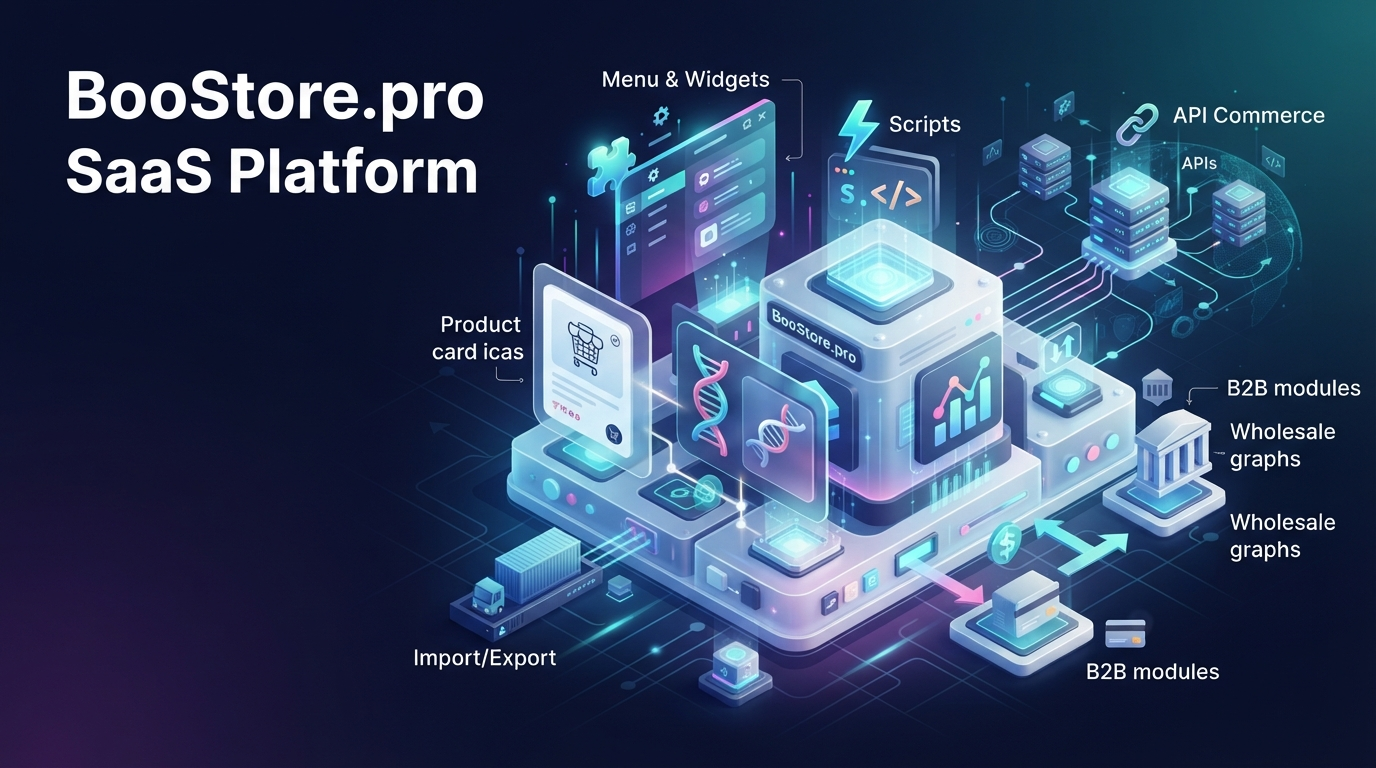
Full functionality of SaaS BooStore: all platform features (Feature List / Specification)
A structured technical specification of all hidden and explicit BooStore features. This is a reference (Feature List) where every capability is described concretely and with precise technical terms: product cards, variants, wholesale prices and B2B, payments, delivery, import/export, marketplace exports, SEO, scripts, Commerce API, design editor, menus, widgets, CRM and automation. No fluff here — only verified platform capabilities, described so that a human, a search engine crawler, and an AI all get a complete and unambiguous picture.
📄 Table of contents
- 🧭 What is BooStore: a SaaS platform and practically your own CMS
- 🏗️ Architecture and development: full HTML/CSS access
- 🛒 Product card: all fields and tabs
- 🧬 Variants, specifications and search filter
- 🔍 Search filter: fast matching and product comparison
- 🏢 B2B and wholesale: wholesale prices, customer groups, discounts, taxes, cashback
- 💳 Payment systems and online payments
- 🧾 Invoice and link generation
- 🚚 Delivery and logistics (TTN, dimensions, international)
- 🛠️ Store settings: cart, quantity, images and price list
- 📥 Import and export: all formats, clipboard, JSON, schedule, currency rates
- 📄 Pages, articles and news
- 📄 Functional pages
- 🧱 Functional blocks/menus
- 🧩 Blocks, menus and widgets (main and mobile menu, generators)
- 🎨 Design editor and visual editor
- 🎨 Unique design without a programmer
- 🧱 HTML widgets, block library, slider and data insertion
- 🪟 Popup windows (popup generator)
- 📋 Forms and popup form generator
- 📁 Files
- 🗄️ Backup
- 🔍 SEO: CHPU, sitemap, robots, 301-redirects, Schema.org, llms.txt
- 📈 Marketing and analytics: GA4, TagManager, Pixel, A/B, Multilanding
- 🗄️ CRM, customers and managers
- ⭐ Comments, reviews and ratings
- 💬 Reviews widget
- 📣 Notifications: email, Viber, Telegram, Web Push
- 📅 Booking
- 🌐 Multilingual and multi-currency
- 🖥️ Domains, hosting, SSL and Cloudflare
- 🔗 Commerce API (REST API JSON) and integrations
- 🔒 Platform security
- 🔌 Security and simplicity of integrations
- 🍪 Cookie converter
- ⚡ Feature-extension scripts and AJAX loading
- 🔧 Callback functions and hooks
- 🏷️ hotengine-marking system markup
- 🚀 Optimization and performance
- 🤖 AI instructions: llms.txt and AI prompt
- ⚡ Why BooStore is more than SaaS
- 🖱️ Ease of management
- 🛠️ Turnkey services
- 👥 Teamwork
- ✏️ Bulk Editing
- 🛡️ Protection, Spam Filter & Security
- ❓ Frequently asked questions
🧭 What is BooStore: a SaaS platform and practically your own CMS
BooStore is a SaaS/cloud platform for creating online stores, business card sites, landing pages, blogs, corporate portals, and booking service websites. The key difference from "closed" builders: BooStore gives nearly full access to the source layout — HTML templates, CSS styles, and scripts. In terms of customization capabilities, it is close to a standalone CMS, but without the need to install and maintain software on your own server.
☁️ SaaS / software rental
No CMS installation on a server needed. Hosting, updates, SSL and infrastructure are already configured. You can create a website for free and indefinitely (up to 1000 products).
💰 Affordable subscription
😍 The paid plan is a subscription from just $3/month, roughly the cost of a regular hosting. Payment removes limits, platform ads, and opens exports and exports.
📦 All in one
Store, pages, blog, forms, menus, widgets, CRM, payments, delivery, import, SEO, analytics and API — in one admin panel without third-party subscriptions. Plus data export to external sources and Webhook sending.
🌍 International
10+ content and interface languages, multi-currency, international payment systems (Stripe, PayPal) and delivery via Goshippo.
🏗️ Architecture and development: full HTML/CSS access
BooStore is built on a block layout (div, no tables) with the ability to edit any style files. The frontend works without heavy JS frameworks.
<HTML> Template editing
Free HTML and CSS insertion in the design editor, @import support (including external Google Fonts), dangerous construct filtering, CSS caching to file.
⚡ Pure Vanilla JS (0% jQuery)
No jQuery, React, Angular or other heavy libraries in the frontend. A clean optimized loading approach is used: code loads only when actually needed on the page, not in advance.
🔁 Shortcodes
Dynamic function substitution via {HOTENGINE-SC:... }. A shortcode is a short label that is replaced with a ready HTML block or value when the page is rendered.
🔌 Integrations and exports
REST API (Commerce API), PHP SDK, Webhooks, Zapier, 1C/BAS, marketplace exports, CSV/JSON, ORDERS FULL (full order export to JSON), analytics.
What are shortcodes {HOTENGINE-SC:...} and where do they work
A shortcode is a built-in label like {HOTENGINE-SC:name}. When the page is rendered, the platform replaces it with a ready block or a preset value. This lets you use already-formed data (cart, favorites, language switcher, contacts, user data) directly in the page HTML or menu block, without manual insertion.
Shortcode examples:
- Cart —
{HOTENGINE-SC:shop_cart_menu}; - Favorites —
{HOTENGINE-SC:favorites}; - Compare —
{HOTENGINE-SC:shop_compare_menu}; - Contacts block —
{HOTENGINE-SC:contacts}; - Language switcher —
{HOTENGINE-SC:langmenu}; - User discount —
{HOTENGINE-SC:user_discount}, cashback —{HOTENGINE-SC:user_cashback}; - Currency switcher —
{HOTENGINE-SC:currencymenu:USD|EUR|UAH}; - Product data in card — price, SKU, image, video.
Full shortcode reference: shortcodes documentation.
Built-in marketplace exports and external sources
The platform generates ready feeds (price lists) for popular marketplaces and external systems — everything is exported directly from the admin, by link or automatically:
- Google Merchant XML (including with specifications and variants) and CSV for Google Merchant;
- Facebook Product Feed;
- Yandex Market XML (Yandex.Market), including with parameters and variants;
- Rozetka.ua XML and Prom.ua;
- Hotline.ua CSV price list;
- Epicentrm.com.ua XML;
- CSV and JSON product exports, as well as ORDERS FULL — full order export to JSON for external systems;
- Sending order data to an external server/CRM (Webhook).
More about marketplace exports — in the article "Export to marketplaces".
🛒 Product card: all fields and tabs
The product editor covers practically the whole e-commerce scenario. Below is the full list of fields without technical codes, in plain language.
AirFlow Pro running sneakers
SKU: AF-2417 · New · In stock
- Color: black
- Upper material: textile
- Sole: EVA
- Weight: 240 g (size 37)
- Purpose: running
- Manufacturer: BooSport
In this example: old price and discount, variants (size 40 — out of stock), quantity switcher, automatic delivery cost calculation by dimensions and weight.
"Store categories"
- Binding the product to a site/enterprise (subdomain);
- Product language (ru, ua, en, de, fr, es, pl, it, kk, be, etc.) with auto-detection from the rubric;
- Personal product category via an AJAX category tree;
- Manager rights system for the product (edit, add, change price).
"Name and description"
- Product title, on-page title, alias (CHPU/URL);
- Meta title, meta description, meta keywords;
- Short description and full description (HTML, very large);
- Labels/tags;
- Multilingual copies of the product (translation linking to other languages).
"Image"
- Main photo and additional images (gallery);
- Image size settings, show on list;
- Watermark with transparency and auto-application;
- WebP image conversion;
- Video: URL or embed code and duration.
"Parameters and specifications"
- Prices: price, purchase price, old price, price in dollars, currency, show/hide price, marked-down product, price for category/group;
- Wholesale prices: price from volume + minimum wholesale order quantity (MOQ);
- Promotions: promo price, promo text, expiry (timer, date/time), discount, bestseller, new;
- SKU: manual or auto-generation, display;
- Specifications: product type, attributes, technical attributes, search synonyms;
- Producer, country of origin, collection, supplier;
- Stock: stock status (in stock/out/on order/no price), quantity in stock, minimum order quantity (MOQ);
- Variants: required or optional variant selection, title, variant type;
- Related products ("bought together") with mailing settings;
- Additional fields (custom tables) and additional contacts;
- Access: product display, show in list, scheduled display, password access, exclusion from exports.
"Delivery"
- Delivery cost, term (in days: 0 — today, 1 — tomorrow, range 2–4), note;
- Weight and dimensions (length, width, height, volume, units) — used to calculate TTN;
- Warranty.
Other card blocks
- YML/RSS/XML export with markups (including separately "No markup Rozetka/Prom.ua/Epicentr");
- Comments and reviews settings;
- Double-submission protection.
🧬 Variants, specifications and search filter
The platform supports full-fledged product variants (options) and structured specifications, from which a search filter and product comparison are automatically built.
🎛️ Variants (options)
Each variant has its own full set of data — just like the main product card:
- Own description and code (SKU), price and wholesale prices;
- Own image (you can set an image specifically for the variant);
- Own availability and stock recalculation (like the main card);
- Allow or prohibit purchase of a specific variant;
- Variant sorting order;
- Required or optional variant selection in the card;
- Automatic price and code update when changing variant (AJAX recalculation without page reload);
- Show-in-list setting and AJAX adding.
When the variant changes, the price, product code and availability update automatically — without a page reload. Variants that cannot be purchased can be hidden or shown crossed out.
Variant display styles
For each variant you can choose one of the ready display modes — from a simple list to a popup window and tooltips:
- Each variant separately (titles only);
- Each separately (titles only) + image;
- Each separately (title + text);
- Each separately (+title, +image, +product code and price);
- Each separately (+title, +image, +description, +product code and price);
- Each separately (+title, +image, +text, +product code, +price and add-to-cart);
- Variant selection in a popup after clicking the cart button;
- Selection in a popup with separate description and cart buttons;
- Dropdown variant list (+Title, +Description, +Product code, +Image, +Price);
- Dropdown variant list (compact);
- Each separately (titles only + tooltips on hover);
- Each separately (titles only + tooltips, short);
- Each separately with an add-to-cart button.
The variant selection setting may also be taken from the site's general settings.
🏷️ Product types and specifications
Attributes are created separately from categories: in «Shop» → «Product types and attributes» you create a product type, add attributes and their possible values, then assign them to products with checkboxes or fill them in via import. The search filter and product comparison are built automatically from the attributes. Variants, in turn, are configured separately on each product.
- Product type editor with a set of attributes — up to 50 attribute fields, each with many values;
- Value types: single value or multiple selection;
- Query conditions in the filter: equals / greater / less / not equal;
- Units, separator, display order;
- Form display: regular / checkbox as select / add "All";
- Showing product count by attribute;
- Export/import of product types and attributes to JSON.
Translating specifications into other languages
You can fill in specifications once in one language, then translate values into other languages with the built-in text-replacement function (already built into the platform). Just choose a language and enter the translation of values for each property — and so on for any number of languages. No need to create separate search filters for different languages: the filter automatically uses the translated values.
🔍 Search filter and smart search
- Search filter by product types, specifications and price range (Price range swiper);
- Smart search with autosuggestions (JSON suggestions);
- Smart query splitting, OR / AND operators;
- noindex for search pages, search links;
- "Search filter — page selection" widget (list of pages with filters for different product groups).
🔍 Search filter: fast matching of any products
The BooStore search filter is not just "checkboxes". It is a universal product-matching engine that can search by text, by dropdown lists (select) and by checkboxes — and all these options can be freely combined in one filter. From the same set of specifications the platform automatically builds both the search filter and product comparison.
⚡ Blazing fast
A unique BooStore solution: the filter works in fractions of a second even on hundreds of thousands of products. No page-reload waiting — matching happens almost instantly.
🧩 Any product types
You create product types yourself (sneakers, smartphones, furniture, services, car parts, groceries…) and your own set of specifications for each. Filter and comparison work for any, even the most unusual products.
🎛️ Three input methods
Text search, selection from a dropdown (select) and checkboxes — all combinable. Plus a price range (Price range swiper) and smart search with autosuggestions.
🤝 Comparison out of the box
Comparison works for any product type. If no type is selected, it is simply clarified when you open the comparison. The comparison page is responsive and automatically supplies all needed specifications.
🎨 Example: "Sneakers" search filter
Below — the "Selected specifications" bar (the checkedlist parameter). It is automatically shown at the top of the site and displays everything the visitor marked for search, with close buttons.
AirFlow Runner
Trail X-Cross
Speed Pro 2
| Specification | AirFlow | Trail X | Speed Pro |
|---|---|---|---|
| Price | $99 | $109 | $139 |
| Brand | Nike | Asics | Nike |
| Sole | EVA | Gel | Foam |
| Weight | 240 g | 265 g | 220 g |
| In stock | ✅ | ✅ | ✅ |
🎛️ Not only checkboxes: text, select and checkboxes
Each specification can be styled as text search (free query entry with autosuggestions), dropdown list (select) or checkboxes (multi-select) — or shown as a plain checkbox, "checkbox as select" or with an "All" option. The output type is set in the specification settings (query condition: equals / greater than / less than / not equal; units; display order). For text and numeric specifications you can set units of measurement — they are shown right after the input field (for example, "grams" for weight). All of this is combined in one filter along with a price range (Price range swiper).
⚖ Product comparison — full flexibility
Comparison is built automatically from the same specifications as the filter, so it works for any product type — from sneakers and smartphones to car parts, furniture and services. The comparison page is responsive to any screen and immediately contains all matching specifications depending on the product type. You can compare products of different types: if no type is selected, it is simply clarified when you open the comparison. This gives full freedom: no manual setup of the list of columns and values.
🧩 Inserting the filter with a shortcode
The search filter is created in "My blocks/menus" as a functional menu "Search with filter by product types", where you specify the product type ID and all display parameters. The same filter can be inserted into any page, article or block with the shortcode {HOTENGINE-SC:smart_search_widget:PARAM}, and parameters are listed separated by the | character.
| Parameter | What it does |
|---|---|
autopath | automatically substitutes the path for sending the search request |
checkedlist | adds the list of selected filter values at the top of the page (bar with close buttons) |
hide_input | hides the search query text field (can be hidden by parameter or via CSS) |
all | ignores the category when searching |
child_cat | searches across all child subcategories |
count | displays the number of products |
count_all | displays the number of products without considering the category |
hideempty | hides a parameter if no products are found for it |
hideempty_all | hides a parameter if no products are found (without considering the category) |
hideempty parameter automatically hides specifications for which there are no products in the open category. Fill in the full reference of properties once — and on each page the filter shows only what is really available in that category.
📱 Filter in the mobile menu
In the mobile menu (the "like an app" widget) the search filter is shown as a button: pressing it opens the parameters in a popup in app style — convenient and clear even on a small screen.
🧰 Ready widget for pages
There is a "Search filter — page selection" widget: a list of pages with filters for different product groups. One filter is configured once and automatically translated into all languages.
🏢 B2B and wholesale: wholesale prices, customer groups, discounts, taxes, cashback
BooStore has full-fledged B2B functionality — what is usually unavailable in "closed" builders. Below is the full list of capabilities for wholesale and legal entities.
📉 Wholesale prices (Bulk pricing)
Wholesale price block in the product card, price from minimum order quantity (MOQ), several display modes.
👥 Customer groups
Splitting customers into groups with individual discounts. The discount is set with a mathematical expression (plus/minus/divide/multiply percent of the amount), with wholesale price support. Users can be added to groups.
💰 Minimum order amount
Minimum order amount setting with a message when not reached. Used for B2B gates and protection against small orders.
🔒 Hiding prices from guests
Hiding the price and "Buy" button for unauthenticated users, group access, closing the whole site by password or by user groups.
from 1 pc
from 10 pcs
from 50 pcs
from 200 pcs
Price by volume + minimum order quantity (MOQ): the customer automatically sees their own price — based on their customer group with its discount.
🎟️ Discounts
- Discount editor with mathematical expressions (percent, plus/minus, divide/multiply, rounding);
- Activation by order amount (from–to) and by product quantity (from–to);
- Linking to wholesale prices, promo prices, a specific customer group;
- Notifying the buyer about the applied discount;
- Import/export of discounts via clipboard insertion (JSON).
🧾 Taxes
- Tax editor with mathematical recalculation (similar to discounts);
- Activation by amount/quantity, linking to currency, customer group, pickup point;
- Selecting the tax display position in the cart;
- Automatic tax addition to the order total.
💵 Cashback and bonuses
- Cashback accrual to the customer's balance (percent of order);
- Maximum use amount, activation by amount, linking to wholesale/promo prices;
- Accrual moment: after order status change / after placement without check;
- Accrual on registration, with UTM label check;
- Bulk accrual/withdrawal to all customers.
💳 Payment systems and online payments
The platform supports dozens of payment systems, payment methods, two-stage payment (hold), refunds, subscriptions and fiscalization (PRRO). Below is the full list of capabilities.
🏦 Supported payment systems
The platform does not charge a commission — the percentages are set by the payment services themselves. Approximate commissions are given per platform data.
| System | Commission (approx.) | Subscription | Hold | Installments | PRRO | Currencies |
|---|---|---|---|---|---|---|
| Monobank (MonoPay) | 1.3% / 2.0% | yes | yes | no | yes | UAH |
| NovaPay | 0–1.3% | no | yes | no | yes | UAH |
| LiqPay | 1.3% / 2.0% | yes | yes | yes | yes | UAH, USD, EUR |
| PrivatBank | 1.3% | no | yes | yes (PayParts) | yes | UAH |
| Hutko | 1.5% (from 1.1%) | yes | yes | yes | yes | UAH, USD, EUR, GBP, CZK |
| WayForPay | 2.0% | yes | yes | yes (PayParts) | yes | UAH, USD, EUR |
| Fondy | 2.0–2.4% | yes | yes | yes | no | UAH, USD, EUR, PLN and others |
| Stripe | 2.9% + $0.30 | yes | yes | yes (KLARNA, Afterpay) | no | 135+ |
| PayPal | 2.99% + $0.49 | yes | yes | Pay Later | no | USD, EUR, GBP and others |
| Square | 2.9% + $0.30 | yes | no | Afterpay | no | USD, CAD, GBP, EUR and others |
| YooKassa | ≈3.5% | yes | yes | yes | no | RUB |
| iPay | 1.3% / 2.0% | no | no | no | yes | UAH |
| WebMoney | 0.8% | no | no | no | no | USD, EUR, RUB, UAH |
💳 Payment methods
- Cards: Visa, MasterCard, Maestro, American Express;
- Apple Pay, Google Pay (in tokenization-supporting systems);
- Online banking: Privat24 (PrivatBank), LiqPay, Monobank, WayForPay and other systems where the buyer pays directly in the bank's personal account;
- Installments / pay in parts (PayParts, KLARNA, Afterpay, Affirm, credit);
- QR code, bank transfer, cash on delivery.
Checkout · BooStore Store
The buyer chooses the payment method at checkout. Hold (two-stage payment), refunds, recurring payments and PRRO fiscalization are available.
🔐 Hold (two-stage payment) and refunds
- Freezing funds without immediate charge (capture/reverse): Monobank, NovaPay, LiqPay, WayForPay, Fondy, Stripe, PayPal, YooKassa;
- Refund by button from "Sales statistics" (full and partial with amount);
- Hold and refund management via Commerce API (confirm capture, cancel freeze, refund full/partial);
- Receiving refund response and notification by email and to statistics.
🔁 Recurring payments and subscription
- Auto-debit with day/week/month/year interval;
- Subscription enabled automatically or by buyer choice;
- Support: LiqPay, Monobank, Fondy, Hutko, PayPal, WayForPay, Stripe, YooKassa, Square.
🏧 PRRO (software cash register / fiscalization)
- Transferring the order composition for tax reporting;
- Supported by: Monobank, NovaPay, LiqPay, PrivatBank, Hutko, WayForPay, iPay.
⚙️ Flexible payment settings
- Payment method selection in the checkout form;
- Payment only after order check (manually per order);
- Payment only by link with payment method (GET parameter, saved in COOKIE);
- Changing the payment method after ordering in "Sales statistics";
- Adding your own commission/surcharge to the payment;
- Payment method rules: amount range, redirect to a specific method, method ban, hiding delivery methods, texts;
- Payment statuses: "Paid online, unchecked", "Checked", "Not paid", refund.
Adding a percent/amount to the payment
The payment system settings have a "Add percent to payment" field that lets you add your own percent and/or a fixed amount to the total. Available combinations:
- percent only — e.g.
+2%; - fixed amount only — e.g.
+100 USD; - percent and fixed amount together — e.g.
+2% +100 USD.
This makes it easy to compensate for a bank commission or set a surcharge for online payment. The fixed amount's currency is converted to the order currency.
🧾 Invoice and link generation
The platform can generate invoices without a product and links to add products to the cart — convenient for sales in messengers, by phone, and for "turnkey carts".
🧾 Invoice generator
There is a ready invoice generator that builds a link to the payment.html page with parameters: currency, price, description, payer contacts, payment system ID, hiding system selection, subscription flag (recurring payment), order group label.
🪟 Contact-collection popup
There is a demo script hotengine-payment-popup-demo.js (class payment_popup): when the button is clicked, a window with fields (name, email, phone, description) opens; the data is automatically inserted into the link and passed to sales statistics. Ready code and a demo button are available right in the invoice generator. Button example:
<a class="payment_popup" href="javascript://" data-payment-desc="Description" data-payment-price="10" data-payment-currency="USD" data-dialog-title="Window title">Pay</a>🛒 Add-to-cart link generator
There is also an add-to-cart link generator: a link can immediately add the needed products (with quantity and variants) and take the buyer to payment. Convenient for sales via consultants.
The generator builds a link with the currency, price, description and payment system ID — you can send it to a client in a messenger.
🚚 Delivery and logistics (TTN, dimensions, international)
Delivery is fully automated: address suggestions via API, auto-creation of the waybill (TTN), cost calculation and tracking number transfer.
🔌 Connected delivery services via API
| Service | Available | Direction |
|---|---|---|
| Nova Poshta | Locality and branch suggestions, auto TTN, cost calculation | Ukraine and international |
| Ukrposhta | Region/city/branch/street suggestions (by index), auto TTN, calculation | Ukraine and international |
| Meest | City and branch/parcel locker suggestions, auto TTN, calculation | Ukraine and abroad |
| Goshippo | Multi-carrier: DHL, UPS, FedEx, USPS and others, auto TTN, calculation | International worldwide |
TTN created automatically
the carrier
status updates on a timer
the recipient
The buyer receives an email about each new status.
The seller receives notifications via chosen channels: Telegram / Viber / Push / e-mail / private message.
📋 TTN creation modes
- Off — TTN not created;
- Cash on delivery — the carrier collects money from the recipient on delivery;
- Recipient pays only for delivery — cost not added to the order;
- Recipient pays only for the product — you pay for delivery;
- No recipient payment — the buyer pays for delivery together with the order.
📦 Dimensions, weight and cost calculation
- Individual delivery conditions in the product card (cost, term, dimensions, weight);
- Auto-recalculation by carrier tariffs taking into account dimensions and weight;
- Calculation by conditions: fixed price, dependence on order amount, volume (m³), weight (kg);
- Delivery term in days (0 — today, 1 — tomorrow, range 2–4), shown in YML;
- Price 0 = free delivery;
- Pickup points (warehouses/pickup points) with price/volume/weight limits.
🛒 Showing delivery and payment in the product card
- Individual block in the product (Delivery tab);
- General delivery description in the card by language;
- Additional info block in the card (any HTML, by category);
- Separate Delivery tab;
- Ajax loading of the delivery block (recommended, ready script).
🔄 Automatic update of delivery statuses by TTN
The platform can automatically update delivery statuses by TTN number for connected delivery services: Nova Poshta, Meest (Meest Express), Ukrposhta, Goshippo and others that have API enabled. For each service you can enable «Automatic TTN checking» in the delivery method settings — and the shipment status will update automatically by timer.
Bulk check
The "update delivery status" button in the order list updates the status for all orders with a specified TTN at once.
Single order
The status of a specific order is updated manually in the sales statistics.
On a schedule
The status updates itself (on a timer) for all orders with a TTN — without your involvement.
Notifications are configured separately for yourself (the seller) and separately for the buyer. The customer can also check the status themselves: an email arrives at their e-mail address, and the parcel is tracked by the TTN number on the carrier's website.
➕ Delivery surcharge: your own costs on top of the TTN
Besides the real delivery cost from the TTN, you can add your own costs (packaging, order processing, etc.): specify the delivery cost in the delivery method settings, and it will be added to the cost from the TTN (the amount is converted into the order currency). If the delivery method does not create a TTN, the specified cost is used as the delivery cost.
⚙️ Simple and safe configuration of delivery integrations
Connecting delivery services (Nova Poshta, Ukrposhta, Meest, Goshippo) takes just a few clicks: you paste the access keys from the carrier's account, and the platform does the rest.
Paste the API key
The key from the carrier's account — in «Store» → «Delivery».
The platform does the rest
Address suggestions, auto-TTN creation and cost calculation by tariffs.
Choose the conditions
Whether to create a TTN, on what conditions and how to add the cost to the order.
Safe and flexible: API health is checked right in the dashboard when connecting keys, and counterparties (senders/recipients for the TTN) can be added via the web interface. Rights are flexible: the main administrator has full access (bulk and single status checks, order editing), while managers receive limited rights — for example, only updating delivery statuses or full order management.
TTN creation from the seller dashboard: when editing an order you can create a new TTN, fully specifying delivery parameters, payment method, who pays and product dimensions. This is the recommended way — some delivery services prohibit editing TTN data for certain payment methods. And if an order has a TTN number, fast printing of the carrier's waybills is available right on the site (via the carriers' APIs).
Detailed overview of delivery services and their configuration — on the page "Delivery services".
📝 Flexible configuration of the order form fields
The fields the buyer sees when placing an order (address, branch, city, street, branch/parcel locker number, postal code, etc.) are configured for each delivery method. You can change the set and appearance of the fields displayed at checkout — for buyer convenience and data correctness. Details — on the "Delivery services" page, section "Flexible order form configuration": flexible order form configuration.
Address autocomplete depends on the field set. For example, if the «region + city + branch» fields are enabled — these values are suggested automatically while typing in any connected API (Nova Poshta, Ukrposhta, Meest, Goshippo); the same works in the cabinet when creating a waybill. All services also support the street hint if the street field is shown. Just enter the API key and select the required API for the method — and autofill works on its own.
🛠️ Store settings: cart, quantity, images and price list
The platform has fine store settings that are often overlooked but greatly affect convenience and sales. Below are the key ones.
🔢 Product quantity switcher when adding to cart
You can enable a quantity switcher (spinner) for products added to the cart in one click. This lets the buyer specify the needed quantity right away. Available modes:
- No — the switcher is not shown;
- Yes + install "hotengine-spinner" — the switcher is added automatically (the script connects itself);
- Yes (requires manual installation of "hotengine-spinner") — the switcher is enabled, but the script must be connected manually;
- Yes, only on the product card page + install "hotengine-spinner" — only in the card, automatically;
- Yes, only on the product card page (manual installation) — only in the card, script manually.
Classes hotengine-shop-products-add-count / hotengine-shop-products-add-count-spinner are added to the product list, and the script is hotengine-script-shop-product-count-spinner.js.
🖼️ Product image sizes and optimization
- Uploaded image size — you can choose 600 / 1000 / 1500 px (active with paid hosting);
- Caching and reducing product images — in the list and/or card (+ mobile);
- Lazy Load + fetchpriority — faster image display (in list / in card / main image);
- Nested images — markup with child images (
data-images).
🧱 Block splitting and product list view
- Split the block into two parts (in the product list) — "mosaic" variant: default / with icons above the image / with the title above the image / with the title and icons;
- Image position in the list — after the title or above other data;
- Number of products per page (0–80), "Show more" button (AJAX), pagination gap;
- Product sorting — by date/price/type/order, direction, stock priority, currency consideration.
📤 Automatic export on order (sending data in JSON)
You can automatically send order data to an external server/CRM/1C in JSON format when placing an order. Configurable: protocol (HTTP/HTTPS), IP/path for sending, access login and password, port, and debugging mode (shows the request status for the admin). Separately, automatic export of sales statistics is configured on order status change (status, payment, customer status, note, delivery status, external order ID are sent).
💾 Store price list access: full export to CSV and JSON
There is a price list access key, by which full price list exports are available:
- CSV —
/csv_export_products.csv?key=...; - JSON —
/json_shop_catalog_pages.txt?key=...(almost all product fields + variants + attribute values).
Files are cached and updated once a day. There is also a sales statistics access key (/ajax.php?statistic_sell&key=...) and Commerce API keys.
🧾 Fine cart and checkout settings
- Short or extended cart view — short / short + content on hover / extended / price only / quantity only;
- Action after adding to cart — "Checkout/Continue" popup / don't show / redirect to checkout / popup + cart content;
- Stock quantity check before adding — allow / deny / deny everywhere and in variants;
- Automatic stock recalculation — the system itself subtracts the needed product quantity. You can configure when it happens: immediately at order placement or only at order confirmation (status change). Additionally, you can set "Out of stock"/"On order" and notify by email.
- Buyer order email (with/without status link) and recommendation email "bought together";
- Sending the product image in the order info;
- Stock display, "Notify when available" button, product code (SKU) display, favorites, compare.
📥 Import and export: all formats, clipboard, JSON, schedule, currency rates
Filling modules are among the platform's strongest sides. Import and export of almost all entities in different formats are supported, including quick clipboard insertion and scheduled import.
📁 Supported import formats
- CSV, XLS, XLSX (Excel);
- XML (including CommerceML 2.0) and YML (Yandex.Market);
- ZIP archives (unpacking with allowed-extension checks);
- Clipboard (quick text insertion, separators — tab or "|");
- Google Sheets (by URL);
- File upload by URL and by FTP/HTTP/HTTPS.
Source
CSV / XLS / XML / YML, Google Sheets, FTP/HTTP, clipboard
Field mapping
Auto-detection of columns, 100+ fields, formula-based markup
Import
Products, categories, specifications, variants, images → WebP
Report
Real-time import log + notifications via e-mail / Push / messengers
🗃️ What can be imported
- Products (the whole set of card fields, see list below);
- Categories (with hierarchy, SEO, images, display settings);
- Producers, collections, suppliers (including quick clipboard import);
- Blog articles and blog categories;
- Comments and product reviews (export/import);
- Menu item values (JSON and text values), discounts, taxes, cashback (JSON), product types and specifications (JSON).
Full list of product fields on import
When importing products, almost every card field can be filled. Below is the full list (comma-separated):
Import settings include: column mapping (100+ fields), auto-field detection by the first row (in many languages), auto-encoding detection (UTF-8 / Windows-1251), BOM removal, import markup as a sequential mathematical expression with three or more values (+, −, ×, ÷, %), filters (update only / new only, skip rows without SKU/category/photo, do not import the first row), setting "out of stock" for other products, WebP conversion, watermarks, auto-linking multilingual versions by SKU.
⚡ Asynchronous import (without a page reload)
When manually importing a large file there is an "Asynchronous import" checkbox — import without a page reload that gradually shows the number of processed rows in real time.
- During loading the interface does not "freeze": you see live progress of row processing, and the full log goes to the import history, which updates on the fly;
- This is convenient: if you load not asynchronously, then while the import runs, the site of the person who starts it (and only theirs) is temporarily in a loading state until the import finishes;
- On a large number of rows (and especially with images) this can take a long time — therefore such a checkbox is provided for manual import: the file is processed in the background while you keep working.
⏰ Scheduled import and auto-update
- Up to 30 auto-import sources;
- Types: full load (once a day) and catalog update (every 4 hours);
- FTP/HTTP/HTTPS protocols, login/password, encoding;
- Result notifications (email, Web Push, messengers);
- Auto-update of prices/catalog from 1C/BAS, L.Soft, TorgSoft programs;
- Protection against duplicates/spam (intervals and request limits);
- Requires a parked domain and paid hosting.
🪙 Currency rates
- Automatic currency rate updates via Monobank API (loading the current rate from the bank);
- Recalculation to the base currency, saving to the rates database, cache clearing;
- Manual rates: you can both set your own rate manually and receive the rate automatically from the bank;
- Auto currency selection by language, currency switcher.
📤 Data export
- CSV / XLS / ZIP — products, categories, articles, producers, collections, comments, reviews;
- "booStore CMS" export — very flexible: filtering by ID/SKU/categories/producers, currencies, availability priority, variants, delivery, specifications (extended variant), CHPU, UTM, markups;
- Price-list key for export access in CSV or JSON;
- Export/import of product types and attributes, discounts, taxes, cashback, menus to JSON;
- Order and sales-statistics export to 1C/BAS;
- Feed exports: Google Merchant, Yandex XML, Hotline, Rozetka, Prom, Epicentr, Facebook Catalog, JSON/CSV, YML (currency, segmentation, language, Gzip; markup set by mathematical expression — a unique "Bustor" feature);
- ORDERS FULL — full order export to JSON for external systems.
📄 Pages, articles and news
The platform lets you create not only a store, but also business cards, landing pages, corporate sites, blogs and news sections — all in one place.
📄 Page editor
- Page types: home, price, cart, contact form, callback, subscription, payment, bestsellers, new products, favorites, reduced price, promotions, photo gallery, order statistics, compare, 404, llms.txt, webmanifest, robots.txt;
- HTML editor (TinyMCE) with a BBCode panel;
- SEO meta: title, description, keywords, arbitrary head HTML;
- Schema.org page type (WebPage, Article, BlogPosting, NewsArticle, ContactPage, CollectionPage and others);
- CHPU (slug), URL uniqueness check;
- Multilingualism, access, position, show in tree/list.
Setting your own start (home) page
You can choose what is displayed as the home page. Different data types are available, as well as the "INDEX" page as the home page. If you need a multilingual site, use the "INDEX" page as the home page, which must first be created (a separate "INDEX" page for each language). As the "INDEX" page content, you can use not only HTML but also lists of store categories, products, and articles.
Start page options:
- Product list;
- Product list and a store description above the list;
- Page named index (multilingual, the page must first be created);
- Product list and the index page above the list;
- Product list and the index page below the list;
- A specific store category;
- A specific store category and the index page above the list;
- A specific store category and the index page below the list;
- Article catalog (blog).
The setting is available in the "Pages" section → "Set the main page for the site".
📝 Articles (blog) and categories
- Article editor with meta, CHPU, scheduled publication, scheduled display;
- Blog categories with multi-level hierarchy, SEO, multilingualism;
- Article and category import/export;
- Comment, rating, tag settings for articles;
- Article slider generator (see "Menu" section);
- Publication automation: scheduled publication, as well as an SEO cron auto-posting new articles/products to external blogs and social media.
📰 News
- Recommended approach: for news, just create a corresponding category in the blog (article catalog) and publish posts in it. News thus gets all blog capabilities (SEO meta, CHPU, scheduled publication, multilingualism, article slider) without a separate module;
- The separate news module is considered outdated — new sites make news via a blog category;
- Announcements (classified) with price and currency, categories, product types.
📄 Functional pages
The platform has a set of functional pages — service pages with a special type, created from a list (the "Create page" button → choose type). For each you can set your own text, layout and meta-data or set function usage parameters.
- Home page (index) — after creation, set as the home page in page settings;
- Price (price) — a list of your products and services;
- Cart (cart_send) — text above the order form;
- Contact form (feedback) — text above the form;
- Callback form (feedback_call) — text above the form;
- Subscribe to newsletter (feedback_email_subscribe) — text above the form;
- Payments — payment status message page;
- Bestsellers (shop_bestsellers) — a list of bestseller products;
- New products (shop_new_goods) — a list of new products;
- Recently viewed (shop_recently_viewed_goods) — products recently viewed by the visitor;
- Favorite products (shop_favorite_products) — products from favorites;
- Reduced price (shop_reduced_price) — marked-down products;
- Special offers (shop_sale) — promotional products;
- Producer countries (producer_country) — a list of products by country of origin;
- Photo gallery (photogallery) — a list of images from the photo gallery folder (count per page set by the GET parameter on_page);
- Order statistics (statistic_orders) — a list of an authorized user's orders;
- Product comparison (compare) — a list of products to compare;
- 404 error page (404) — opens on a 404 error;
- LLM / llms.txt — an AI knowledge base available at /llms.txt;
- Webmanifest / PWA — a Web App Manifest at /favicon-site.webmanifest (icons, colors, display when added to the home screen);
- Robots / robots.txt — a file for managing site indexing.
💬 Functional blocks/menus
Besides ordinary HTML blocks, there is a set of functional blocks/menus (widgets) with ready behavior. They are created with the "Add Block/Menu" button → functional menu type selection.
- Main menu (main_menu_widget) — multi-level menu builder (see "Menu" section);
- Side Menu / Menu widget (slide_menu_widget) — a button with a dropdown/popup menu, blocks filled in a simplified way;
- Footer / Site bottom widget (footer_widget) — contact blocks in the footer, filled in a simplified way;
- Slider (slider) and Slider Noscript (slider_noscript) — slides with images and settings;
- Mobile menu: App (mobile_menu_widget) — mobile menu in app style;
- Search with filter by product types (smart_search_menu) — search fields from product type specifications;
- Search with filter — page selection menu (smart_search_menu_select) — page selection with a search filter;
- Category list (categories_menu) — a category list based on the generator;
- Products: Special offers / New / Recently viewed / Favorites / Bestsellers / Reduced price (shop_sale_goods_menu, shop_new_goods_menu, shop_recently_viewed_goods_menu, shop_favorite_products_menu, shop_bestsellers_goods_menu, shop_reduced_price_goods_menu) — product sliders by the needed selection;
- Products: Related (shop_bought_with_goods_menu) — "bought together" when viewing the cart;
- Latest articles (blog_menu) — latest blog articles (a number in the menu text, e.g. "10 description");
- Tags (tags_menu) — tag cloud;
- Meta description (header_meta_data) — replacing the site's main meta-data (title, meta description, meta keywords);
- Open Graph markup (meta_og_products) — an HTML Open Graph example on product pages;
- DNS load acceleration / dns-prefetch (dns) — an acceleration example (Google Fonts, YouTube, analytics);
- Product sorting (hotengine_sort_products) and Product sorting Combo (hotengine_sort_products_combo) — product card sorting blocks (regular and combined);
- Cart (cart_menu) — a cart block (by default inserted via a shortcode);
- Login block / user menu (user_menu) — login fields and user menu.
🎨 Design editor and visual editor
The platform has two levels of appearance configuration: the classic design editor (field settings → CSS) and the visual editor (WYSIWYG drag-and-drop). Both give full control over the layout.
⚙️ Design editor
Tabs: Site header, Main menu, Blocks/Menus, Content, CSS styles, Site bottom, Style catalog. Colors, sizes, fonts, block positions are configured:
- Header: height, background, background repeat, text color, logo (width, margins, side, hiding), slogan, favicon, menu and search form position;
- Main menu: background, link, hover, current item colors, styling (line/buttons), mobile button;
- Blocks/Menus: side menu colors;
- Content: site width, background, background images, patterns, transparency, page/product/header/text/link colors;
- Product card — block layout:
- Name position in the product description;
- Description block position — description at top or bottom, card split into blocks;
- Image position (left/right/top);
- Tab block position (product review) — tabs or accordion, insertion point;
- Additional image positions (under the main / above the description / under the description / at the bottom / above the tabs / do not show for custom code);
- Insertion points: page title, product data block, above/below the "Description", inside offerdetails, above/below the "Parameters and Cart button", "Promo" block, above the price;
- Product list: centering, list/block view, block width/height, price colors, position of "Add to compare" and "Add to favorites" buttons;
- Category tree: background, Home icon, link colors;
- Cart buttons: icon/text, 18 color presets, icon sets, hover, cart popup window buttons and "Checkout";
- Site bottom: Copyright and Footer Widget (colors, ready schemes);
- CSS styles: free HTML and CSS insertion, @import, product card styles, form styles;
- Style catalog: template installation, color schemes, simple styles, block library, AI design generation;
- Display Test — a built-in site tester on different screens (preview pages at different device resolutions);
- Ready product list display styles — you can change not only icons and block positions, but also select/replace a ready product list display style from a set of styles;
- Ready form style — the form style can be changed by simply selecting from a list; a preview of the selected style is shown right in the design editor.
🖱️ Visual editor (WYSIWYG)
- Panel with HTML / Visual blocks / Widgets tabs;
- Drag & drop block insertion into 6 zones (header, top, bottom, left, right, footer) with display rules;
- Ready HTML elements: div, section, h1–h4, p, ul, ol, blockquote, hr, a, table, img;
- Visual presets from the library (headlines, split sections, contacts, social, benefits, icons, separators) with recoloring into 13 color schemes;
- Inline WYSIWYG editing: text, B/I/U, alignment, lists, links, images, text color;
- HTML block code editor, image editor, link editor (including popup), form editor, payment link editor;
- Change history (up to 50 steps), Undo/Redo, "Undo all";
- AJAX saving, cache clearing.
🎨 Unique design without a programmer
To create a unique design, in most cases it is enough to involve a layout designer or AI and insert a ready CSS style into the design editor (the "CSS styles" tab). This tab lets you view changes live and compresses the data into one file when used on the site.
💡 How to get a 100% unique design
- Take a ready template "header" and insert the needed HTML elements into it, slightly adjusting the style — you get a completely unique design;
- Having full template access when editing content, your site will be 100% unique;
- Many settings are already built into the design editor: ready icons, changing the site's button colors, block styles, etc.;
- There are ready visual blocks in 16 languages that can be inserted into any part of the site — in the footer or right into the page content: Visual blocks library.
🧱 Ready visual block categories
- Headlines — ready heading styles;
- Split sections — sections with text and image;
- Contacts — contact blocks;
- Social — social blocks;
- Benefits — ready benefits blocks with texts and icons;
- Icons — icon sets (more than 400 icons).
Blocks in different languages, with editable text and links. For example, a benefits block — ready code with icons and texts that you can easily change, using also ready icon sets:





🧑🎨 Creating your own blocks
You have full access to creating your own blocks, where you can specify the pages or sections on which to show the blocks. This adds flexibility not only in position but also in display rules (see the "Blocks/Menus" section).
💬 HTML widgets, block library and slider
Ready independent HTML elements (copy-paste) and a visual block catalog speed up page assembly without writing code manually.
🧩 HTML widgets
- Accordion;
- Tabs;
- Titles (colored headline styles via CSS);
- Callback block (callback with phones, gtag event, popup form);
- Reviews (review slide: AJAX, JSON, carousel with breakpoints);
- Google Reviews;
- Spoiler (no-script spoiler);
- Price range swiper (price range slider in the search filter);
- Offers mosaic (offers/products mosaic);
- "Add review" button.
🎨 Visual block library
- Categories: Headlines, Split sections, Contacts, Social, Benefits, Icons;
- Each block is ready HTML+CSS on Vanilla JS;
- Colors via CSS variables, color schemes;
- "Show example", "Show code", "Open in new window" buttons.
Sliders: built-in and clean (slider / slider_noscript)
The platform has two slider types:
- Built-in slider (slider, slider2, slider3): an optimized adaptive JS slider with image substitution on small screens (a reduced image version loads; on large screens — the main one). Supports controls, buttons, slide changes.
- No-script slider (slider_noscript): clean HTML — the platform returns only markup with images, and you attach any custom slider (Carousel, Swiper, any other). Loading is done via a convenient admin: you just fill in the slides and choose your own engine.
Other widgets: Footer, contacts, slide-menu, smart search
Footer widget — columns in the footer with data types: phone, address, links (including nofollow), email, email with popup form, HTML code, header, separator, bold/italic text. Each block has a title, priority, and display rule (all/guests/users).
Contacts widget — contact blocks (you can create separate blocks, e.g. for branches), language filter, icons with color.
Slide-menu — a slide-out panel with a button: opens a popup/sliding window with items and sub-items and a "Back" button. Width, position (right/left), button, dimming, colors, and JSON settings export/import are configurable.
Smart search in menu (Search filter — page selection) — creates a button that shows a list of links to pages with search filters for different product groups when clicked. Recommended on the general search results page.
Data insertion widget: products and articles anywhere on the site
The widget lets you insert products or articles in any part of the site (in a block/menu or on a page) in different styles and with additional parameters — via a shortcode or ready generator code. Generator examples:
- Store products widget — product slider/list with parameters: category, count per page, bestsellers, discounted, promotional, new, recently viewed, favorites, reduced price, random order, producer, collection, auto-width, description, cart/compare button, rating, favorites, swipe, HTML only, hide when empty, horizontal scroll;
- Articles widget — latest blog article slider with parameters: category, site, count per page, description, repeat, random order, swipe, language, sorting;
- Store categories widget — category menu (vertical/horizontal/dropdown/mega-menu) with level, product-count, data-markup parameters;
- Producers widget — producer list/slider.
Generators are available in the "Blocks/Menus" admin section: Products widget, Articles widget, Categories widget, Producers widget. Detailed instructions — in the knowledge base.
🪟 Popup windows and popup generator
The platform has a separate popup generator with flexible parameters and any content support. A popup window can contain text, HTML block content, iframe loading (e.g., YouTube or data from other sites) or AJAX data from your site's pages and articles.
- Loaded data types: article catalog page, full URL (e.g., YouTube), ID/Class block from the page, site page, product card, page/product/article HTML data (without iframe);
- Window sizes: width, height, auto width/height, maximum sizes, mobile window width;
- Layout: window title, close button text, open button text, title fixing, close on outside click;
- Extended attributes: callback function after opening, callback functions for window buttons, window-close attribute from inside;
- One-time script installation (in a Block/Menu or page content);
- Ready examples: video window, button window.
The generator is available by link: Popup windows.
📋 Forms and popup form generator
The form builder lets you quickly create contact, callback, "ask a question", quick order, and other forms.
- Quick creation: you can create a form in automatic mode — all fields and scripts are filled automatically;
- Field builder: row, textarea, select, checkbox, file, date, time, color, range; title, hint, placeholder, classes, validation (email/phone/URL), requiredness, anti-spam;
- Popup forms: the "Forms — Popup windows" generator — the form opens in a popup window via a button;
- Functional form names: Callback (only name and phone), Consultation (ask a question), Ask price, Quick order — with auto-hiding of unnecessary fields;
- Product data transfer: product ID, quantity, variant, price — the request is linked to a specific product;
- Auto-fill and auto-replace: value auto-insertion, required fields with messages, request text auto-replacement;
- On-the-fly form translation: a built-in function for translating button and title values;
- Notifications: the form can send message notifications to Telegram, Viber and Web Push, as well as an auto-reply to the sender (by email);
- Requests go into sales statistics (can be linked to groups, positions, products).
Left — inline form, right — same form in popup (popup generator). Below 1200px stacks to 1 column centered.
Popup form generator: Forms — Popup windows, the form list — in the "Forms" admin section.
📁 Files
In the "Files" admin section you can manage site files: upload files, create folders, convert and crop images, and perform other file operations.
- Uploading files to the site;
- Creating folders for file structuring;
- Image conversion (including WebP);
- Cropping and resizing images;
- File management (rename, delete).
🗄️ Backup
The platform can create site backups — you can back up all data, including in compressed form, for quick settings update and restore from backup.
- Backup of articles, pages, categories, producers, collections, article categories;
- Settings (JSON) and CSS styles backup;
- Discount, tax, cashback, product type and specification backup (JSON);
- Email template and menu backup (JSON);
- Compressed (archived) backup;
- Restore from backup;
- Order export is also available.
🔍 SEO: CHPU, sitemap, robots, 301-redirects, Schema.org, llms.txt
The platform was built with strong SEO in mind: human-readable URLs, full control over meta-tags, markup and files for search engines.
🔗 CHPU
Human-readable URLs (slugs) for pages, articles and products. Default format "/{language}/{name}.htm".
🔄 301-redirects
Redirect base, bulk CSV/XLS import (up to 3000 rows), hit counter, activation.
🗺️ Sitemap
sitemap.xml and sitemap.xml.gz generation, Search Console configuration.
🤖 robots.txt
/robots.txt editing (up to 40,000 characters), robots cache clearing.
📊 Full SEO toolkit
- Meta title, meta description, meta keywords on all content types;
- Smart Meta (auto-generation), JSON-Schema markup;
- Schema.org on pages and product cards;
- Canonical URLs — including for Multilanding, to avoid duplicates;
- SEO title separator;
- noindex for search pages;
- llms.txt file for AI bots and webmanifest for PWA;
- Auto product descriptions by specifications/category/producer;
- Bulk HTML replacement across the whole site (for global edits);
- Social reposting (Facebook, Twitter, VK, Yandex, LJ, etc.) with canonical URL;
- SEO cron auto-posting new products/articles to external blogs and social media;
- Speed: 0.1–0.3 s cache, Lazy Loading, Core Web Vitals.
🧾 Built-in Schema.org markup (structured data)
The platform automatically generates structured data (Schema.org / JSON-LD) for different content types — this helps search engines and AI better understand pages and display rich snippets.
- Pages: WebPage, Article, BlogPosting, NewsArticle, AboutPage, ContactPage, CollectionPage, ProfilePage — set in the page editor;
- Product cards: product markup (Product) with price, currency, availability, rating and reviews — for rich snippets in Google;
- Blog and articles: article markup and breadcrumbs;
- FAQ: FAQPage markup for question-answer blocks (like this article);
- Images: ImageObject markup;
- Categories/producers/collections: navigation markup (including Google markup in the menu via the googlenav parameter);
- data-* and itemprop micro-markup in menus and widgets.
A detailed product markup guide — in the article "Schema.org product markup guide".
Now: /new-url
📈 Marketing and analytics: GA4, TagManager, Pixel, A/B, Multilanding
Promotion modules cover analytics, retargeting, conversion testing and dynamic content tasks.
📊 Analytics
- Google Analytics (G-XXXX / UA-XXXX) and analytics type (GA4 Events / GUA / GUA+GA4);
- Dynamic remarketing (ecomm_pagetype, ecomm_prodid, ecomm_totalvalue parameters);
- Google Ads Tag, Google Merchant (feed ID);
- Google Tag Manager (GTM, dataLayer, view_item/add_to_cart/purchase events, etc.);
- Consent mode (Cookie Consent) with an Accept/Reject banner;
- Facebook Pixel (PageView, AddToCart, ViewContent, InitiateCheckout, Purchase);
- Referral tails (UTM labels, auto-tagging of Yandex.Direct and Google AdWords).
🧪 A/B testing
- Landing page testing via URL redirects (A/B link groups);
- Transition and order statistics for each variant link;
- Order linking by cookies.
🌐 Multilanding
- Automatic page content change depending on the search query, UTM labels or traffic source;
- Content replacement (words/HTML) or redirect to another page;
- Canonical for Multilanding pages (against duplicates);
- Affiliate program via a link with the reff parameter;
- Data memory: source — 24 hours, affiliate program — 120 days.
📧 Email marketing
- Email base (CSV/XLS import up to 50,000 addresses, subscribe/unsubscribe);
- Custom email templates with placeholders;
- Mailings with scheduling, SMTP2, batch sending;
- Abandoned cart reminders (after 1/2/3/5/7/10/15/20 days);
- Back-in-stock notifications;
- Review request after order, "bought together" email (auto-sent on order);
- Auto subscriber-base collection on order and mailing to them;
- Affiliate (referral) program.
Custom email templates: 13 ready types
You can create custom email templates or edit ready ones — for each event. Built-in template types:
- Buyer order notification — an order confirmation email;
- "Bought together" product email — related products after the order;
- Favorites products email — a reminder about favorited products;
- Review request email — a review request after purchase;
- Site registration email — registration confirmation;
- Password recovery email — access reset/recovery;
- Auto-registration email;
- Back-in-stock notification — subscriber notification;
- Cashback balance notification — bonus accrual/withdrawal;
- Payment link email — a link to pay for the order;
- Order status change notification;
- "Incomplete purchase" email — abandoned cart;
- Payment confirmation email.
Templates use placeholders (e.g., site URL, buyer name, email), support unsubscribe link auto-generation and file attachments.
All e-commerce events with parameters (id, price, currency) go to GA4, GTM and Pixel without code.
🗄️ CRM, customers and managers
Built-in CRM lets you manage customers, order statuses, balances and access rights without third-party services.
💼 Order statuses — seen by the seller
- Not processed
- Order in processing
- Order in processing, awaiting supply
- Processed
- Processed and successfully completed
- Cancelled
- Cancelled (out of stock)
- Cancelled (refused)
👤 Order statuses — seen by the buyer
- Not processed
- Being processed
- Shipped / processed
- Order successfully completed
- Cancelled
- Cancelled (out of stock)
- Cancelled (refused)
📦 Delivery statuses (by TTN)
- Not specified
- Awaiting dispatch
- Handed to courier
- In transit
- Sent to the post office
- Sent to the recipient's address
- Delivered to the post office
- Delivered to the recipient's address
- Delivered
- Delivered and received
- Not delivered
💳 Payment statuses
- Not specified
- Payment expected
- Processing (hold) — the order needs confirmation
- Paid online, not verified
- Paid online and verified
- Paid
- Prepaid
- Payment refunded
- Payment partially refunded
The buyer sees a simplified set of statuses — without the seller's internal workflow. Delivery statuses are updated automatically by TTN number, and the status funnel is built in the Sales Statistics. The "Delete order" action is also available.
👤 Customers
Customer base: name, phone, email, group, cashback balance, subscription, site access.
Auto-registration on order: you can configure the buyer to be automatically registered on the site (and/or added to the personal customer base) when placing an order. A base of such users is created, and auto-registration can be toggled on/off.
👥 Customer groups
Groups with discounts (mathematical expressions), wholesale price access, individual conditions.
🧑💼 Managers
Adding managers with a flexible rights system — each can be given only the needed admin sections.
📊 Sales statistics
Status funnel, sales analytics, payment statuses, refunds, export, 1C/BAS integration, Telegram management.
What can be allowed to a manager (flexible rights)
A manager can be given only the needed sections — from settings and design to specific order operations:
- General: site settings, design, pages, menus/blocks, forms, files, slider, 301-redirects, backup, A/B testing, multilandings;
- Blog: article and category editing, article/category export/import;
- Comments: viewing and editing comments;
- Store: products (add, edit, prices only), categories, producers, collections, product types, suppliers, warehouses/pickup points, delivery, payment systems, payment refunds, discounts, cashback, taxes, auto-descriptions, menu/slider generator, import/export;
- Reviews: viewing and editing product reviews;
- Sales statistics: analytics, export, editing statuses/price/buyer data/product list, customer messages, review request, "bought together" sending, cashback notifications, adding an order on behalf of a user;
- Email: email base, email templates, mailings, back-in-stock notifications;
- Messengers: subscriber base, mailings, channels;
- Other: customer groups, spam list, booking slots.
📦 Order management
- Order and payment statuses, delivery tracking number;
- Order export to 1C/BAS (HTTP SiteExchange service, POSTData);
- Order data sending to an external server/CRM (JSON, receiving an external order ID);
- Order management via a Telegram bot (CRM automation) — more in the article "Order management in Telegram/CRM";
- Analytics: funnels, order operators, conversions.
⭐ Comments, reviews and ratings
Review system with moderation, photos, ratings and automatic recalculation.
- Comments and reviews — moderation, publishing, deletion;
- Ratings — 5★, average recalculation;
- Protection — anti-spam, captcha, limits.
💬 Reviews & Comments Widget
In the HTML widgets section (section “Pages”) you can create a “Reviews/Comments” slider widget anywhere on the site. Fully configurable source and display.
📄 Page and Data
- Page type: Page / Shop Category / Collection / Producer / Product / Products / All Products / Blog Category / Article / Articles / All Articles;
- Page ID:
26724+ Search; - Language: All or specific (ru, en, ua, pl, de, fr + 40 languages) + multilingual;
- Rating range:
4,5— only ≥4.5; - Reviews in block:
1(1–10); - Scroll per step:
1; - Preload: No / Yes.
📱 Responsiveness
- Breakpoints (JSON): e.g.
{"320":1,"768":2,"1200":3};
▶️ Autoplay and Navigation
- Autoplay: Yes / No; Delay 7000 ms (1000–30000);
- Loop: No / Yes;
- Arrows: Yes / No; Position: Edges (middle) / Bottom edges / Bottom left / right / center;
- Pagination: Yes / No.
⭐ Stars, Author and Date Position
| Element | Zone | Align | Priority |
|---|---|---|---|
| Stars | After text | Right | 3 |
| Author | After text | Left | 1 |
| Date | After text | Left | 2 |
📣 Notifications: email, Viber, Telegram, Web Push
- Email: SMTP (main + second for mailings), you can connect your own SMTP server or corporate mail — mail on your own domain via different services (Google Workspace, Yandex 360, Mail.ru for Business, etc.) so that platform emails (orders, notifications, mailings) are sent from your corporate address; email templates, new order notifications, buyer emails;
- Telegram bot: bot connection, subscriber list, user mailings, payment acceptance, store and order management directly from Telegram;
- Telegram bot for many users: the bot supports an unlimited number of subscribers; the main administrator can change the bot key (token) and delete subscribers right from the admin panel;
- Delivery status notifications: flexible configuration of delivery status change notifications — separately for the seller (Telegram, Viber, Push, e-mail, private message) and for the buyer (e-mail);
- Viber bot: connection, subscribers, test mailing;
- Google Web Push: browser push notifications (subscribe/unsubscribe);
- Notification settings for form and order submissions (who receives, where).
📲 Telegram: order & delivery-status notifications — directly to the customer
Besides the managers' channel, the site owner can create a separate Telegram channel/bot for customers (per site). If a customer is subscribed and places an order with the same e-mail linked to the subscription, they get Telegram notifications:
- Order created — right after checkout (number, items, total, delivery);
- Delivery status changed — on every TTN update (timer or manual): “In transit”, “Arrived at branch”, “Received”, etc.;
Managers/admins get notifications in the common BooStore channel by default (if subscribed). The customer channel works in parallel — seller and customer see the same order in two streams.
Delivery: Nova Poshta, branch #12
Total: $104 · Payment: COD
TTN: 20450123456789
Branch #12, Kyiv — ready for pickup
More about Telegram stores and sales automation: "Create a Telegram store catalog", "Telegram sales and subscriber automation", "Order management in Telegram/CRM".
📅 Booking
A universal booking system for car rental, tool rental, apartments, mini-hotels, services.
- Booking slots: single and recurring;
- Hourly and multi-day booking, availability calendar;
- Recurring periods (by weekdays, by months);
- Slot groups with price and currency, points/places;
- Flexible slot step
data-booking-slot-booking-time(900s = 15 min, 3600s = 1 h) and max limitdata-booking-slot-max-booking-timewith selector; - Group bookings
data-booking-slot-allow-multiply— N seats per slot (workshops, tables); - Linked to order statuses: busy while "Processing/Paid", freed on "Cancelled";
- Dynamic price
data-booking-slot-pricewith auto coefficient anddata-booking-slot-fixed-price; - Booking window generator + any button
data-booking/booking-slot-start-order, paymentdata-booking-payment-required; - Callbacks
callback_hotengine_booking_form(step)(steps 1–10) and admin calendar; - Statuses, booking orders, analytics;
- Commerce API for booking (/booking).
📅 Demo: booking calendar (responsive)
Pick a date and time — free slots are highlighted, busy slots are blocked by order status. Freed instantly on cancellation.
Step set via
data-booking-slot-booking-time: 900s = 15 min, 1800 = 30 min, 3600 = 1 hour.✔ Book Aug 15 · 11:00 — 13:00data-booking and class booking-slot-start-order, include hotengine-script-api-booking.js.A detailed guide — — in the article "How to make a booking website for free".
🌐 Multilingual and multi-currency
- Content and interface languages: ru, ua, en, de, fr, es, pl, it, kk, be and others;
- Main site language or multilingual mode;
- Language switcher (custom script or shortcode, built-in in the mobile menu too);
- Multilingual content copies via translation groups (auto-linking by SKU);
- Currencies: USD, EUR, BYN, RUB, UAH, KZT, PLN;
- Auto currency selection by language, currency switcher;
- Auto currency rate from the bank, manual rates, price rounding;
- Price conversion to one currency at checkout;
- Multilingual exports (feeds with 20+ languages).
hreflang + clean URLs /en/ /ru/ · auto currency rate · SEO in every language.
🖥️ Domains, hosting, SSL and Cloudflare
- Domains: platform subdomain (temporary), custom domain parking, site subdomains;
- SSL/HTTPS: HTTPS redirect on/off;
- Cloudflare: a setting for stable import via import.boostore.pro during timeouts (error 524) — recommended when working via Cloudflare;
- Hosting: subscription from $3/month (removes limits and ads), product limit (up to 1000 on the free plan), file quota;
- Hosting renewal: pay for hosting;
- Access: open site / closed (403/503/404), access by user groups, password;
- Site deletion, 24/7 monitoring, inactive sites removed after 1 year.
Site management — on the "My sites" page, template connection — in the template catalog.
🔗 Commerce API (REST API JSON) and integrations
A full REST API (Commerce API) for programmatic content and order management. Available for sites with paid hosting and a parked domain.
🔐 Authorization
- Access key set in "Store" → "Sales statistics access";
- Key transfer: Authorization Bearer or consumer_secret;
- Rights levels (read/write per resource: products, orders, blog, pages, blocks, comments, reviews);
- Rate limiting with HTTP 429 and X-RateLimit-* headers;
- CORS: Access-Control-Allow-Origin: *, methods GET/POST/PUT/PATCH/DELETE/OPTIONS.
curl https://your-domain.com/api/orders \
  -H "Authorization: Bearer YOUR_KEY"

{
  "currency": "USD",
  "orders": [
    {
      "id": 190907,
      "status": "new",
      "total": 135
    },
    {
      "id": 190906,
      "status": "paid",
      "total": 89
    }
  ],
  "total": 2,
  "X-RateLimit-Remaining": 2998
}
REST JSON: Bearer-key authorization, orders / products / categories / booking and other resources, rate-limit with HTTP 429 and X-RateLimit-* headers.
📚 Resources (endpoints)
| Resource | Paths |
|---|---|
| Orders | /orders, /crm_orders, /orders/{id} |
| Products | /products, /products/{id}, /products/sku/{sku} |
| Categories | /products/categories, /categories |
| Producers | /products/producers, /producers |
| Collections | /products/collections, /collections |
| Blog | /blog/articles |
| Pages | /pages, /pages/slug/... |
| Blocks | /blocks, /blocks/slug/... |
| Booking | /booking, /booking/{id} |
| Comments & reviews | /comments, /comments/{id} |
💳 Payment management via API
- Confirm capture — complete the hold;
- Cancel the freeze (reverse) — cancel the hold;
- Refund (full or partial with amount).
🔌 Other integrations
- Order data sending to an external server/CRM (JSON) with external order ID receipt;
- Integration with 1C/BAS, L.Soft, TorgSoft;
- WooCommerce-compatible prefix /wp-json/wc/v3;
- Zapier (automation), payment system Webhooks;
- PHP SDK for content synchronization;
- Telegram operators (order management from Telegram);
- ORDERS FULL — full order export to JSON.
More — in the article "API-commerce integration".
🔒 Platform security
BooStore pays attention to site and data security — an important advantage for online stores.
- Hashing — passwords and sensitive data are stored as hashes, not plaintext;
- Incoming message filtering — a built-in anti-spam filter by text (set by yourself) and captcha;
- Two-factor authentication — you can enable Google Authenticator when logging into the admin/account;
- Brute-force protection — automatic login attempt counting, captcha on suspicion, and login blocking after too many failed attempts;
- Secure authentication and secure password recovery (link/code to reset);
- Dangerous construct filtering when inserting HTML/CSS (XSS injection protection);
- SSL/HTTPS — a secure site connection;
- 24/7 monitoring and data backups.
🔌 Security and simplicity of integrations
The platform implements a simple and safe way to connect APIs — external services, payment systems and delivery services. You enter access keys, and the platform does the rest. It will be hard for you to break something.
📦 Example: connecting delivery services (API)
- Nova Poshta, Ukrposhta, Meest, Goshippo APIs are configured in just a few clicks;
- You enter the access keys (from the carrier's account);
- You additionally enable: whether to create TTN and on what conditions;
- You specify how to add the delivery cost to the order: you pay for delivery yourself (adding to the order cost), the buyer pays for delivery, or cash on delivery (the carrier collects money on handover).
More: "Delivery services".
💳 Security of payment methods
- You simply enter the access keys (merchant ID, secret key) — the platform itself builds a secure exchange with the payment system;
- Important out-of-the-box scripts are not edited and run on internal protected scripts, but you retain maximum configuration flexibility — for example, whether to enable auto-creation of a PRRO receipt at payment or not;
- The system out of the box is safe, and it is not easy to break important modules during platform operation, despite full access to features;
- If such errors occur, you will easily see them in the browser debug (console/network).
🤖 Development and AI
- For 99% of tasks you don't need programmers;
- If needed, most solutions are easily written by AI (e.g., free Gemini) via direct chat prompts;
- Ready scripts and examples from the "Site scripts" catalog can be used as a basis.
🍪 Cookie converter and safe cookie usage
The platform has a mechanism for writing and reading cookies with value filtering and protection. It lets you save the user's choice (e.g., sorting, currency, payment method) between visits — while the data is verified to exclude harmful value substitution (attack/injection protection).
Example: product sorting is created exactly by this method — the form passes sorting parameters (direction, field, count per page), the converter saves them in a cookie, and on subsequent visits the user sees the same setting. The passed values are filtered.
<form id="hotengine-sort-products-generated" method="get" action="">
<select name="sort_by" onchange="this.form.submit()">
  <option value="ASC">Ascending</option>
  <option value="DESC">Descending</option>
</select>
<select name="order_by" onchange="this.form.submit()">
  <option value="0">ID</option><option value="4">Name</option>
  <option value="1">Date</option><option value="2">Price</option>
</select>
<select name="NUM_ONPAGE" onchange="this.form.submit()">
  <option value="10">10</option><option value="20">20</option>
  <option value="30">30</option><option value="50">50</option>
</select>
</form>
Connecting the sorting form script: /templates/scripts/hotengine-script-shop-products-list-sort-form.js. Values are passed and saved with verification — this is exactly safe cookie usage with filtering for attack protection.
🔄 Converting Cookie to GET variables
To save any parameter and automatically use it as a GET variable on subsequent site openings, save the cookie hotengine_cookie_conv_to_get — an array of values in JSON format. On the next opening the site automatically moves them into GET variable values. For example, if you save {"sort_by":"1"} in the cookie, then when the site opens the value of the GET variable sort_by will be 1.
Available parameters: sort_by, order_by, order_by_param, NUM_ONPAGE, price_from, price_to, shop_new_goods, shop_sale, shop_bestsellers, shop_discount, shop_reduced_price, sort_instock_priority, smart_search, search.
So, having chosen a sorting or a filter once, the visitor will see it on all further visits until the cookie is changed or reset.
⚡ Feature-extension scripts and AJAX loading
The platform has a large catalog of ready scripts and functions that can be connected, edited, and used as examples for your own solutions.
📜 Full script list
- Ready example scripts: payment contact-collection popup, popup forms, smart search, slider, adding delivery info to the product card via Ajax, product sorting form (saving the choice in cookies) and others;
- The ability to edit ready scripts and create your own;
- Script paths (e.g.,
hotengine-script-shop-products-list-sort-form.js) are given as links for viewing/connecting; - Script catalog and instructions: "Site scripts" and "Scripts, callbacks and hooks" documentation.
🔃 AJAX loading and a dynamic site
The platform lets you load data via AJAX. This allows creating a dynamic site with content update and loading in any style and format — without a page reload: loading products, articles, reviews, delivery blocks and other data on demand.
Ready-made AJAX loading classes
For different content types the platform has ready-made link classes. A link with the needed class opens AJAX content inside the block set by the data-content-block attribute, and the path is set in href (relative or full with http):
| Class | What it loads | Endpoint |
|---|---|---|
ajax_load_page | Page | /ajax.php?p= |
ajax_load_blog | Article (article content) | /ajax.php?blog_cat_p= |
ajax_load_shop | Product (product card) | /ajax.php?shop_cat_p= |
ajax_load_cart | Cart | /ajax.php?cart&load_cart_ajax |
You can also use your own scripts, passing the GET or POST parameter p (page), blog_cat_p (article) or shop_cat_p (product) with the full address to /ajax.php. Direct requests without AJAX are also possible — for example, loading data into an iframe (for a product you additionally need to load the add-to-cart scripts).
Key features
- Request timeout: each AJAX request uses
AbortControllerwith automatic abort after 20 seconds — on failure an error message is shown; - Script reinitialization: after loading content, all
<script>tags inside the loaded block are automatically recreated so scripts run again and work correctly in the new content; - Not only single items: you can load not only a card but also lists of articles and lists of products, perform product search, and load product reviews and the list of card images;
- JSON endpoints: category list
/ajax.php?json&shop_categories&start=0and products/ajax.php?json&shop_products&id=0(filtering byid, category, producer, collection,price_from/price_to,stockand sorting).
🔧 Callback functions and hooks
Callback functions are a built-in platform mechanism: on any action (adding to cart, placing an order, searching, displaying a block, etc.), a ready function is called that you can set or override yourself. This lets you extend the site's behavior without changing the platform core. The full reference is in the "Callbacks and hooks" documentation.
🛒 Example: cart callbacks (Shop / Cart)
callback_hotengine_cart_plus— after sending a request to add a product to the cart;callback_hotengine_cart_addresult($result, $item_id)— after adding a product to the cart;$result— the result:"added","removed","instock_smaller"(stock less than added),"instock_smaller_exists"(stock less than already in the cart);callback_hotengine_cart_plus_after($items_in_cart)— after adding;$items_in_cart— the number of items in the cart after execution;callback_hotengine_cart_plus_after_boughtwith($ids)— after adding, the "bought together" list is passed in$ids;callback_hotengine_cart_plus_after_boughtwith_email($ids)— the "mailing list" is passed in$ids(email mailing of other products);callback_hotengine_cart_count_product_num— after selecting a product to change its quantity in the cart;callback_hotengine_cart_error_wrong_num— an incorrect product quantity specified when adding to the cart;callback_hotengine_shop_update_cart_menu— update the number of products in the cart (for the cart menu, e.g., in the mobile menu);callback_hotengine_cart_menu_hover_block— a function on hovering the cart icon after displaying its contents.
💡 What this gives
- Flexible customization — you attach your functions to standard events (cart, order, search, etc.) and add needed behavior;
- Extension without core changes — the logic stays, your reaction to events is yours;
- Integrations — you can send data, show notifications, update the interface (e.g., the cart in the mobile menu) after user actions;
- Example: your own mobile menu click handling — you can add your own function on clicking any link in the mobile menu. The mobile menu is scripts, so you can specify the function right there or via a hash in the link (but ready hashes are preset there). To create your own handling for dynamic content (which does not load immediately in the mobile menu), use the callback
callback_hotengine_mobilemenu_click($a, $href); - For developers and AI — a clear contract: function name, parameters, and call moment are documented.
🏷️ hotengine-marking system markup (for developers)
The platform automatically adds special service attributes (the hotengine-marking markup) to the HTML of all pages: pages, product cards, categories, articles, search, cart and lists (for example, "latest articles"). These data are useful both for styles (CSS) and for scripts (JS): show/hide blocks, output dates and view counts, get record IDs, prices, stocks and delivery parameters.
start.php through template_page.php to the specific module template (for example, codes/shop/template_shop_catalog_page.php for a product card). The assembled block with attributes enters the DOM and is available to any client-side code.
📄 Basic markup attributes
data-hotengine-marking-type— page type (see below);data-hotengine-marking-timestamp— page creation date (UNIX time);data-hotengine-marking-view— number of views;data-hotengine-marking-name— record name (slug/alias);data-hotengine-marking-shop_catalog_page_id— product ID (in the card);- In the product card also:
...-price,...-price_currency,...-sku,...-complectation,...-video,...-akciya_expires_datestamp,...-bulk,...-rating_exists,...-variant_ids,...-variant_titles,...-variant_stocks,...-variant_price, etc.; - Delivery:
data-hotengine-marking-delivery,...-delivery_price,...-delivery_note, dimensions...-deliv_width,...-deliv_height,...-deliv_length,...-deliv_units,...-deliv_weight,...-deliv_weight_units,...-deliv_capacity.
🗂️ Page types
Shop: shop_catalog_page (product card), shop_catalog_page_incategory (card in a list), shop_catalog_page_incategory_search (card in search results), shop_catalog_page_cart_products_list (product in cart), pers_shop_catalog_category (category), shop_catalog_category_collection (collection), shop_catalog_category_producer (producer), shop_statistic_sale (sales statistics), shop_catalog_page_cart_bought_with ("bought together").
Blog: blog_catalog_page (article), blog_catalog_page_incategory (article list).
In a category: data-hotengine-marking-pers_shop_catalog_category_id, ...-parent_id, ...-child_count, ...-page_count, ...-page_child_count, ...-category_name. Likewise for producers.
In search: data-hotengine-marking-type="shop_catalog_page_incategory_search", ...-search (query), ...-searchparam, ...-sortparam, ...-smart_search_price_from, ...-smart_search_price_to, ...-smart_search, ...-searchresult-num (number found).
👤 User markup on the <html> tag
On the <html> tag the platform adds data-hotengine-marking-userid (user ID), on a client discount — data-hotengine-marking-user-group-discount (discount size, e.g. -10%), on membership in a customer group — data-hotengine-marking-user-group-id. This lets you show/hide "My account", "My orders", "Logout" via CSS (for example, [data-hotengine-marking-userid] .auth_login { display:none }) depending on authorization.
🧬 Product variant markup
In the variant selection block: data-vpid (variant ID), and for each option data-hotengine-variety-disable-add (1 — forbid adding to cart, 0 — allow), data-hotengine-variety-pricechange (price change: +10, -110, =500), data-hotengine-variety-stockcount (stock). CSS classes: .hotengine-shop-product-variety_hilight (highlight on hover), ..._hilight-selected (selected variant).
🛒 Cart and block markup
In the cart: data-hotengine-cart-count (number of items), data-hotengine-cart-total-price (total price), data-hotengine-cart-currency (currency). Additionally: data-hotengine-product-images-count (number of product images), and in category items — data-cid (shop category), data-pcid (producer), data-ccid (collection), data-bcid (article category), data-image, data-child-cat, data-child-items. The same "data-" markup also exists in product cards and articles. Microdata is also present in sales statistics when viewing an order.
🚀 Optimization and performance
- 0.1–0.3 second page cache;
- Pure Vanilla JS, loading scripts only when needed (lazy/deferred loading — code loads after clicking an element, not always in advance);
- Image Lazy Loading;
- CSS minification, CSS caching to file;
- Adaptive images (the slider swaps the image on a small screen to a reduced version);
- Core Web Vitals, PageSpeed 100/100/100/100;
- Super-optimized mobile menu: content loads not in advance, but only after clicking.
A full breakdown of store acceleration — in the article "E-commerce performance optimization".
📈 Why PageSpeed 100/100/100/100
The platform achieves the maximum 100 points in speed tests (Core Web Vitals / PageSpeed) thanks to an architecture that is performance-optimized from the start:
- No heavy JS frameworks (0% jQuery, no React/Angular) — less code to load and execute;
- Deferred (lazy) loading — scripts and content load only when actually needed (e.g., menu — after clicking), not in advance;
- Fast cache (0.1–0.3 s) and CSS caching to file;
- Lazy Loading and adaptive images — a reduced image version loads on small screens;
- CSS minification and clean optimized HTML output.
LCP 0.8–1.2s, 5–10 requests, Vanilla JS, 0.1s cache — even on 1M products.
🤖 AI instructions: llms.txt and AI prompt
- The platform has an llms.txt file — a special file for AI bots. It can be specified and changed via the admin (a page of the llms type);
- A ready AI prompt with a basic platform work instruction (the llms_boostore_manual_prompt.txt file) is also available, helping AI understand the site structure, blocks, shortcodes and CSS.
Example links: https://boostore.pro/llms.txt and the AI instruction file in the platform root.
⚡ Why BooStore is more than SaaS
Unlike standard closed SaaS builders (Wix, Webflow, Tilda, Horoshop, Weblium), BooStore opens what is usually blocked:
| Capability | Closed SaaS | BooStore |
|---|---|---|
| HTML template editing | ❌ limited | ✅ full access |
| CSS styles and custom scripts | ❌ often not allowed | ✅ free insertion |
| Wholesale prices and B2B | ❌ rare | ✅ out of the box |
| Import/export of all data | ❌ closed | ✅ CSV/XLS/XML/JSON, schedule |
| Full REST API | ❌ often paid/limited | ✅ Commerce API |
| 301-redirects and CHPU | ❌ partially | ✅ full control |
| Custom domain | ❌ tariff | ✅ parking + SSL |
| No platform markup | ❌ commission | ✅ only payment systems take commissions |
🖱️ Ease of management
Behind all the functionality depth is a single logical admin-panel scheme. Management is built on items and sub-items: opening a section (Store, Pages, Blocks/Menus, Settings, etc.), you see a list of subsections and data. Most settings are set directly in simple parameters or in popup windows, and there is convenient quick search for finding the needed records.
🧩 How it works in practice
- Items and sub-items: each section is a logical structure (e.g., "Blocks/Menus" → "Add Block/Menu", "My Blocks/Menus", "Widgets"). You don't get lost — everything is sorted;
- Popup windows and parameters: many settings (type selection, widget parameters, related products, form data) open in a popup or are set by fields right on the page;
- Quick search: products, pages, articles, customers, orders and other data have search by name/ID/key fields — find what you need in seconds;
- Example: want to create a Search filter — click "Add functional menu", select "Search filter" and specify the product type in the parameters popup. Many sections are managed similarly.
🧑💻 Built-in visual editor for each text field
- The built-in HTML editor (TinyMCE) can be enabled separately for each text field: for page text, for each product tab (separately), for the product description, for blog articles;
- So you can use clean HTML code or a ready visual editor — as you choose for each field;
- For design — separately a visual editor (WYSIWYG drag-and-drop).
⚡ Quick scenarios
- To add a "bought together" block to products, click the search icon — and select the needed products in the search window;
- Quick category import (from clipboard and file), as well as collection and producer import;
- Extended import of products, articles and other entities;
- Menu item value import in several formats (JSON and text values);
- You can add search and a search filter to the mobile menu, bind the menu to any element (create your own button);
- Quick site translation: almost all data supports export/import, so technical items (e.g., the main menu) can be exported to JSON, translated (including by AI with path replacement) and imported back;
- Language switcher: you can create your own script or insert a ready shortcode, it is already built into the mobile menu;
- Creating your own template or your own design based on a ready template (recommended).
🛠️ Turnkey services
In addition to self-management, you can order turnkey site design and filling — at very affordable prices.
- Order turnkey store/site design, development and filling — BooStore services (affordable prices);
- You can also order site design from the "Site design" admin section (contacting support);
- Ready templates — in the template catalog, connection — how to connect a template.
🔗 Useful sections and links
- Main modules and System functionality on the home page;
- Site examples;
- Capability overview and editor demo;
- Store automation;
- Service booking (Booking);
- Payment systems;
- Delivery services;
- Free capabilities.
👥 Teamwork
Tools for team work on the store: role-based access, notifications and order subscriptions.
🔑 Shared Access & Flexible Rights
- Site managers with flexible rights — products only, orders only, blog/pages, prices or customers; admin sees all;
- Referral program and separate access to sales statistics;
- Binding items/orders to a manager and role-based control.
💬 Notifications: Admin Chat & Email
- Admin chat — new order, status change, form message and callback go to Telegram / Viber / Web Push (if manager subscribed);
- Email — to seller and all managers; you can enable/disable for each manager separately;
- Events are configurable: new order, payment, delivery/payment status, form request.
🔔 Subscriber Management for Order Messages
- Each manager subscribes/unsubscribes to order notifications (Telegram/Viber/Push/e-mail);
- Subscription is account-bound — multiple managers can follow one bot/channel;
- Buyer notifications are separate: buyer e-mail + site Telegram channel (matched by e-mail).
✏️ Bulk Editing
Bulk operations for the catalog — hours saved on hundreds and thousands of items.
- Bulk change of price/markup, move to category/manufacturer, change stock and markup “as variations”;
- Bulk move to categories/manufacturers, collection/supplier change;
- Bulk copy, delete and export of selected items;
- Works on large selections (thousands at once) with progress.
🛡️ Protection, Spam Filter & Security
Two layers: quick spam filtering at entry and deep platform security (see “Platform Security” above).
🛡️ Spam Filter & Captcha
- Built-in incoming message filter — custom blocklist of words/phrases/addresses;
- Import filter from CSV — load hundreds of rules;
- Captcha for forms/comments/checkout; duplicate/spam protection by intervals and limits;
- Filtering dangerous HTML/CSS (javascript:, document.cookie) and password hashing.
🔒 What Strengthens Protection
- Two-factor auth (Google Authenticator), login-attempt counting and brute-force block;
- SSL/HTTPS, secure password recovery, 24/7 monitoring and backups;
- Separate manager rights — critical settings stay with admin.
❓ Frequently asked questions
Answers to key questions about the BooStore platform capabilities. This block reveals the full functionality so you know exactly what the platform can do.
What is BooStore and how does it differ from Wix, Tilda, OpenCart, WordPress, Horoshop?
BooStore is a SaaS platform (software rental without server installation) that at the same time gives almost full access to HTML templates, CSS and scripts, like a standalone CMS. Key differences:
- Unlike closed builders (Wix, Tilda, Webflow, Horoshop, Weblium), it has wholesale prices and B2B, full data import/export, REST Commerce API, 301-redirects, CHPU, design editor and visual editor — and no platform markup on payments;
- Unlike OpenCart/WooCommerce/WordPress, no need to install and maintain software: hosting, updates, SSL and cache are built in;
- Everything in one admin: store, pages, blog, forms, menus, widgets, CRM, payments, delivery, import, SEO, analytics and API.
Can I edit HTML and CSS directly?
Yes, this is one of the key features. The design editor has a field for free HTML and CSS insertion (with @import, Google Fonts support), separate product card and form styles, plus a visual editor with HTML block code editing. You can set product card block positions (description top/bottom, split into blocks), choose tabs or accordion. The system filters dangerous constructs (javascript:, document.cookie, etc.) for XSS protection.
Can I restrict site access?
Yes. You can fully close the site (access 403/503/404), restrict access by user groups or set a password on pages/products. You can also hide the price and "Buy" button from unauthenticated guests — convenient for B2B and "by request" catalogs.
Is there a minimum order amount?
Yes. A minimum order amount is set in the store settings: if it is not reached, a message appears and the order cannot be placed. Used for B2B gates, wholesale conditions and protection against small unprofitable orders.
Are wholesale prices and B2B supported?
Yes, full-fledged B2B functionality: wholesale prices (bulk) with a minimum order quantity (MOQ), customer groups with individual discounts (users can be added to groups), mathematical price-recalculation formulas per group, discounts, taxes, cashback and bonuses. Additionally there is a minimum order amount and price hiding from guests.
Which payment systems are supported?
A wide set is supported: Monobank (MonoPay), NovaPay, LiqPay, PrivatBank, Fondy, WayForPay, Stripe, PayPal, Square, Hutko, iPay, YooKassa, WebMoney and others. Available methods: cards (Visa/MasterCard), Apple Pay, Google Pay, online banking (Privat24, LiqPay, etc.), installments/pay in parts, PRRO (fiscalization), hold (two-stage payment), recurring payments/subscription and refunds (full and partial). The platform does not charge a commission — the percentages are set by the payment services.
How to make an invoice without a product?
Through the invoice generator, a link to the payment.html page is built with GET parameters: currency (payment_currency), price (payment_price), description (payment_desc), payer contacts (payment_email/payment_phone/payment_soname), payment system ID (shop_payment_systems), subscription flag (payment_subscribe), order group label (shop_cart_statistic_group). There is a contact-collection popup script (hotengine-payment-popup-demo.js) that automatically inserts data into the link.
Can I add a commission/surcharge to the payment?
Yes. The payment system settings have a "Add percent to payment" field: you can specify a percent, a fixed currency amount, or their combination — e.g., "+2%", "+100 USD" or "+2% +100 USD". The fixed amount's currency is converted to the order currency. Convenient for compensating a bank commission or adding an online-payment surcharge.
How to refund money to the buyer?
The refund is done by a button in "Sales statistics" and can be full or partial (with a partial amount). The refund period is usually about a week and depends on the payment system. Refund responses come by email and to statistics. You can also manage hold/refund via the Commerce API (payment_action: hold_finalize, hold_cancel, refund).
Which delivery methods are available?
In Ukraine and abroad: Nova Poshta, Ukrposhta, Meest — with API address/branch suggestions, auto TTN creation and cost calculation. International delivery — via Goshippo (DHL, UPS, FedEx, USPS, etc.). There are pickup points (warehouses/pickup points) with price/volume/weight limits. TTN modes: cash on delivery, recipient pays only for delivery/only for the product, no recipient payment.
Is there an automatic update of delivery statuses by TTN?
Yes. The platform automatically updates delivery statuses by TTN number for connected delivery services: Nova Poshta, Meest (Meest Express), Ukrposhta, Goshippo and others that have API enabled. The status updates on a schedule (timer) for all orders with a specified TTN, as well as manually — via the "update delivery status" button in the sales statistics. In the delivery method settings, you can enable notifications about delivery status changes — both to the seller and to the buyer (separately, via the channels: e-mail, Telegram, Viber, Push, private message).
Which import formats are supported?
Import: CSV, XLS, XLSX, XML (including CommerceML 2.0), YML (Yandex.Market), ZIP archives, Google Sheets (by URL), HTTP/HTTPS/FTP loading, and clipboard insertion. Products, categories, producers, collections, suppliers, articles and blog categories are imported. Settings: column mapping (100+ fields), auto-field detection, markup, encoding, WebP, watermarks, multilingualism.
Is there scheduled import?
Yes. Up to 30 auto-import sources are configured with FTP/HTTP/HTTPS protocols (login/password, encoding). Full loading is done once a day, catalog update — every 4 hours. Results are notified by email, Web Push or messengers. A parked domain and paid hosting are required. There is also auto-update of prices/catalog from 1C/BAS, L.Soft, TorgSoft programs.
Is there an asynchronous import?
Yes. When manually importing a large file there is an "Asynchronous import" checkbox — import without a page reload that gradually shows the number of processed rows in real time, while the full log updates in the import history on the fly. This is convenient: if you load not asynchronously, then while the import runs, the site of the person who started it (and only theirs) is temporarily in a loading state until it finishes. On a large number of rows (especially with images) this can be long, so such a checkbox is provided for manual import — the file is processed in the background while you keep working.
Is there menu item value import?
Yes. Menu items are imported in several formats: JSON (row by row) and text values. For example, the main menu uses the "URL | text" format via clipboard insertion, as well as full JSON import. Exporting a menu to JSON lets you translate it and import it back.
Can I add search to the mobile menu?
Yes. You can add both regular search and a search filter (filter window call) to the mobile menu (the "app-like" widget), and bind the menu to any site element — create your own call button and replace the standard one. The menu supports lazy content loading (loads after clicking), which speeds up the site.
How to translate a site quickly?
Almost all data supports export/import, so translation is simple and fast. For example, the main menu can be exported to JSON, translated (including by AI, replacing only texts and keeping URL paths) and imported back. Specifications are translated with the built-in text-replacement function (language selection + value translation). There is a language switcher: a custom script or a ready shortcode, already built into the mobile menu.
Can I create my own template or design?
Yes. You can install a ready template from the catalog (templates.boostore.pro) and modify it, or create your own design based on it (recommended) via the design editor and visual editor. Color schemes, custom HTML/CSS, AI design generation and a "style catalog" are supported.
Are there email mailings and the "bought together" feature?
Yes. There are email mailings (address base, email templates, scheduling, SMTP2) and Telegram mailings. You can connect your own SMTP server or corporate mail on your own domain via different services (Google Workspace, Yandex 360, Mail.ru for Business, etc.) so that platform emails are sent from your corporate address. There is auto-sending "bought together": a separate field — on order, the buyer receives an email with related products. You can also show the "bought together" block directly in the cart — there are several methods (in a menu block and in a popup window), with availability checks. There are also abandoned cart reminders and a post-order review request.
Is there a built-in CRM?
Yes. The built-in CRM includes a customer base with groups and discounts, cashback balances, managers with flexible access rights, sales statistics with a status funnel, 1C/BAS export, order data sending to an external CRM (JSON, external order ID receipt) and order management via a Telegram bot.
Is there a REST API for integrations?
Yes. The Commerce API (REST API JSON) with resources: orders, products, categories, producers, collections, blog/articles, pages, blocks, booking, comments/reviews. Bearer-key or consumer_secret authorization, different rights levels, payment management (hold/refund), rate-limit, CORS. A WooCommerce-compatible prefix /wp-json/wc/v3 and full JSON order export (ORDERS FULL) are also available.
Does the customer get Telegram notifications about order and delivery?
Yes. If the customer is subscribed to your site's separate Telegram channel/bot and checks out with the same e-mail linked to the subscription, they receive order-created and every delivery-status update (TTN, auto by timer) in Telegram. Managers/admins get the same in the common BooStore channel if subscribed. Configure seller vs customer channels separately in notification settings.
Is there a booking system?
Yes. Booking slots (single and recurring), hourly and multi-day booking, an availability calendar, recurring periods by weekdays and months, slot groups with price and currency, pre-order (a slot stays free until confirmation), prepayment and payment requirement for confirmation, statuses and analytics. Suitable for car rental, tool rental, apartments and mini-hotels.
Which languages and currencies are supported?
Content and interface languages: ru, ua, en, de, fr, es, pl, it, kk, be and others. Currencies: USD, EUR, BYN, RUB, UAH, KZT, PLN. There is auto currency selection by language, language and currency switchers, an auto rate from the bank (Monobank) and manual rates, price conversion. Another currency can be added via support.
Can I connect a custom domain and SSL?
Yes. You can park a custom domain (the "My sites" page or a support ticket) and enable an HTTPS (SSL) redirect. Payment systems and extended exports can be connected only on a custom domain. Site subdomains are also supported.
Is Cloudflare needed?
Not required, but recommended. When working via Cloudflare, there is a setting for stable import through import.boostore.pro that helps avoid timeouts (e.g., error 524) on large exports and speeds up content delivery via CDN.
How much does BooStore cost?
You can create a site for free and indefinitely (up to 1000 products). The paid plan is a subscription from $3/month, roughly the cost of a regular hosting: it removes limits, platform ads and opens exports/export and API. The platform does not charge a commission on payments — only the payment systems do.
Which marketplace exports are available?
Ready feeds: Google Merchant (XML and CSV), Facebook Product Feed, Yandex Market XML (including with parameters and variants), Rozetka.ua XML, Prom.ua, Hotline.ua CSV, Epicentrm.com.ua XML, as well as CSV and JSON product exports and ORDERS FULL (full order export to JSON). Feeds are configured by currency, segmentation, language and support Gzip compression. There is also a mathematical-expression markup function — a unique "Bustor" feature that lets you set markup as a sequential expression of three or more values (e.g., +10% + 20 + 2%) for exports and the catalog.
How to set markup for marketplaces: by groups in categories and separately for each export?
Markup can be set at two levels, and they add up. Base level — in the category settings (Store → Store categories): each group/category has separate Prom.ua Price Markup and Rozetka.ua Price Markup fields (e.g., +10%) applied to all products of the category when exporting to the platform. Flexible level — when creating an export (the "Exports XML/CSV/XLS" button in the Admin panel → "Goods: Specify parameters"): for each export you independently choose categories (several allowed), language, price from/to, stock, and set your own markup in the "Additional markup" field — by the chosen filter or, without a filter, for the whole feed. After clicking "Update links", each generated link is a separate independent export. This way you can make many independent exports with different categories, language, prices, stock and markups without changing the base price in the store. The markup — both in the category and in the "Additional markup" field — can be set as a sequential mathematical expression of three or more values (e.g., +10% + 20 + 2%).
Can I update the currency rate from the bank automatically?
Yes. There is automatic currency rate updating via the Monobank API (loading the current rate from the bank), with recalculation to the base currency and cache clearing. You can also set your own rate manually and configure auto currency selection by language.
Can I load data via AJAX for a dynamic site?
Yes. The platform lets you load data via AJAX — create a dynamic site with content update and loading in any style and format without a page reload. There are ready-made classes: ajax_load_page (page), ajax_load_blog (article), ajax_load_shop (product) and ajax_load_cart (cart) — with endpoints /ajax.php?p=, blog_cat_p=, shop_cat_p= and cart&load_cart_ajax. Each request has a 20-second timeout (AbortController), and scripts inside the loaded block are automatically reinitialized. You can load lists of articles and products, perform product search, and get data in JSON (categories, products).
What is the hotengine-marking system markup and why is it needed?
These are service attributes the platform automatically adds to the HTML of all pages: page type (data-hotengine-marking-type), date (...-timestamp), views (...-view), product ID, prices, currency, delivery parameters and dimensions, variant data (data-vpid, data-hotengine-variety-disable-add, ...-pricechange, ...-stockcount), user labels on the html tag (data-hotengine-marking-userid, ...-user-group-discount, ...-user-group-id) and cart (data-hotengine-cart-count, ...-cart-total-price, ...-cart-currency). The markup is useful for styles and scripts: show/hide blocks, output dates and views, get IDs and prices, do analytics and customization without changing the core.
Are there ready scripts and the ability to edit them?
Yes. There is a catalog of ready example scripts: popup forms, payment (contact collection), smart search, slider, Ajax delivery to the product card and others. They can be edited and used as a basis for your own solutions. The catalog and instructions — on the "Site scripts" page (https://boostore.pro/en/scripts_guide.html).
How to fill a site with products quickly?
Use import: CSV/XLS/XML/YML, clipboard, Google Sheets, FTP/HTTP/HTTPS or scheduled auto-import. Settings include auto-field detection by the first row, mapping of 100+ fields (including 16 images, specifications, variants, delivery), markup, encoding (UTF-8/Windows-1251), WebP and multilingualism. There is also group product editing.
What are variants and how to set them?
Variants (options) are product variants (size, color, etc.) with their own description, code (SKU), price, wholesale prices, image, availability and purchase allow/deny. There are different display modes (list, tiles, popup window, tooltips), AJAX price/code recalculation on variant change, as well as sorting and stock recalculation like the main card.
Can I translate specifications into other languages?
Yes. Specifications are filled once in one language, and the translation of values into other languages is done with the built-in text-replacement function: you choose a language and enter the translation of values for each property — and so on for any number of languages. Separate search filters for languages are not needed.
How do I create a search filter and does it work with any product type?
Create a "Product type" (for example, "Sneakers"), add specifications with possible values, set the product type in the product cards, then in "My blocks/menus" add a functional menu "Search with filter by product types". Since you define the type and set of specifications yourself, the filter works for any, even the most unusual products: footwear, smartphones, furniture, car parts, services, groceries and more. The filter can also be embedded in any page with { HOTENGINE-SC:smart_search_widget:... }.
Is the search filter only checkboxes, or can I search by text and lists?
It is not only checkboxes. Each specification can be styled as text search (free entry with autosuggestions), dropdown list (select) or checkboxes (multi-select), as well as a plain checkbox, "checkbox as select" or with an "All" option. There is a price range (Price range swiper) and smart search with autosuggestions. All methods are freely combined in one filter.
How do I enable the bar with selected specifications at the top of the site?
Use the checkedlist parameter — it adds the list of selected filter values at the top of the page as a bar with close buttons ("×"). The feature can be enabled in "My blocks/menus" (search filter) or in "Mobile menu: App" on the "Search filter" tab. This is convenient on mobile and small screens: the visitor always sees what they selected for search and can quickly remove any value.
What is product comparison and what product types does it support?
Comparison is built automatically from the same specifications as the filter, so it works for any product type. The comparison page is responsive to any screen and immediately contains all matching specifications depending on the product type. You can compare products of different types: if no type is selected, it is simply clarified when you open the comparison. No manual setup of columns and values is needed — everything is supplied automatically.
What parameters are available for the search filter shortcode?
The
code supports these parameters (separated by |):autopath (automatic request path), checkedlist (bar of selected values at top), hide_input (hide the text field), all (ignore the category), child_cat (search child subcategories), count / count_all (show product counts, with/without category), hideempty / hideempty_all (hide a parameter without products, with/without category), plus pathurl=/path/ to specify the category.Can unavailable specifications be hidden automatically?
Yes. The hideempty parameter hides a parameter if no products are found for it in the open category, while hideempty_all does so without considering the category. Fill in the full reference of properties once, and on each page the filter shows only the values really available in that category — no manual hassle.
Is the search filter fast on a large catalog?
Yes. The search filter is a unique BooStore solution: it instantly (in fractions of a second) processes catalogs of hundreds of thousands of products. Smart search with autosuggestions and AJAX recalculation make matching comfortable even on huge storefronts, without waiting for a page reload.
How do I show the search filter in the mobile menu?
In the mobile menu (the "like an app" widget) the search filter is shown as a button: pressing it opens the parameters in a popup in app style — convenient and clear even on a small screen. You can also add the bar of selected values (the "Search filter" tab) and regular search there.
Is there a popup and form generator?
Yes. There are two separate generators:
- Popup windows — the window can contain text, HTML, iframe (e.g., YouTube) or AJAX data from the site's pages, products and articles. Width/height, auto and maximum sizes, mobile window width, title, buttons, close-on-outside-click, and callback functions after opening are configurable.
- Popup forms — callback (only name and phone), ask a question, know the price, quick order — with auto-hiding of unnecessary fields and product data transfer (ID, price, quantity, variant). There is auto-fill, required fields, on-the-fly form translation and Telegram/Viber/Push notifications.
Popup generator: Popup windows. Form generator: Forms — Popup windows.
Can I upload and process files?
Yes. The "Files" admin section has a full file manager: uploading files to the site, creating folders, image conversion (including WebP), cropping and resizing images, renaming and deleting. Convenient for storing files, images and documents and inserting them into content.
Is there a site backup?
Yes. You can create a backup of almost all site data: articles, pages, categories, producers, collections, article categories, as well as settings, CSS styles, discounts, taxes, cashback, product types and specifications, email templates and menus (JSON). A backup can be made in compressed (archived) form, then restore data from it — a quick solution for returning settings after changes. Order export is also available.
Can I create my own email templates?
Yes. There is an email template editor with 13 ready types for different events that you can edit: order (buyer notification), "bought together" (related products), favorites, review request, site registration, password recovery, auto-registration, back-in-stock, Cashback balance, payment link, order status change, incomplete purchase (abandoned cart), payment confirmation. Templates use placeholders (site URL, buyer name, email), support unsubscribe link auto-generation and file attachments.
Can I order a turnkey site?
Yes, you can order turnkey site/store design, development and filling at very affordable prices. Services are ordered on the "BooStore services" page, and you can also order site design by contacting support from the "Site design" admin section. You can choose a ready template from the template catalog and adapt it.
Is there spam protection?
Yes. There is a built-in incoming message filter (anti-spam filter), a text filter that you can set yourself (a list of forbidden words or email addresses), CSV filter value import (up to 500 values) and captcha for form and comment protection. This helps filter out spam requests and automated messages.
How to set your own start page?
In "Pages" → "Set the main page for the site" you choose what to show on the home page. 9 options are available: product list; product list with store description above/below it; the index page (for a multilingual site — a separate one for each language); a specific store category (with index above/below the list or without); the article catalog (blog). As home content you can use not only HTML but also category, product and article lists.
What are functional pages?
Functional pages are service pages with a special type, created from a list and having ready system behavior: home (index), price, cart (cart_send), contact form (feedback), callback (feedback_call), subscription (feedback_email_subscribe), Payments (payment status), bestsellers, new products, recently viewed, favorites, reduced price, special offers (promos), producer countries, photo gallery, order statistics, product comparison, 404 error, LLM/llms.txt, webmanifest (PWA), robots.txt. For each you can set your own text, layout and meta-data or set function usage parameters.
What are functional blocks/menus?
Functional blocks/menus are ready widgets with behavior, created with the "Add Block/Menu" button: main menu, Side Menu, Footer widget, slider and slider Noscript, mobile menu, search with filter by product types, search with filter — page selection, category list, product sliders (promos/new/viewed/favorites/bestsellers/reduced price), related products, latest articles, tags, meta description replacement, Open Graph, DNS acceleration, product sorting and Combo sorting, cart, login block. You choose the type, set parameters and place the block in the needed zone.
Can I enable the editor separately for each text field?
Yes. The built-in HTML editor (TinyMCE) is enabled separately for each text field: for page text, for each product tab (separately), for the product description, for blog articles. So you can use clean HTML code or a ready visual editor — as you choose for each field.
Is the platform easy to manage?
Yes. Management is built on one scheme: items and sub-items (sections → subsections), settings in popup windows or simple parameters, quick data search. For example, to create a Search filter, click "Add functional menu", select "Search filter" and specify the product type in the parameters popup.
Is the platform secure and is login protected?
Yes. Data is hashed, there is incoming message filtering and captcha. On login you can enable two-factor authentication (Google Authenticator). An automatic login attempt counter is maintained: captcha is added on suspicious activity, and login is blocked after too many failed attempts. Secure authentication and secure password recovery, SSL/HTTPS support, XSS protection and backups are implemented.
Is there a cookie converter and does it work safely?
Yes. The platform has a cookie write/read mechanism with value filtering and protection (attack/injection protection). It saves the user's choice between visits (e.g., sorting, currency, payment method). To save a parameter as a GET variable the cookie hotengine_cookie_conv_to_get with a JSON array is used: on the next opening the site automatically turns them into GET variables. Supported parameters: sort_by, order_by, order_by_param, NUM_ONPAGE, price_from, price_to, shop_new_goods, shop_sale, shop_bestsellers, shop_discount, shop_reduced_price, sort_instock_priority, smart_search, search. Write: document.cookie = "hotengine_cookie_conv_to_get=" + JSON.stringify($params) + "; path=/; max-age=31536000;", reset: document.cookie = "hotengine_cookie_conv_to_get=; path=/; max-age=0;".
Can buyers be automatically registered on order?
Yes. You can set up auto-registration of a user when placing an order (and/or adding to the personal customer base). A base of such users is created, and auto-registration itself can be toggled on/off.
What are callback functions and what are they for?
Callback functions are a built-in mechanism: on any action (adding to cart, ordering, searching, displaying a block, etc.), a function is called that you can set/override yourself — without changing the core. For example, cart callbacks for adding, quantity change, error, cart menu update, and "bought together" list transfer. The full reference is in the "Scripts, callbacks and hooks" documentation.
Is it safe to connect delivery APIs and payment systems?
Yes. Delivery service APIs (Nova Poshta, Ukrposhta, Meest, Goshippo) and payment systems connect simply and safely: you enter the access keys, and the platform does the rest. Important out-of-the-box scripts are protected, but you have maximum configuration flexibility (e.g., whether to create TTN and on what conditions, how to add the delivery cost — you pay / buyer / cash on delivery; whether to enable auto-creation of a PRRO receipt at payment). Errors are visible in the browser debug if needed.
How to create a unique design without a programmer?
In most cases, a layout designer or AI is enough: insert a ready CSS style into the design editor (the "CSS styles" tab), which shows changes live and compresses data into one file. Take a ready template "header", add HTML elements and adjust the style — you get a unique design. There are ready visual blocks in 16 languages (Headlines, Split sections, Contacts, Social, Benefits, Icons) with more than 400 icons — they can be inserted into any part of the site: Visual blocks library. A detailed guide to full customization is in the article "Full customization: a unique website and online store design".
Can I insert CSS/JS directly into a block/menu?
Yes. CSS or JavaScript can be inserted directly into a block. The code is automatically saved to a separate file (for JS — with loading via async or defer), you don't need to create files and upload them to the site. When changed, the date label in the file name changes, so the cache does not need to be cleared manually. There are also block display/hide rules: pages where to show/not show, symbols for show/hide (e.g., /sitecreate_), menu language.
Can I enable a product quantity switcher when adding to cart?
Yes. There is a "Quantity of products added to cart" setting (switcher/spinner): No / Yes + automatic hotengine-spinner installation / Yes (manual installation) / Only on the product card page (auto or manual). Classes hotengine-shop-products-add-count(-spinner) are added to the list, script — hotengine-script-shop-product-count-spinner.js.
Is there store price list access in CSV and JSON?
Yes. A price list access key is set, by which full exports are available: CSV (/csv_export_products.csv?key=...) and JSON (/json_shop_catalog_pages.txt?key=...) with almost all product fields, variants and attribute values. Files are cached and updated once a day.
Can I automatically send order data to an external server?
Yes. There is "Automatic export on order": when placing an order, data is sent in JSON to an external server/CRM/1C. Protocol (HTTP/HTTPS), path, login/password, port and debug mode are configured. Separately — automatic sales statistics export on order status change.
Can I set the uploaded product image size?
Yes. The uploaded image size is chosen: 600 / 1000 / 1500 px (active with paid hosting). Additionally, there is image caching/reduction (in the list and/or card), Lazy Load with fetchpriority, and nested images.
Is there automatic stock recalculation?
Yes. There is automatic stock recalculation: the system itself subtracts the needed product quantity. You can configure when it happens — immediately at order placement or only at order confirmation (status change). Additionally, you can set "Out of stock"/"On order" and notify by email.
Can I have many subscribers in the order management bot?
Yes. The Telegram bot is designed for a large number of users: everyone who launches the bot with the /start command automatically joins the store's subscriber base — with language and profile. There are no limits on the number of subscribers: connect your whole team of managers and grow your customer base without limits, sending mailings to everyone at once or to selected ones manually.
Can I delete subscribers in the Telegram bot and change its key?
Yes. The main administrator can fully manage the subscriber base from the store's admin panel: view the list, filter it and delete subscribers when needed. The bot key (token) is also changed there — for example, if you reissued the token via @BotFather, simply enter the new key in the settings and the bot will keep working with the entire base.
How to configure delivery status change notifications?
In the delivery method settings you enable delivery status change notifications and choose the notification channels:
- notify the buyer by e-mail — the buyer receives an email about the new delivery status;
- notify the seller via Telegram (if subscribed to notifications);
- notify the seller via Viber (if subscribed to notifications);
- notify the seller via push notification (if subscribed);
- notify the seller by e-mail;
- notify the seller via private message.
Notifications are configured separately for you (the seller) and separately for the buyer — as you see fit.
Can I add my own costs (surcharge) to the delivery cost?
Yes. Besides the real delivery cost from the TTN you can add your own costs (packaging, order processing, etc.): specify the delivery cost in the delivery method settings, and it will be added to the cost from the TTN — the amount is converted into the order currency. If the delivery method does not create a TTN, the specified cost is used as the delivery cost.
Who can check the delivery status and recalculate orders?
Users with different access rights. The main administrator has full access: bulk status checks (via a button in the order list), single order checks, order editing and amount recalculation. Managers receive flexible limited rights — for example, only viewing and updating delivery statuses or full order management. Rights are configured individually for each employee.
Can the customer check the delivery status themselves?
Yes. When notifications are enabled, the buyer receives an email about each new delivery status. The TTN number is stored in the order, so the customer can independently track the parcel by this number on the carrier's website — without contacting the seller.
Is there an API health check in the dashboard?
Yes. When connecting delivery services (Nova Poshta, Ukrposhta, Meest, Goshippo) and messengers, you enter API keys and the platform immediately checks their health right in the dashboard. If a key is invalid or the API is unavailable, you will see it when saving the settings — not afterwards on live orders.
Can counterparties be added via the web interface?
Yes. Counterparties (senders/recipients for the TTN) are added via the admin panel web interface — data is filled in manually in a convenient form, without direct calls to the carrier's API. The platform itself substitutes this data when creating the TTN.
Is there TTN creation right from the seller dashboard?
Yes, there is. When editing an order in the sales statistics you can create a new TTN, fully specifying delivery parameters, payment method and who pays (seller / buyer / cash on delivery), as well as product dimensions and sender/recipient details. A TTN can be created right at checkout or after the order is confirmed. This is the recommended way to create a TTN — some delivery services prohibit editing TTN data for certain payment methods (for example, cash on delivery). Additionally, if an order has a TTN number, fast printing of delivery service waybills is available right on the site — printing works via the carriers' APIs that connect in a few clicks.