Order Management, CRM & Messenger Marketing: How to Manage Your Store from Telegram and Automate Sales
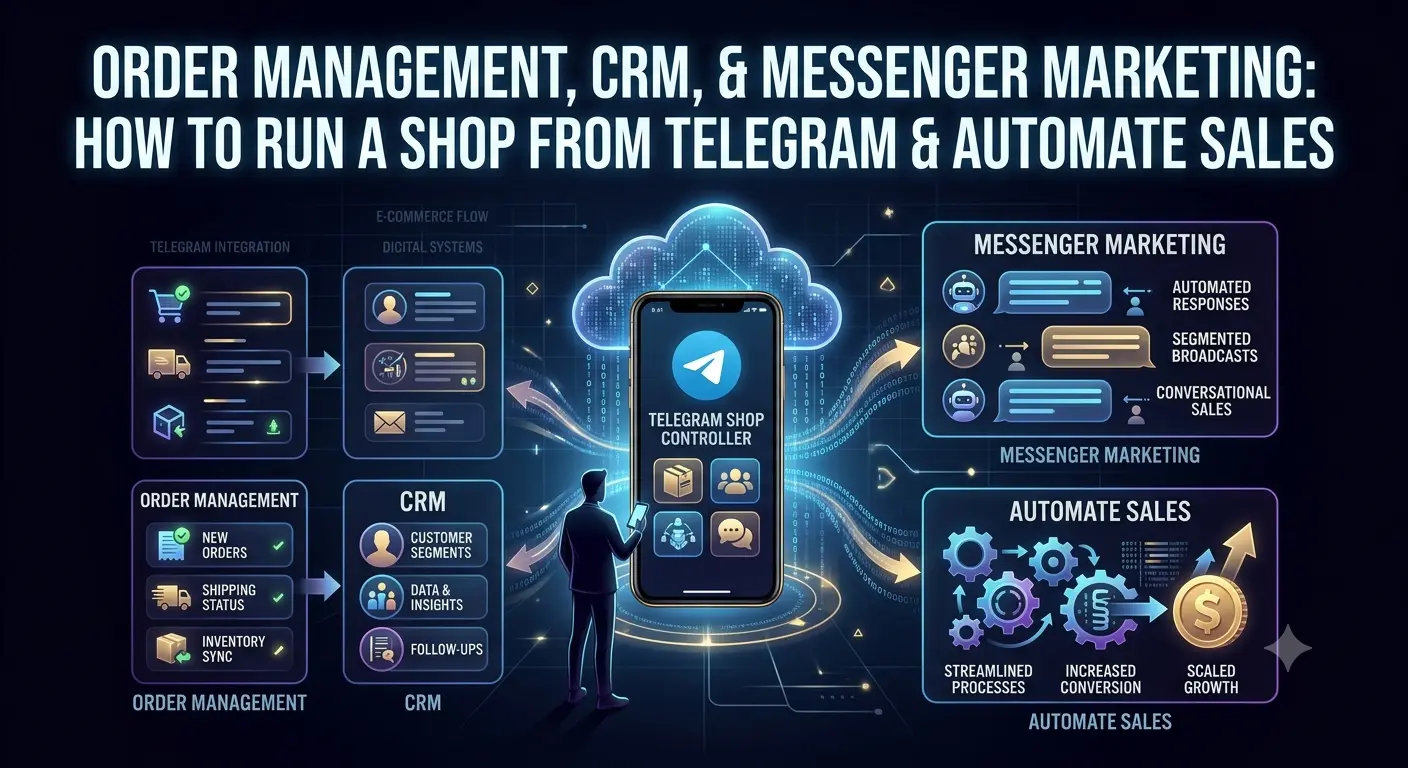
A practical breakdown: how a Telegram bot, Commerce API and webhooks turn your online store into an ecosystem where order processing takes 30 seconds. Without daily admin panel logins.
Table of Contents
- Why Manual Order Management Kills Your Business
- Why CRM Is the Heart of an Online Store
- Telegram Bot: Store Management in One Messenger
- Commerce API: Integration with External CRM and ERP
- Webhooks: Automatic Order Transfer in Real Time
- Sales Statistics: What to Track and Why
- Payment Processing Without Headaches
- BooStore: One-Click Ecosystem
Why Manual Order Management Kills Your Business
Imagine a typical day for an online store owner. In the morning — log into the admin panel, check new orders. Then manually call each customer, confirm availability. Then — update statuses, send notifications in messengers, issue invoices. If the store is small, it takes an hour or two. If you get 20-30 orders a day — that's already a full workday for an administrator.
From experience running a sporting goods store: when there were 5-7 orders a day, manual management still worked somehow. But when sales grew to 40+ orders — the nightmare began. Orders were lost, statuses weren't updated on time, customers wrote to support asking "where is my order?". It became clear: without CRM and automation, it's impossible to continue.
In this article, we will break down how modern tools — Telegram bots, Commerce API, webhooks and built-in analytics — turn routine order management into an automated process. And why a good CRM starts not with an expensive subscription, but with the right platform.
| Parameter | Manual Management | Automation (Telegram + CRM) |
|---|---|---|
| Time to process one order | 5-15 minutes | 10-30 seconds |
| Risk of losing an order | High (human factor) | Minimal (system controls) |
| Customer status notification | Manually, if you get to it | Automatically in Telegram/Viber |
| Sales statistics | Excel at best | Real-time, with JSON export |
| Accounting integration | Re-typing into 1С | Automatic POST sending |
| Management access | Desktop only | From anywhere, from your phone |
Why CRM Is the Heart of an Online Store
CRM (Customer Relationship Management) is not just a table of orders. It is a system that stores the entire history of interaction with each customer: from first contact to repeat purchases and returns. Without CRM, a store owner works blindly.
What CRM Gives an Online Store
Complete Order History
Every order linked to the customer. You can see in one click what the customer ordered before, what issues there were, how often they return.
Change Snapshots
When an order is modified, the system saves a "before" and "after" snapshot. In a dispute with a customer, you can accurately reconstruct which statuses changed and when.
Three-Dimensional Statuses
Separate statuses for order, payment and delivery. An order can be "Processed" but payment still "Pending" — and that's normal. Each status is managed independently.
Customer Database for Newsletters
With every order or inquiry, the contact automatically enters the email address database. You can run newsletters, abandoned cart reminders, promotions for regular customers.
Filtering and Search
Search by order number, customer name, phone, email. Filter by date, status, amount, manager. Find a specific order in seconds.
Manager Assignment
Each order can be assigned to a specific manager. Statistics show who processed how many, what statuses they set, how much time was spent on an order.
Why Built-in CRM Is Better Than Third-Party
Many store owners connect separate CRM systems — KeyCRM, Odoo, Salesforce. That's hundreds of dollars a month plus integration time. But for a medium-sized store (up to 200-300 orders per day), the built-in CRM on the platform is enough to cover 95% of needs:
- No separate payment — CRM is included in the platform's plan
- No integration setup needed — orders are already in the CRM, they appear there automatically
- Unified interface — manage products, orders and customers in one admin panel
- API for external systems — if the built-in CRM isn't enough, data can always be exported via Commerce API or webhooks to an external system
Telegram Bot: Store Management Without Opening a Browser
The simplest and most accessible way to automate order management is to connect a Telegram bot to your store. This is not just "You have a new order" notifications. This is a full-fledged trading control panel in your pocket.
On the BooStore platform, the Telegram bot is built in at the core level. Connect it — and you immediately receive interactive messages about every order.
What Arrives in Telegram with a New Order
When a customer places an order, the bot instantly sends a message with complete information:
- Order number — ID to quickly find in statistics
- Customer data — name, phone, email, delivery address
- Order contents — all products with quantity, price and SKUs
- Total amount — including discounts and delivery
- Payment and delivery method — options selected by the customer
Interactive Buttons: Full Management Without the Admin Panel
The best part — the bot doesn't just show information. Below the order message is a set of interactive buttons that give you full control over the order without logging into the admin panel. All management — right in Telegram:
Order Status
"Accept" — moves the order to processing. "Processed" — completion. "Cancel" — cancel with reason selection (out of stock, customer cancellation).
Payment Status
"Paid" — if the customer transferred to a card. "Confirm Payment" — for online payments. "Pending Payment", "Refund" — full cycle of financial statuses.
Delivery Status
"Awaiting Shipment", "Handed to Courier", "In Transit", "Delivered", "Not Delivered" — full logistics cycle tracking from Telegram.
Delete Order
"Delete" button — completely removes the order from statistics. With confirmation to prevent accidental clicks.
Here's how it works: an order comes in Telegram — you click "Accept" (order status changes to "Processing"), then "Paid" (payment status updated), and a day later — "Handed to Courier". The customer receives an automatic notification at each stage (if newsletters are configured). That's it — order processed in 20 seconds, without ever opening the admin panel.
Convenient Order History Viewing Interface
The Telegram bot is not just about new order notifications. At any time, you can open the full order history by clicking the «My Orders» button in the bot's main menu. You'll see a convenient interface where you can select a viewing period: last 20 orders, today, yesterday, this week, this month, last month, or the last 3 months. You can also enter a specific order number for quick search.
ID: #1023
⚙️ Status: Processing
👤 Status for Customer: 🆕 Processing
💳 Payment: ❓ Not specified
👤 Name: Ivan Petrov
📞 Phone: +380671112233
🛒 Products:
• Nike Air Sneakers (42) - 1 pcs x 2 100 UAH = 2 100 UAH
• T-shirt (L) - 1 pcs x 350 UAH = 350 UAH
💰 Total: 2 450 UAH
📍 Delivery info
Status: ❓ Not specified
🚚 Delivery: Nova Poshta
🏠 Address: Kyiv, 10 Example St
By clicking on any order, you go to the order card where all actions are available: status change, customer data, order composition, change history. All management is right in Telegram, without going to the admin panel. This is especially convenient when you're on the road or don't have access to a computer — just open the bot on your phone.
Teamwork: Multiple Managers in One Bot
If you have multiple employees, you can connect everyone to the same bot. Each person sees new orders in real time. Whoever clicks "Accept" first takes the order. No confusion or double confirmations. For the business owner, this is also control: statistics show how many orders each manager processed per shift.
Notifications Beyond Orders
The Telegram bot on BooStore doesn't just replicate orders. It also sends notifications about product import results (successful / with errors), system status changes, and critical errors. This turns the bot into a unified control panel for the entire store — from sales to technical maintenance.
Commerce API: Integration with External CRM, ERP and 1С
The Telegram bot solves the problem of operational management. But what if you already have an accounting system, CRM (e.g., KeyCRM or Odoo) or warehouse management 1С? You need a more serious tool — API.
BooStore provides Commerce API — a REST interface for full data exchange between the site and external systems. Essentially, it's an analog of WooCommerce API, but without the need to install WordPress and plugins.
What You Can Do Through Commerce API
Orders
Retrieve a list of orders with filtering by date and status, view details of a specific order, create new orders from an external CRM, update and delete.
Products
Bulk add and update products, retrieve a paginated list, view by ID or SKU, delete.
Categories
Manage the category tree: create, update, delete. Supports nesting and multilingualism.
Manufacturers & Collections
Full management of brands and product collections via API.
Example: Creating an Order via API (PHP)
Suppose you have a CRM and you want orders from it to be automatically created on the site. Here's what the request looks like:
Filtering and Pagination
The API supports flexible filtering. For example, to get all completed orders from the last month:
Or sort products by price ascending:
Webhooks: Automatic Order Transfer in Real Time
API is when you request data. But there are scenarios where the system itself should notify you about an event. For this, webhooks are used — POST requests that the site sends to your URL when a specific event occurs.
On BooStore, webhooks are implemented through an order data sending mechanism. You specify your server (or CRM) URL, and with each new order, the system sends a POST request with full data in JSON.
What Is Transmitted in a Webhook
When an order is placed, your URL receives a JSON with the full structure:
- Customer information: first name, last name, phone, email, address (including separate fields: region, city, street, building, apartment)
- Order contents: array of products with ID, SKU, name, price, currency, quantity, variant (size/color)
- Financial information: total amount, currency, delivery cost, discount
- Service data: order ID, transaction ID, UTM tags, referral link, site ID
Webhooks on Status Change
The second type of webhooks — when the order status changes. If you (or a manager) changed the status in the admin panel or via the Telegram bot, the system will send a POST request with updated data. This allows you to synchronize statuses with an external CRM in real time.
The request transmits:
- status — order status: 0 (not processed), 1 (processing), 3 (processed), 2 (cancelled)
- status_pay — payment status: 0 (not specified), 1 (paid online, unchecked), 4 (paid and verified), 2 (paid)
- delivery_status — delivery status: 0 (not specified), 1 (delivered), 2 (not delivered), 3 (awaiting shipment), etc.
- crm_order_id — external order ID for linking with your CRM
"Number" or "crm_order_id" field, the system will attach this external ID to the order on the site. This enables two-way synchronization: order created on the site → sent to CRM → CRM processed and returned its ID → ID saved in sales statistics.
Sales Statistics: What to Track and Why
Without statistics, you're running your store blind. It's like driving a car with taped-over instruments — you're moving, but you don't know your speed or how much fuel is left. Here is the minimum set of metrics every online store owner should see:
Orders per Period
How many orders you received today, this week, month. Allows you to assess sales dynamics and seasonality.
Sales Revenue
Total revenue for the period. Net amount (excluding discounts and returns) that can be compared with expenses.
Average Order Value
Total sales / number of orders. If the average order value drops — it's time to enable upselling and cross-selling.
Top Products
Which products are purchased most often. These should be the focus of advertising, and they are candidates for promotions.
Order Statuses
How many orders are in processing, how many processed, how many cancelled. If there are many cancellations — there's a quality or timing issue.
Sales Geography
Where orders come from: city, region. Helps plan logistics and advertising campaigns.
Statistics Access via API and JSON Export
On BooStore, sales statistics are available not only in the admin panel but also through a secure API. You can retrieve data in JSON format by providing an access key:
This allows you to load sales data into Google Sheets, Tableau, Power BI or any other analytics system. You can filter by date, status, manager — everything available in the statistics interface.
Payment Processing Without Headaches
CRM and statistics are about control. But money in an online store is made when a customer can pay conveniently and quickly. Payment processing is not just a technical detail — it's an element that affects conversion.
Available Payment Systems
- LiqPay — Ukrainian payment system, supports Visa/MasterCard, Apple Pay, Google Pay
- WayForPay — card payment processing via payment pages and widgets
- Fondy — international payment gateway supporting multiple currencies
- Monobank (MonoPay) — popular Ukrainian payment processing without monthly fees
- Stripe — international payments (relevant for stores serving EU/US)
- Cash on Delivery — convenient for local markets
What's Important to Know About Payment Processing
First: on BooStore, you don't need to pay for connecting payment systems. All modules are already built in. You simply enter your API keys from the payment gateway — and everything works.
Second: the platform does not charge additional transaction fees. You only pay the payment gateway's commission (usually 1.5-3% depending on the system).
Third: you can set different currencies for different language versions of your site. For example, for the Ukrainian version — accept payments in hryvnia, for the Polish version — in zloty. Automatic exchange rate conversion is built in.
BooStore: One-Click Ecosystem
We've covered several levels of online store management: from a simple Telegram bot to a full-fledged Commerce API. On classic CMS platforms (WordPress + WooCommerce, OpenCart, Magento), each of these levels requires installing separate plugins, configuring them, and constant updates. On BooStore, everything works out of the box — in a unified ecosystem.
Telegram Bot
Order notifications, status changes, one-click management. Works without additional services or plugins.
Viber Bot
Order notifications with management like in Telegram. For those who prefer Viber.
Commerce API
Full REST API for integration with any external systems: CRM, ERP, 1С, custom solutions.
Webhooks (POST Notifications)
Automatic sending of order data and status changes to external URLs.
Sales Statistics
Built-in CRM with summary table, order history, change snapshots and JSON export.
Push Notifications
Order and event notifications directly in the browser, even when the site is closed.
Free Tools
Up to 300 products and articles on the free plan. Everything you need to get started — for free.
The combination "Telegram bot + Commerce API + webhooks + CRM" covers 100% of an online store's order management needs. You receive an order → see it in Telegram in seconds → click a button → status changes → webhook notifies external CRM. Everything in real time, everything automatic.
Learn more about automation capabilities on the Store Automation at BooStore page.
Key Takeaway
Managing an online store doesn't have to be a daily routine. The Telegram bot handles operational order processing, Commerce API connects your site with your CRM and accounting, webhooks automatically sync data, and GA4 shows where to go next. All of this is available on one platform — without plugins, without monthly subscriptions to third-party services, without developers.
❓ Frequently Asked Questions About CRM, Telegram Bots and Order Management
Answers to questions that most often arise among online store owners.
Can I not only receive notifications but also manage orders via the Telegram bot?
Yes. The BooStore Telegram bot supports not only notifications but also interactive management: changing order status, marking payment, changing delivery status. All through buttons under the message. For more detailed management, there is a direct link to the order card in the admin panel.
How do I connect a Telegram bot to a BooStore store?
In the admin panel, go to store settings, find the "Notifications" — "Telegram Bot" section. Enter your bot's API key (you can get it from @BotFather in Telegram) and the chat ID where notifications should be sent. Detailed instructions — in the knowledge base.
Is it mandatory to have an external CRM, or can I work with the built-in sales statistics?
The built-in sales statistics on BooStore are sufficient for most stores: summary order table, payment and delivery statuses, change history, JSON export, filtering by periods and managers. An external CRM is needed if you have complex accounting, multiple warehouses, or require integration with 1С.
How often is data updated during webhook integration?
Webhooks are sent instantly — at the moment an order is placed or a status changes. The delay is fractions of a second. This allows for real-time synchronization without periodic API polling.
What payment systems can I connect and how much does it cost?
BooStore comes pre-installed with: Monobank, LiqPay, PrivatBank, NovaPay, Hutko, WayForPay, Fondy, iPay, Stripe, Square, PayPal and others. Connection is free, the platform charges no commissions. You only pay the payment gateway's commission (1.5-3%). After paying for any plan starting from $3 — all payment systems become active.
Can I connect multiple managers to one Telegram bot?
Yes. You can add multiple chat IDs in the bot settings. Each manager will receive notifications about new orders and can manage them. Whoever clicks the button first takes the order.
Is Commerce API the same protocol as WooCommerce API?
Logically — yes. BooStore's Commerce API provides similar methods for working with orders, products, categories and customers. However, it does not require installing WordPress, plugins or constantly updated modules. It is a native REST integration available immediately after creating a store.