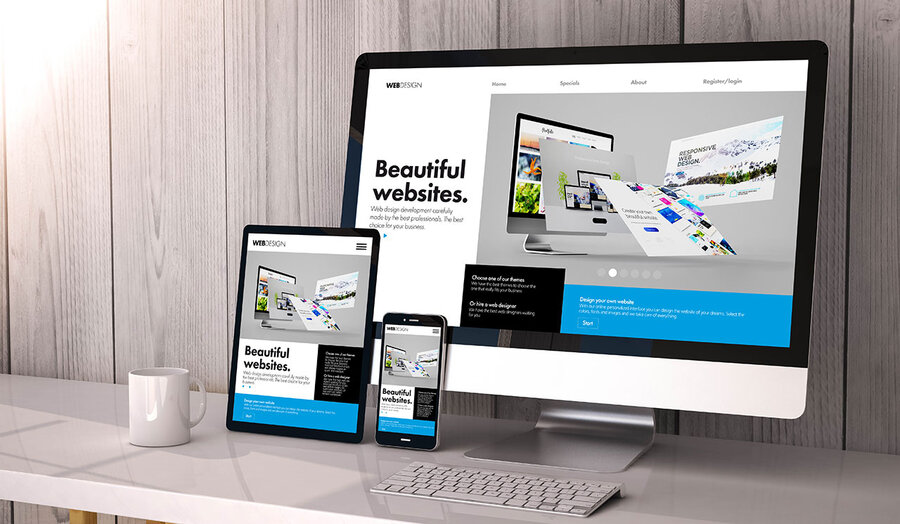
I Created an Online Store. What's Next? 10 Steps to Grow Sales
A step-by-step guide: you created an online store — what's next? From filling products and SEO optimization to launching Google Ads, setting up analytics and scaling your business. Practical tips for new store owners.
📄 Table of Contents
- Check Store Readiness to Accept Orders
- Fill Your Store with Quality Content
- Set Up SEO Foundation
- Define Your Target Audience
- Develop a Marketing Strategy
- Launch Google Ads
- Set Up Analytics and E-commerce Events
- Connect Social Media and Email Marketing
- Optimize Mobile Version
- Automate and Scale
- Frequently Asked Questions
Step 1. Check Store Readiness to Accept Orders
Before launching ads and inviting customers, make sure your store is technically ready. Skip this step and you'll waste your ad budget on a non-functioning site. 29-point checklist to check before launch.
✅ Cart and orders
Place a test order from start to finish. Check: product adds to cart, checkout form works, order email arrives.
💳 Payments and shipping
Check all payment methods: card, cash on delivery, Google Pay. Ensure shipping cost is calculated correctly.
🔒 SSL certificate
The site must work over HTTPS. On BooStore, SSL certificate is built-in on all plans.
📈 Analytics
GA4 must be connected. Check that e-commerce events (purchase, add_to_cart) are being sent. GA4 setup guide.
Step 2. Fill Your Store with Quality Content
A customer makes a purchase decision in 5–10 seconds. If the product card is empty or has bad photos — they go to competitors. Before launching ads, each product should have:
- Quality photos — at least 3–5 photos from different angles. First photo — 1200×1200px on a white background.
- Detailed description — features, dimensions, materials, care instructions. Unique text for each product.
- Price and availability — current price, delivery times, stock quantity.
- Variants — if the product has colors, sizes, materials — all options should be added.
- SEO fields — unique Title (50-60 characters) and Meta Description (150-160 characters) for each product.
Learn more — SEO recommendations for website content. To speed up filling — how to use ChatGPT to populate your store with products.
Step 3. Set Up SEO Foundation
SEO is the cheapest source of traffic. It doesn't give quick results (2–4 months), but pays off with years of free customers. Start with the basics:
- Clean URLs — instead of
?product=123use readable URLs:/category/product-name. - Meta tags — unique Title and Description for each page.
- Schema.org markup — for products, breadcrumbs, articles. Complete guide to Schema.org.
- XML Sitemap — a site map for search bots. On BooStore it's generated automatically.
- Open Graph — for proper link display in social networks.
Full guide — SEO recommendations for websites.
Step 4. Define Your Target Audience
You can't sell to everyone. The more precisely you define your audience, the cheaper your ads will be and the higher your conversion. Answer these questions:
- Who is your ideal customer? — gender, age, income, profession, interests.
- Where do they live? — country, city, district.
- What problems do they have? — what do they want to buy and why? What questions arise before purchase?
- Where do they search for products? — Google, Instagram, Telegram, forums.
- Why will they choose you? — price, assortment, service, delivery.
Create a customer avatar — this will help you target ads more precisely and write better product card copy.
Step 5. Develop a Marketing Strategy
A marketing strategy is a plan for how you'll attract customers. For a new store, a combination of channels works best:
| Channel | Time to ROI | Starting budget | Difficulty |
|---|---|---|---|
| SEO (organic search) | 2–6 months | $0 (time) | Medium |
| Google Ads | Immediate | $200–500/month | Medium |
| Facebook / Instagram Ads | 1–2 weeks | $100–300/month | Medium |
| Email marketing | 1–3 months | $0–50/month | Low |
| Content marketing (blog) | 3–12 months | $0 (time) | High |
| Telegram / social media | 1–3 months | $0 (time) | Low |
Learn more — 15 ways to promote your online store and increase sales.
Step 6. Launch Google Ads
Google Ads is the fastest way to get your first customers. You launch a campaign and within an hour you see the first clicks. But without proper setup, your budget will be wasted.
Step-by-step plan for launching Google Ads for a new store
Create a Google Ads account
Go to ads.google.com and sign up. Link a payment card.
Research keywords
Use Google Keyword Planner. Start with 10–20 commercial queries with high commercial intent: "buy ...", "... price", "... with delivery".
Create a Search campaign
Choose "Search" campaign type. Set a budget of $5–10/day to start. Write 3–5 ads per ad group.
Set up Merchant Center
For shopping ads (Google Shopping), create a Merchant Center and upload a product feed. On BooStore, the feed is generated automatically.
Track conversions
Connect GA4 to Google Ads. Set up conversion import — this lets Google optimize campaigns for sales, not clicks. Complete guide to Google Ads for online stores.
Step 7. Set Up Analytics and E-commerce Events
Without analytics, you're flying blind. You don't know which products sell, where customers come from, or how much you earn. How to set up GA4 for an online store.
On BooStore, e-commerce events are already built-in. You just need to add your GA4 tracking ID in settings. The system automatically sends events:
view_item— product viewadd_to_cart— add to cartremove_from_cart— remove from cartbegin_checkout— begin checkoutpurchase— successful purchaseadd_to_wishlist— add to wishlist
These events let you build sales funnel reports and see at which stage customers drop off. Through Google Ads, you'll see which ads drive real sales, not just clicks.
Step 9. Optimize Mobile Version
Over 70% of purchases are made on mobile devices. If your site is inconvenient on a phone — you lose 7 out of 10 customers. How to create a responsive online store.
- Responsive design — check display on iPhone SE (320px) and iPad (768px).
- Speed on 3G/4G — use PageSpeed Insights to check the mobile version.
- Mobile menu — large buttons, one-handed navigation.
- Large CTA buttons — "Buy", "Add to Cart" should be visible and easy to tap.
- Simplified checkout form — minimal fields, autofill, support for Apple Pay / Google Pay.
On BooStore, all templates are responsive out of the box — you don't need to configure the mobile version separately. How to create a user-friendly online store.
Step 10. Automate and Scale
Once the first sales appear, it's time to automate routine tasks so you don't drown in orders. BooStore provides all the tools for automation. Complete guide to online store automation.
⚡ Automatic import
Connect supplier price lists — prices and stock levels will update automatically. Bulk update from Google Sheets.
📦 Export to marketplaces
Rozetka, Prom, Hotline — products are exported automatically. New sales channels without extra work.
📈 Sales analytics
Built-in reports on sales, margins, popular products. Make data-driven decisions.
💰 Scaling
BooStore handles any volume of products and traffic. SaaS for ecommerce without limits.
❓ Frequently Asked Questions After Store Launch
Answers to questions that most often arise for new online store owners.
How many products do I need to start an online store?
To start, 15–20 quality products with good photos, descriptions and SEO are enough. It's better to launch with a small assortment but perfect product cards than with 1000 products without photos and descriptions. Gradually expand your assortment.
What budget is needed to launch ads in the first month?
For testing, $300–500 for 2–3 weeks is enough. This will let you understand which products and ads work. The key is to set up analytics immediately so you can see ROAS. Without analytics, any budget will be wasted.
What to do if there are no sales after launching ads?
Check three things: 1) does the cart and checkout work (place a test order); 2) is analytics configured and is the purchase event reaching GA4; 3) are the product photos and descriptions good enough. Most often, the problem isn't the ads but the store itself. The 29-point checklist will help find the issue.
When should I start a blog for my online store?
Immediately after launch. A blog provides free traffic that starts working in 2–4 months. The sooner you start, the sooner you'll get your first free customers. On BooStore, the blog is built-in — no need to install separate plugins. Why an online store needs a blog.
Should I connect multiple ad channels at once?
No. Start with one channel — Google Ads or Facebook Ads. Achieve steady sales with ROAS ≥ 3 (3x your spend). Then connect the next channel. Spreading yourself thin at the start leads to budget waste and unclear statistics.
How often should I update prices and stock levels?
The more often, the better. A customer who sees "in stock" but finds out "out of stock" at ordering — will likely never return. On BooStore, you can set up automatic synchronization with suppliers — prices and stock will update without your involvement. Store automation.
Step 8. Connect Social Media and Email Marketing
📷 Facebook / Instagram
Create a store page, add a product catalog, set up Facebook Pixel for conversion tracking. Launch retargeting for site visitors.
📲 Telegram channel
Create a channel with new arrivals and promotions. Connect Telegram order notifications. Store management from Telegram.
📧 Email newsletters
Collect a subscriber base from day one. Set up automated emails: thank you for order, abandoned cart, birthday.
📰 Blog
Start a blog — it's a free source of traffic for years to come. Why an online store needs a blog.