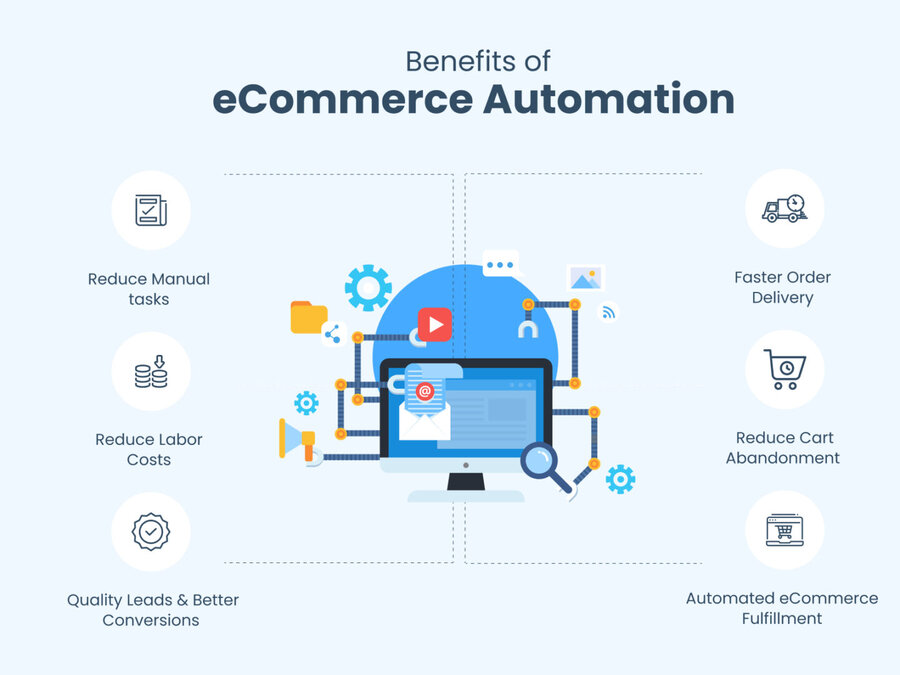
Online Store Automation: How to Set Up a Store That Works 24/7 Without Your Involvement
A complete guide to automating your online store on the BooStore platform: from automatic product import and price synchronization to Commerce API, Telegram notifications, and marketplace export. Set up processes once — and the store works for you.
📄 Table of Contents
- Why Automation Is Not a Luxury, But a Necessity
- Automatic Product Import from Any Source
- Automatic Price and Stock Updates
- Commerce API: Full Catalog and Order Management
- Managing Your Store from Telegram
- Export to Marketplaces and Trading Platforms
- Automated Email Campaigns
- Order Processing Automation
- Automatic Product Description Templates
- ROI of Automation: Real Numbers
- Frequently Asked Questions
Why Automation Is Not a Luxury, But a Necessity
An online store owner spends up to 70% of their working time on routine operations: updating prices, processing orders, synchronizing stock, answering customer questions. Every hour spent on routine is an hour not spent on growing the business.
Automation solves this problem. You set up processes once — and they work without your involvement for years. Here's what you get:
⏰ Save 30+ Hours Per Month
Automatic import and price synchronization free up time that was previously spent on manual catalog updates.
📈 Sales Growth Up to 25%
Instant order notifications and automated trigger emails increase conversion and repeat purchases. How to increase sales with automation.
✅ Minimum Errors
Manual data entry leads to errors in prices, stock levels, and descriptions. Automation eliminates the human factor.
💰 Reduced Staff Costs
One automated store can handle as many orders as 2–3 employees. Why renting an online store is more profitable.
BooStore provides all the necessary tools for full automation — from product loading to order processing and marketing. Full overview of automation features.
Automatic Product Import from Any Source
One of the most powerful features of BooStore is automatic product import from multiple sources. You don't need to manually add each product — the system does it for you.
Specify the Data Source
This can be a link to a CSV/XLS file, a Google Sheet, an XML/YML feed from a supplier, or an FTP server. The system will download the file on a schedule.
Configure Field Mapping
Specify which column in the file corresponds to the product name, price, SKU, description, and image. Configuration is done once.
Set the Schedule
Import can run every hour, once a day, once a week — whatever suits you. New products are added, existing ones are updated.
Automatic Price and Stock Updates
For stores with a large catalog, manual price updates are grueling work. Especially if you have dynamic pricing or seasonal discounts. BooStore solves this problem completely.
- Markup from Supplier Price — set a formula: "supplier price × 1.3 + $2". The system will automatically recalculate all prices with each import.
- Different Markups for Different Product Groups — for example, 200% markup for clothing, 30% for electronics.
- Automatic Stock Synchronization — if a product is out of stock at the supplier, it is automatically marked as "out of stock" in your store.
- Scheduled Updates — from 4 hours to 28 days. Prices and stock levels are always up to date without your involvement.
Commerce API: Full Catalog and Order Management
Commerce API is a powerful tool for integrating BooStore with any external systems. If standard import is not enough, the API gives you full control over your data.
What you can do with Commerce API:
- Manage Products — create, update, and delete products programmatically. Suitable for integration with 1C, CRM, ERP systems.
- Manage Orders — receive new orders, update statuses, synchronize with external CRM.
- Work with Statistics — get data on sales, stock levels, product popularity for external analytics.
- Two-Way Exchange — data syncs in both directions: from external systems to the store and back.
Commerce API is especially useful if you already have your own CRM, warehouse system, or work through 1C. More — on the store automation page.
Managing Your Store from Telegram
One of the most convenient features of BooStore is Telegram integration. You receive notifications about every order directly in the messenger and can manage your store without logging into the admin panel.
🔔 Instant Order Notifications
As soon as a customer places an order, you receive a Telegram message with the total, order contents, and customer contact details.
📈 Sales Statistics in Telegram
Daily reports on sales, order count, and revenue — straight to the chat.
🔒 Error Notifications
If an import fails, an SSL certificate expires, or a payment gateway goes down — you'll know instantly.
📲 CRM in Telegram
Managers can process orders, change statuses, and communicate with customers directly from Telegram. Complete guide to order management from Telegram.
Export to Marketplaces and Trading Platforms
BooStore allows you to automatically export products to all major trading platforms. This means your products are seen by customers not only in your store, but also on the largest marketplaces.
Supported platforms:
📦 Rozetka
The largest marketplace in Ukraine. Automatic export with prices, stock levels, and descriptions.
📈 Prom.ua
Trading platform for B2B and B2C sales. Automatic catalog synchronization.
🔥 Hotline
Price comparison system. Export products to attract hot buyers.
💳 Google Merchant Center
Product listings in Google Shopping. Guide to Google Ads for online stores.
For each platform, a separate XML/YML feed with the required fields is configured. Export happens automatically on a schedule.
Automated Email Campaigns
Email marketing is the cheapest way to increase sales. Average ROI — 4,200%. But manually sending emails to each customer is impossible. That's why BooStore offers ready-made automated email scenarios.
What campaigns you can set up:
- "Frequently Bought Together" — automatic cross-sell recommendations after a purchase.
- "Back in Stock" — notify subscribers when an expected product arrives in the warehouse.
- "Leave a Review" — an email asking for a review 3–5 days after order delivery.
- "Bonus Information" — notification about accrued bonuses and personalized discounts.
- "Abandoned Cart" — remind customers who added items but didn't complete the order.
The email address base is collected automatically when orders are placed. You only need to set up the email scenarios once.
Order Processing Automation
Order processing is the most time-consuming part of running an online store. BooStore automates this process at every stage.
- Order Statuses — each order goes through a chain of statuses: "New" → "Confirmed" → "Paid" → "Shipped" → "Completed". You see where each order is.
- Change History — every time an order is modified, a snapshot is created. You always know who changed what and when.
- Manager Assignment — each order is automatically assigned to a specific manager. Useful for control and KPIs.
- Segregated Access — managers see only their own orders. The owner sees everything. No confusion.
- Order Export to External Systems — orders can be automatically sent to your CRM, 1C, or warehouse system via Commerce API.
Automatic Product Description Templates
Unique product descriptions are one of the key factors for SEO and conversion. But writing a description for each of 10,000 products manually is impossible. BooStore solves this with smart templates.
How it works: you create a description block template that uses product characteristics. For example, if you sell jewelry, the description can automatically include information about the mineral, metal, weight, and size. When a product is loaded, the system substitutes the right values into the template.
More about speeding up content creation — how to use ChatGPT to fill your store with products.
ROI of Automation: Real Numbers Key
Let's calculate how much you save with automation on BooStore.
| Process | Without Automation (Manual) | With BooStore Automation |
|---|---|---|
| Updating prices for 5,000 products | 8–16 hours manually | Automatic on schedule |
| Processing 100 orders per day | 3–4 hours of manager work | 30 minutes + Telegram notifications |
| Export to 3 marketplaces | 2–3 hours manually | Automatic on schedule |
| Email to 10,000 subscribers | A day to prepare + cost | Automatic on trigger |
| Stock reconciliation with suppliers | Weekly 2–4 hours | Automatic synchronization |
| TOTAL per month | 60–120 hours of routine | 1–2 hours for oversight |
At an entrepreneur's hourly rate of $30–50, the savings amount to $1,800–6,000 per month. The cost of BooStore rental — from $3 to $30/mo. ROI of automation — 100–1,000% per year. Cost comparison: renting vs building.
Where to Start Automation Step-by-Step Guide
Sign Up on BooStore
Create a store on the BooStore platform — it's free and takes 1 minute. The free plan includes all automation features.
Set Up Product Import
Upload your first price list in CSV/XLS format or connect a Google Sheet. Configure field mapping and the update schedule.
Connect Telegram
Link the Telegram bot to your store — and you'll receive notifications about every order instantly.
Set Up Marketplace Export
Create XML/YML feeds for Rozetka, Prom, Hotline, Google Merchant. Export will happen automatically.
Launch Advertising and Analytics
Set up GA4, launch Google Ads. Recommendations for promotion and sales growth.
❓ Frequently Asked Questions About Online Store Automation
Answers to questions that most often arise when setting up automation.
Where to start with online store automation?
Start with the most routine process that takes the most time. Most often, this is price and stock updates. Set up automatic import from a supplier's price list or Google Sheet — and you'll immediately see time savings. The next step is connecting Telegram order notifications. Full overview of automation features.
How much does automation on BooStore cost?
All automation tools (import, synchronization, Telegram, API, marketplace export, email campaigns, Commerce API) are part of the platform's basic functionality. Available on the free plan. Paid plans start at $3/mo and add more products and more frequent import schedules.
Can I automate a store with 50,000+ products?
Yes. BooStore handles catalogs of any size. Automatic import, price synchronization, and Commerce API work with any number of products. More — SaaS for online stores without limits and mass price updates from Google Sheets.
Is automation suitable for a store on WordPress/OpenCart?
If you're currently on WordPress or OpenCart, we recommend moving your store to BooStore — automation is built into the core, not through plugins. On WordPress, automation requires 5–10 plugins, each of which can break during updates. BooStore vs WordPress + WooCommerce comparison. How to migrate from OpenCart.
Can I integrate BooStore with 1C or my CRM?
Yes, via Commerce API. You can programmatically manage products, orders, and customers. The API supports two-way data exchange. More — on the store automation page.
How often are prices and stock levels updated?
You can set a schedule from 4 hours to 28 days. On-demand import (one-click) is also available. The minimum interval depends on your plan.
Can I export orders to my own CRM?
Yes. Through Commerce API, you can receive data about new orders, update statuses, and synchronize with any external system. Automatic order export to external sources is also available.