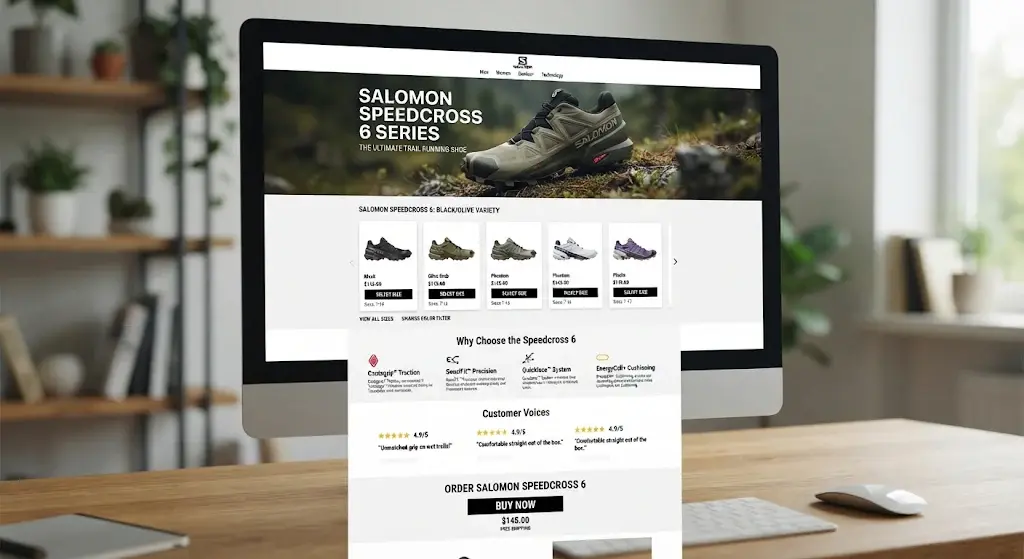
🎯 SEO Filters and Category Landing Pages: How to Capture Long-Tail Traffic in Your Store
When a catalog holds hundreds or thousands of products, sales increasingly start not on the home page but with a precise query: "women's blue leather backpack", "running shoes size 42", "500 ml steel thermos". Each such query gets its own page with a matching selection. To make it work, the page is assembled from clear blocks: a product list, category navigation, reviews as proof of choice, and a variant test — which headline or first screen drives more orders (in BooStore this is A/B testing). First we'll cover what to build and why, then which tools to use in BooStore.
📄 Contents
- Why you need it: benefits of landing pages and filters
- How it's done: products, categories, reviews and variant testing
- BooStore filter engine: product types, features, friendly URLs
- "Search page indexing and metadata (SEO)" setting
- How to create a landing page
- Product widget: selection and filtering
- Category widget: display methods
- Library of ready-made blocks
- Landing page design and structure
- A/B testing
- Multilanding: block substitution per query
- Reviews: ready-made HTML widget
- Launch checklist
- Frequently asked questions
🎯 1. Why you need it: benefits of landing pages and filters
The category "Shoes" is a high-frequency query: expensive, competitive, with "cold" demand. But "blue running shoes size 42" is low-frequency: cheaper, more precise and closer to a purchase. A landing page is a page for a specific combination of parameters: the H1 matches the query, and the first screen shows exactly those products.
💰 Cheaper traffic
Low-frequency queries are cheaper in paid search and often bring orders from SEO without a paid click.
🎯 Higher conversion
The buyer lands on the right shelf right away and doesn't wander through the catalog.
🧱 More entry points
Hundreds of landing pages are hundreds of pages that can rank, not just one category.
🔗 Stronger structure
Internal linking passes weight within the catalog and helps search engines understand the structure.
A landing page pays off when there is a real selection for the query. If the filter is empty or has 1–2 products — the page isn't needed.
🧭 2. How it's done: products, categories, reviews and variant testing
On any engine a landing page for a query is assembled from the same blocks. First decide what should be on it, and only then choose the tools.
🛍️ Product list
The main block. You need a selection by category, parameters (color, size, material), price and text. Without it the page doesn't answer the query.
📂 Categories and navigation
So the buyer can go deeper or into a related section instead of hitting a dead end.
⭐ Reviews and proof
Rating, reviews, customer photos. They build trust and increase conversion, especially on new pages.
🆎 Variant testing
Two page versions are shown equally, then orders are compared. More — in the A/B testing section.
⚙️ 3. BooStore filter engine: product types, features, friendly URLs
For landing pages to work not as static placeholders but as part of the catalog, you need a proper filter engine. In BooStore it's built in three steps:
A key detail for SEO is friendly URLs. A filter combination produces a readable page address instead of a set of a dozen GET parameters with symbols. It's convenient for users and clear for search engines. BooStore can build such addresses for search and filter pages and include them in the sitemap.
This is how filter logic looks on a landing page
Purpose
Color
Size
Each such combination is a potential landing page: "Blue running shoes size 42". You can assign it a separate URL, meta title and H1, and show a specific selection inside.
🔎 4. "Search page indexing and metadata (SEO)" setting Key
This is the section that raises the most questions among store owners: "how to promote filter pages", "category tagging", "friendly URLs for filters". The setting is in SHOP → SEARCH, item "Search page indexing and metadata (SEO)". It defines how search and filter pages behave for search engines: whether to close them or allow indexing and automatically fill in metadata.
| № | Option in the settings list | When to choose |
|---|---|---|
| 0 | Enable noindex in all search queries | Default: all search pages are closed to indexing |
| 1 | Disable noindex everywhere in search queries + automatic metadata enrichment with product parameters | Index all pages with auto-filled title/description |
| 2 | Disable noindex only on pages with custom metadata blocks/menus | Index only pages where you've manually set a meta description |
| 3 | Disable noindex everywhere in search queries | Index all search pages without metadata enrichment |
| 5 | Disable noindex everywhere + automatic metadata enrichment with product parameters + remove separators | Like 1, but special characters are removed from the phrase before metadata |
What "metadata enrichment with product parameters" means
In modes 1 and 5 the system builds the title and description from the search phrase and the data of matched products. You don't need to write a title manually for every filter combination — the platform fills in the values. This is the fastest way to get hundreds of indexable filter pages.
The "Separators" field (mode 5)
It appears only when mode 5 is selected. If a query contains special characters or logical operators, list them space-separated in this field — the system replaces them with a space before building metadata. Example: the value , [AND] [OR] turns "bag[AND]leather, blue" into "bag leather blue". This keeps title and description readable, without extra symbols.
Show a link to the search query page
The option adds a link to the page with the automatically generated query text. The link appears when the search returned results and metadata enrichment is on (modes 1 or 5, or the search filter). It leads to the page with that query — this is exactly what lets such a page be indexed and linked.
"AND" / "OR" logic in search
For precise selections, queries support operators: [AND] requires all conditions to match, [OR] requires at least one. The limit is up to 20 conditions per query. For example, BMW[AND]X6[AND]G06 finds products containing all three words, and BMW[OR]X6[OR]Audi — any of the brands. Nested groups in square brackets handle complex logic. Search covers the meta title, name, meta keywords, friendly URL and product code (SKU).
🧱 5. How to create a landing page
In BooStore you don't need to code a separate CMS for landings. There are three approaches, and they combine well.
1️⃣ Own page + product widget
You create a regular page, set its URL and metadata, and insert a product selection widget. Maximum control over text and structure.
2️⃣ Category + filter
You use a category page with the "Search with filter". The landing page is a parameter combination in a friendly URL that you allow for indexing.
3️⃣ Search query page
You allow search page indexing (modes 1/5) and show a link to the query. Search engines find ready-made selections themselves.
Step-by-step recipe for an "own" landing page
🧩 6. Product widget: selection and filtering Engine
The product widget is the main tool for building landing pages. Generator: Shop → Product widget. You configure parameters, get a short code like and insert it into a page, article or block.
See live examples of all styles in the "Product widget" guide. Below is how to use it.
Display styles
The style is set by a parameter at the end of the code: :scroll, :carousel, :swipe, :append, :mosaic-sides. The modes are covered below, followed by a live example.
Scroll modes (parameter at the end of the code)
| Mode | What it does |
|---|---|
| :scroll-768x8x0 | Scrolling with auto-load: 768 — minimum width, 8 — products per load, 0 — no limit. You can add pagination: scroll-768x8x0x3,3 |
| :carousel | Looping carousel with touch and smooth animation — for promos and "Bestsellers" |
| :swipe | Gallery-like swipe effect; works well with :auto_width |
| :append | Appends products to the end of the list without redrawing the block; can be limited by breakpoint :append-768 |
| :mosaic-sides-4 | A two-part mosaic with an original card layout — for accent selections |
Which parameters you can filter the selection by
A parameter is written as :name-value: colon, name, then a hyphen and the value. For example :on_page-4 — four products, :pers_cat_id-0 — category with ID 0. Several parameters go in a row.
- Category —
:pers_cat_id-123; - Producer —
:producer-15, producer country —:producer_country-...; - Collection —
:collection-...(several comma-separated); - Labels —
:new-products,:bestseller,:sale,:reduced-price; - Price —
:price_from-500,:price_to-2000; - Sorting —
:sort_by-asc,:sort_by-desc; - Text search —
:search-backpack~leather, where~= "AND",||= "OR"; - Count and start —
:on_page-4,:start-0; - Appearance —
:button-cart,:button-compare,:rating-stars,:description,:favorite-icon,:variety,:auto_width; - Optimization —
:lazy-0,:id-my_block,:googlenav.
Widget example
Below is a live example: the widget shows products in a strip with scrolling and auto-load. This is exactly what you'll see on the page after inserting the code.


Widget code:
[MENU:shop_products_slider:pers_cat_id-0:on_page-4:start-0:button-cart:button-compare:description:favorite-icon:auto_width:lang-en:scroll-3768x8x0:swipe]📂 7. Category widget: display methods
So the landing page isn't a dead end, add navigation. Generator: Shop → Store category widget.
Main display methods
:full— a list of categories in expanded form;:list— a standard subcategory list (the same as on the page of the selectedstart-Xcategory). With:listonly thestart-Xparameter works;:treelevel-X— nesting level. For example:treelevel-2— only main categories and their child rubrics, without deeper sub-rubrics.
Additional parameters
:products— show the number of products inside a category;:dataattr— add data markup with category info (ID, number of child categories, number of products);:googlenav— add Google markup (itempropname and url);:imageattr— add an attribute with the icon (if an icon is set for a category, a special attribute is added to it — you can use it to display the icon in the menu).
Example:
📚 8. Library of ready-made blocks
If you don't want to draw everything from scratch, use the BooStore visual blocks library. These are ready sections: headers, promo banners, product grids, benefit blocks, footers. The blocks are responsive and already coded — you insert them into the editor and change the text/images for your landing page.
🚀 Quick start
Take a ready section — no need to hand-code a hero block and benefit cards.
📱 Responsive out of the box
Blocks are designed for mobile and desktop, which matters for both conversion and PageSpeed.
🎨 Consistent style
They automatically match the template color scheme — no need to pick shades for each block.
🧩 Combine
Build a landing page like from a kit: hero → product selection → categories → FAQ.
🎨 9. Landing page design and structure
Structure matters more than decoration: a person should understand in a couple of seconds that they landed on the right shelf.
- The first screen answers the query: the H1 matches the phrase, and the product selection is right below it.
- Filters and navigation nearby: the choice can be narrowed without leaving the page.
- Content below the selection: a short text and FAQ — for people and search engines.
- Internal links at the end: related landing pages and the parent category.
Speed: WebP and :lazy-0 for images, one widget per block, no heavy sliders where CSS is enough, minimal external JS. More — performance optimization.
🆎 10. A/B testing Marketing
A/B testing (Split testing) is a marketing research method used to find out which changes on a page improve a target metric. Two similar pages (A and B) that differ in one or several elements are tested. Pages A and B are shown to users alternately in equal proportions, and visitors as a rule don't know about it. After some time or once a statistically significant number of impressions is reached, the numeric target metrics are compared and the more suitable page variant is determined.
In BooStore, A/B testing is in Shop → AB TESTING. Here you can also see on which page an order was placed.
How to use A/B testing
- Create several links to different pages with the same group.
- Launch an ad using the A/B group link: it will automatically redirect the visitor to different links from this group in turn.
- Analyze the number of visits and orders for each link.
- Choose the more effective page and keep it as the main one.
What you see after the test
Variant A
1,240 visits · 38 orders
Variant B ✅
1,198 visits · 55 orders
🔀 11. Multilanding: block substitution per query Personalization
Multilanding means dynamic pages. On the BooStore.pro platform you can configure Multilanding pages so that when a query matches (partially or fully), the content of whole blocks changes — on pages, in products and in menus. The section is in Pages → "Multilanding / Dynamic pages".
The query can be search query data (determined automatically) or your own set GET variables. For example, when adding UTM tags to ads, you can use the utm_term tag — and the Multilanding page will be active for the utm_term GET variable.
How it works
utm_term = "running shoes"
H1, banner and selection switch to "running"
The Multilanding + landing pages combination is powerful in advertising: one ad leads to a page that adapts to the keyword, and the person sees exactly what they were looking for. And an A/B test helps understand which substitution variant works better.
⭐ 12. Reviews: ready-made HTML widget
Reviews on a landing page reduce distrust of a new section. You don't need to code them: BooStore has a library of ready-made HTML widgets — Shop → HTML widgets. Among them is a reviews widget with a carousel, rating and responsiveness. Below is a live example: it works right on this page.
✅ 13. Landing page launch checklist
- The query has 10+ products — the page isn't empty;
- Product types and features are created, filters work;
- Indexing mode is set (2 — for selected pages, 1/5 — for enrichment);
- The H1 and meta title match the query intent;
- The product widget is configured for a specific selection, not the whole catalog;
- There is navigation (category widget) and internal links to related pages;
- Content and FAQ on the query topic are added;
- Images are WebP, lazy loading is on, PageSpeed is in the green zone;
- The page is added to the sitemap and checked in Search Console;
- An A/B test of the heading or first screen is launched (optional);
- Multilanding is configured by
utm_termfor ads (optional).
❓ Frequently asked questions
What is a filter landing page and why is it needed?
How does a landing page differ from a regular category?
How do I create a landing page in BooStore?
How do I enable search page indexing?
What does "metadata enrichment with product parameters" mean?
Why are "Separators" needed in mode 5?
What are the [AND] and [OR] logical operators?
How do I show products in a different style — slider, grid, mosaic?
:scroll-768x8x0 (scrolling with auto-load), :carousel, :swipe, :append, :mosaic-sides-4. Styles and examples — in the "Product widget" guide.Can I filter widget products by features and text?
pers_cat_id), producer (producer), producer country, collection (collection), labels new-products/bestseller/sale/reduced-price, price (price_from, price_to), sorting and text search search-.... In text search ~ means "AND", || — "OR".How do I show a category list with a widget?
:treelevel-2), product count (:products) and icons (:imageattr) are supported.Where can I get ready-made blocks for a landing page?
How do I link landing pages together?
What is A/B testing and where is it in BooStore?
How do I launch an A/B link test?
What is Multilanding and how does it work?
utm_term. Section — "Pages → Multilanding / Dynamic pages".Which GET variables can be used in Multilanding?
utm_term is convenient.How long is referral source data stored?
Won't landing pages create duplicate pages?
Does each landing page need its own text?
Will speed suffer because of widgets and filters?
lazy-0), one widget per block, no unnecessary external libraries. The demo blocks in this article are made with pure CSS, no JS.