Updates and News

Api Liqpay.ua updated → v3. Added payment cancellation and fixation of payments frozen after payment.
Added the ability to receive payments using acquiring from Monobank.
When making a payment, a list of goods with prices and their quantity is additionally transmitted.

-1.8% for cards of foreign banks.
When making a payment, a list of goods with prices and their quantity is additionally transmitted.
How to connect Acquiring Monobank.ua?
- 1. Leave a request and fill out the connection form at the link https://www.monobank.ua/e-comm
*In the question about cms, specify BooStore
*After verification, you will receive instructions from monobank.
-
For this:
⁃ follow the link https://web.monobank.ua/, scan the QR code
⁃ confirm the login through the monobank app
⁃ click "Internet", and after "manage acquiring"
- create an "X-Token" and copy it.
- To do this, in the BooStore Admin panel, go to the "Shop" - "Payment systems" section and click "Add payment method".
Select the payment method "Monobank.ua" and enter X-Token in the secret key field.
Tariff for acquiring from monobank.
-0.6% for cards of Ukrainian banks-1.8% for cards of foreign banks.
Updated window with XML/CSV/JSON upload options. Added an upload and an additional Google Merchant Product Type field, as well as a Google Merchant Product Category.
If no Google Merchant Product Category parameters are specified in the Category, then the Google Merchant Product Type or "Category Title" field is used by default in XML upload for Google Merchant.
Google Merchant Product Type - https://support.google.com/merchants/answer/6324406?hl=en
Google Merchant Product Category -https ://support.google.com/merchants/answer/6324436?hl=en
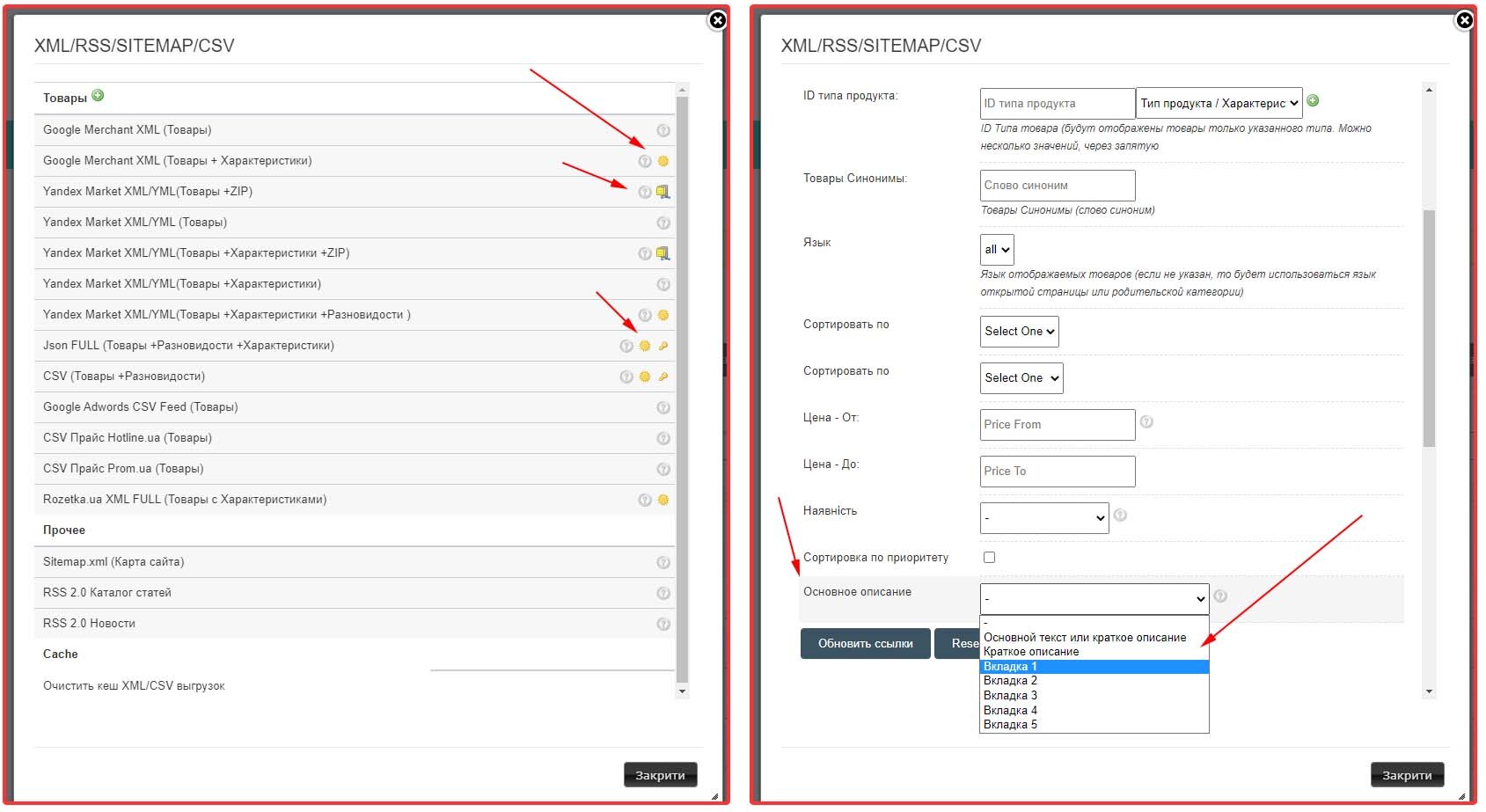
If no Google Merchant Product Category parameters are specified in the Category, then the Google Merchant Product Type or "Category Title" field is used by default in XML upload for Google Merchant.
Google Merchant Product Type - https://support.google.com/merchants/answer/6324406?hl=en
Google Merchant Product Category -https ://support.google.com/merchants/answer/6324436?hl=en
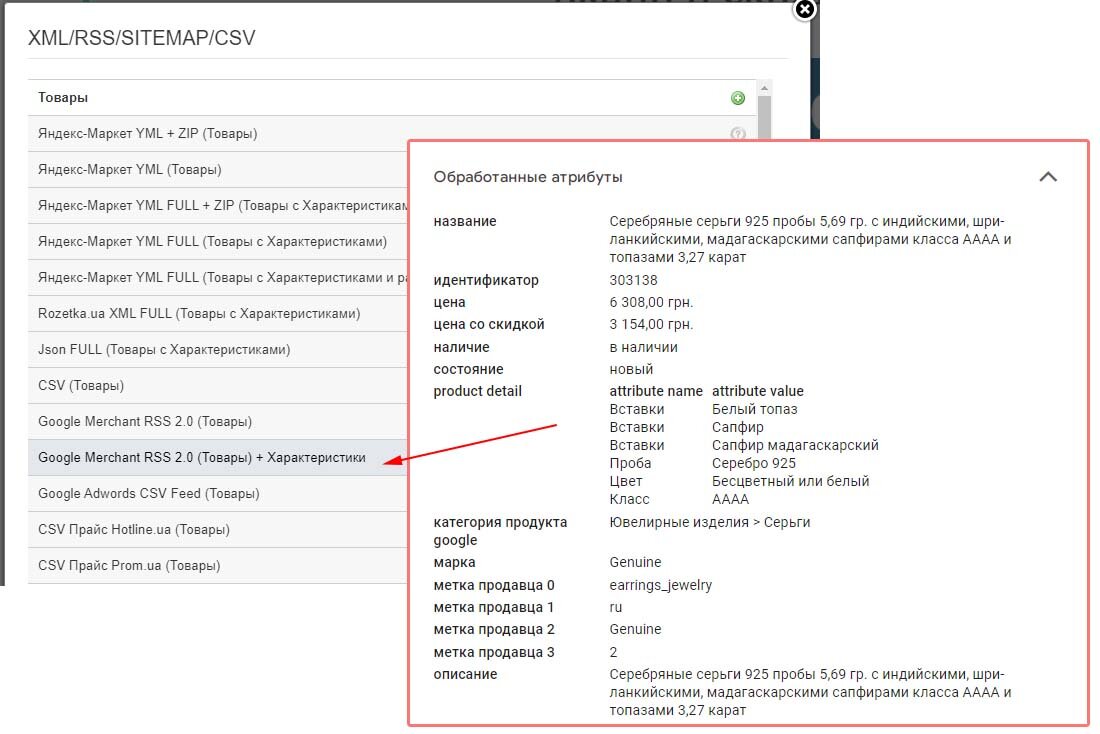
Added extended Google Merchant XML upload for advertising in Google Mercant and Facebook, with product characteristics. This feature increases the likelihood of products getting into free listings, and also increases the chances of getting a conversion with paid impressions.
Stripe.com payment system added with support for: Visa, MasterCard, Apple Pay, Google Pay, AliPay, Discover, American Express, and others.
How to connect Stripe:
- Go to Store → Payment Systems.
- Click Add Payment System and select Stripe / Stripe.com.
- Register at https://stripe.com/ if you do not have an account yet.
- In the
Developers → API keyssection, get yourPublishable keyandSecret key. - Enter these keys into the corresponding fields on BooStore to connect Stripe.
After connecting Stripe, payments are automatically recorded in the order statistics. Stripe also supports payment cancellations, which is convenient for refunds.
Added support for importing XLS (Excel) files.
Download available:
-Products
- Store categories
- Shop collections
- Manufacturers Store
- Articles
- Bases of e-mail addresses
- Forwarding list.
Download available:
-Products
- Store categories
- Shop collections
- Manufacturers Store
- Articles
- Bases of e-mail addresses
- Forwarding list.
To ensure the security of the Hotlsit.biz platform, the servers have been moved. Technical errors are possible in the near future. Corrections are in progress, we apologize for the temporary inconvenience.

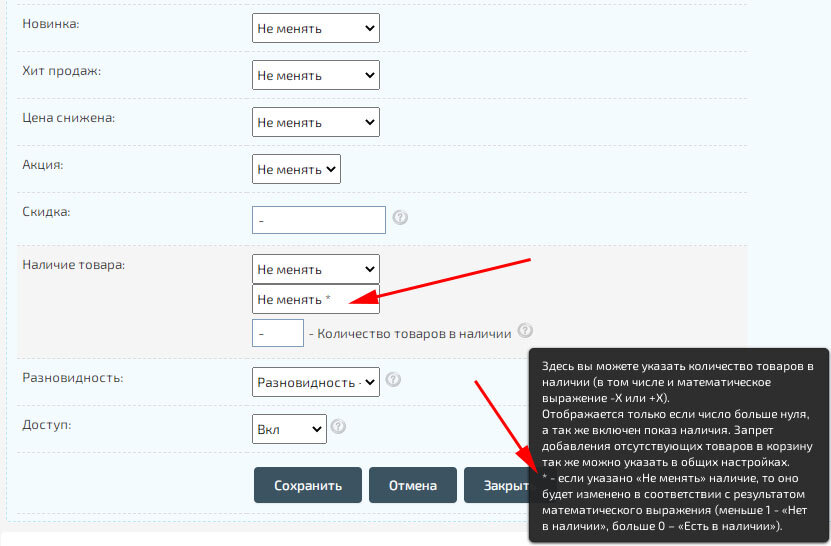
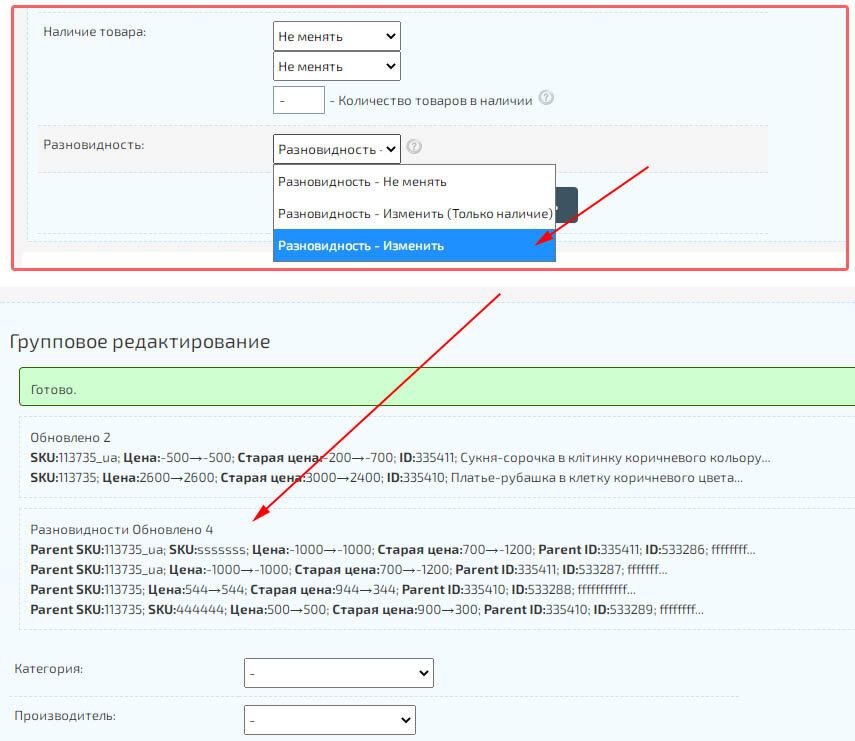
Updated Group Editor. Added automatic change in availability when using a mathematical expression for changing the number of goods. When specifying a value, for example "-10", if the total number of products is less than "0", then the value "Out of stock" will be set. The function is active only if the forced change of the status "Available" is not specified.
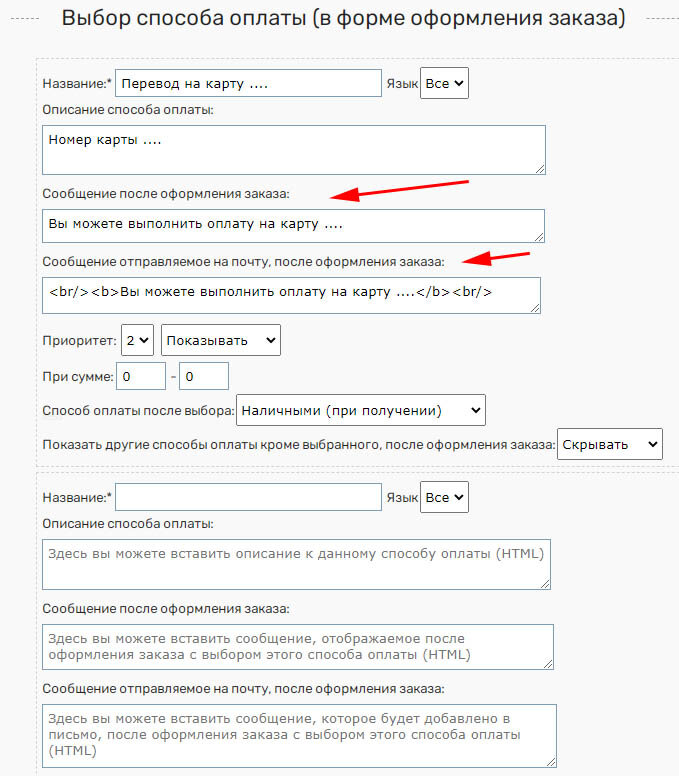
Added an informational message about the payment method after placing an order.
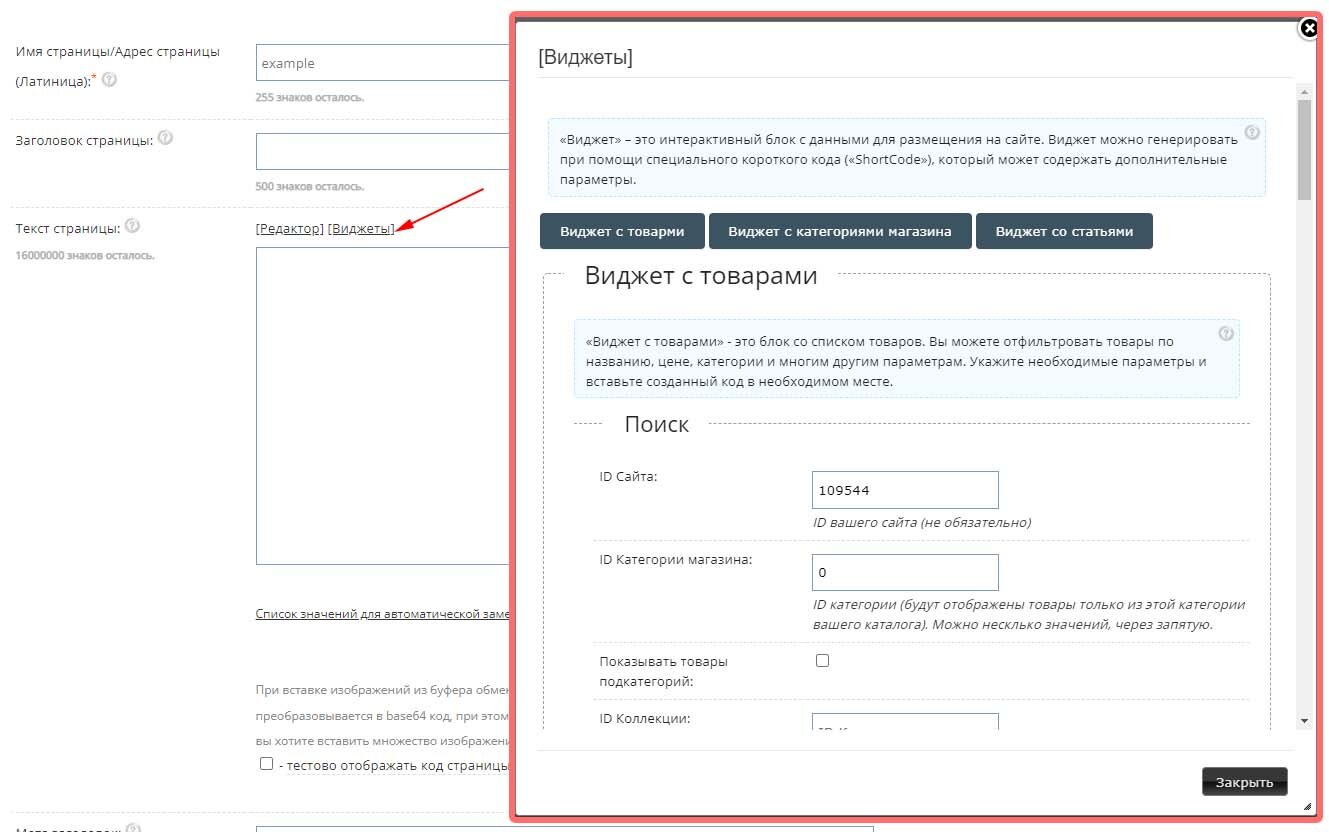
Added «Live Editing» «Blocks/Menus» in the pop-up window.
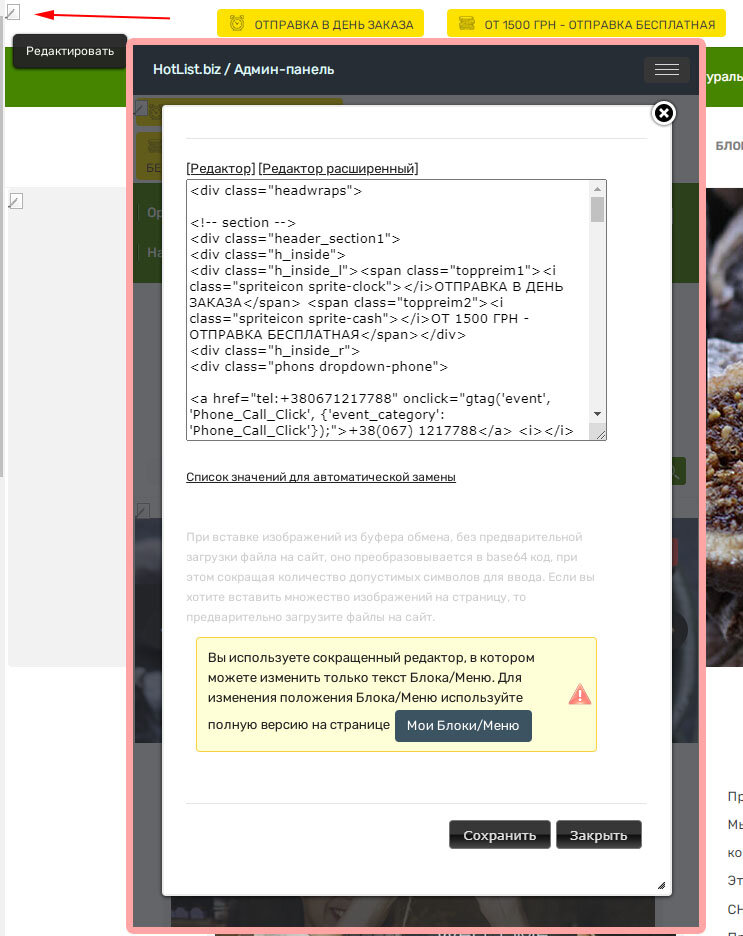
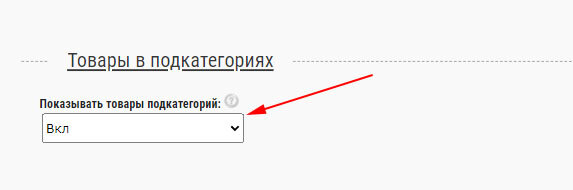
Added display of products from subcategories. For example, if you opened a category in which there are child subcategories, then you can display all the products nested in them.
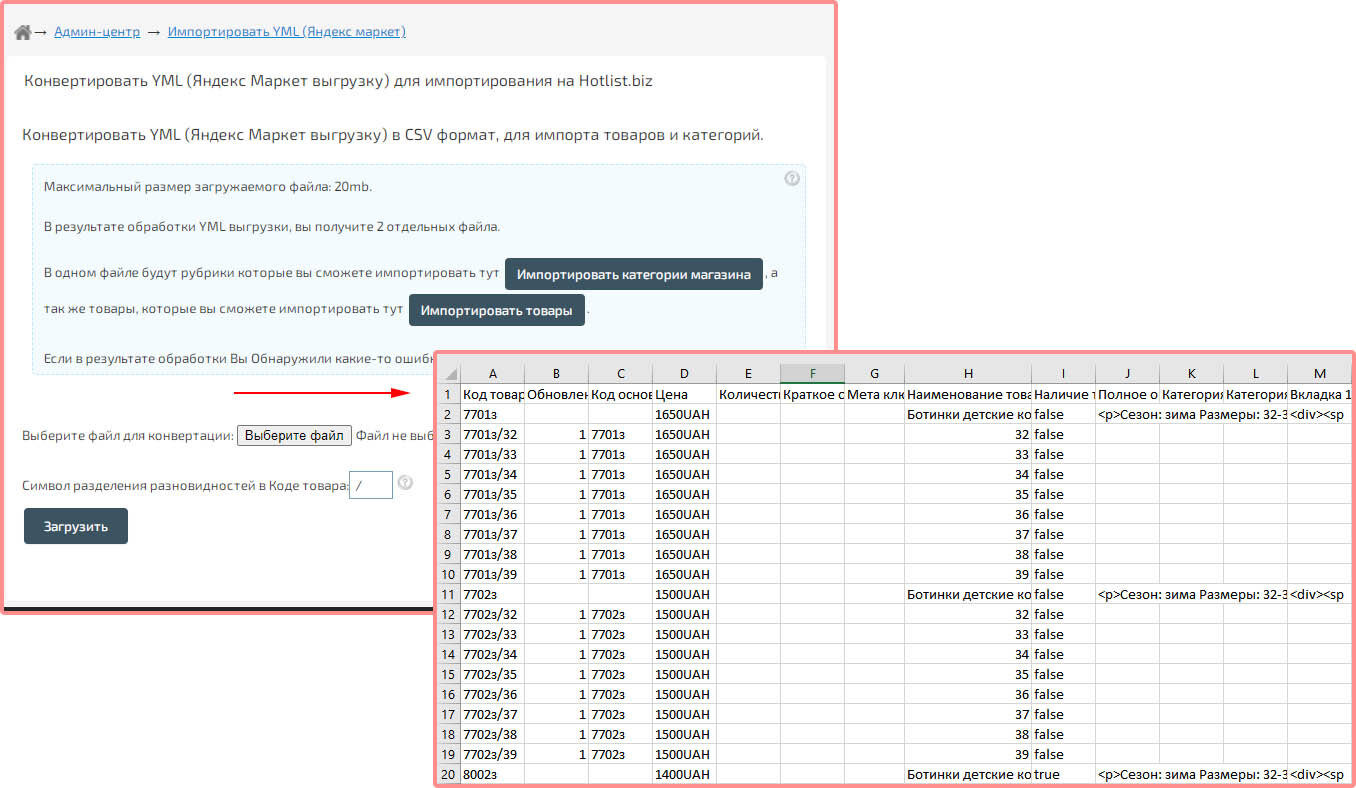
Updated Yandex-Market (YML) converter.
Added division of goods with varieties. Automatic splitting occurs when the "group_id" attribute is found.
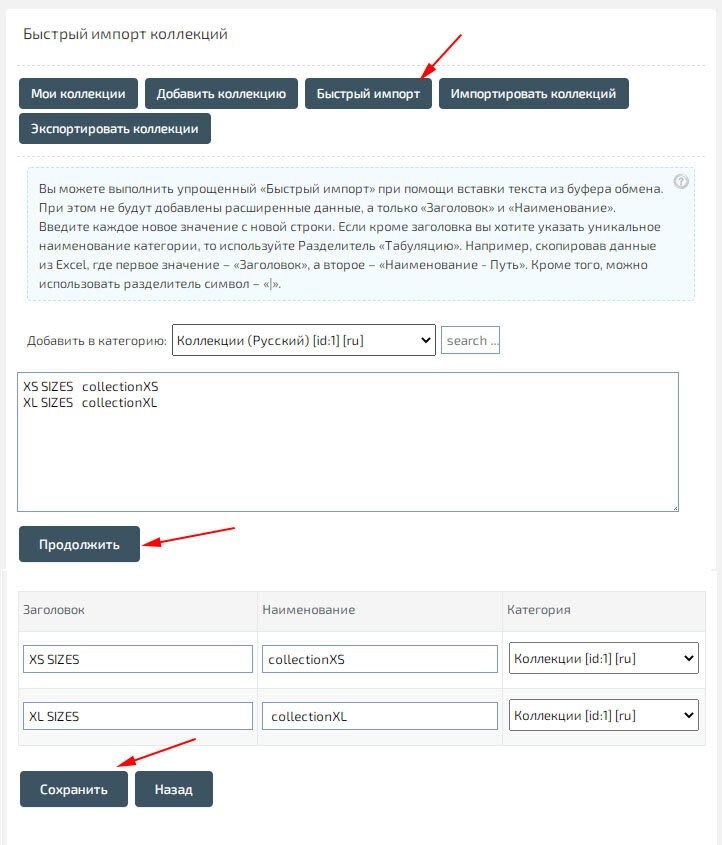
Added "Quick import" of collections. The list of collections with "Title" and Latin "Name" can be copied from the clipboard, for example, from "Excel".
Added "Quick import" of manufacturers. The list of manufacturers with "Title" and Latin "Name" can be copied from the clipboard, for example, from "Excel".
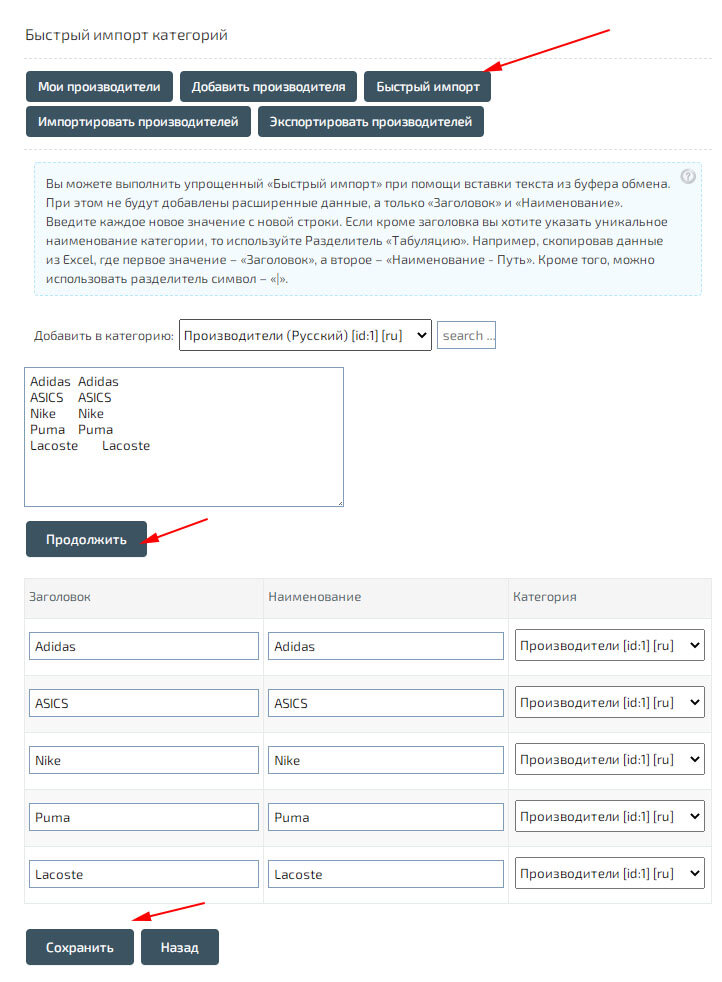
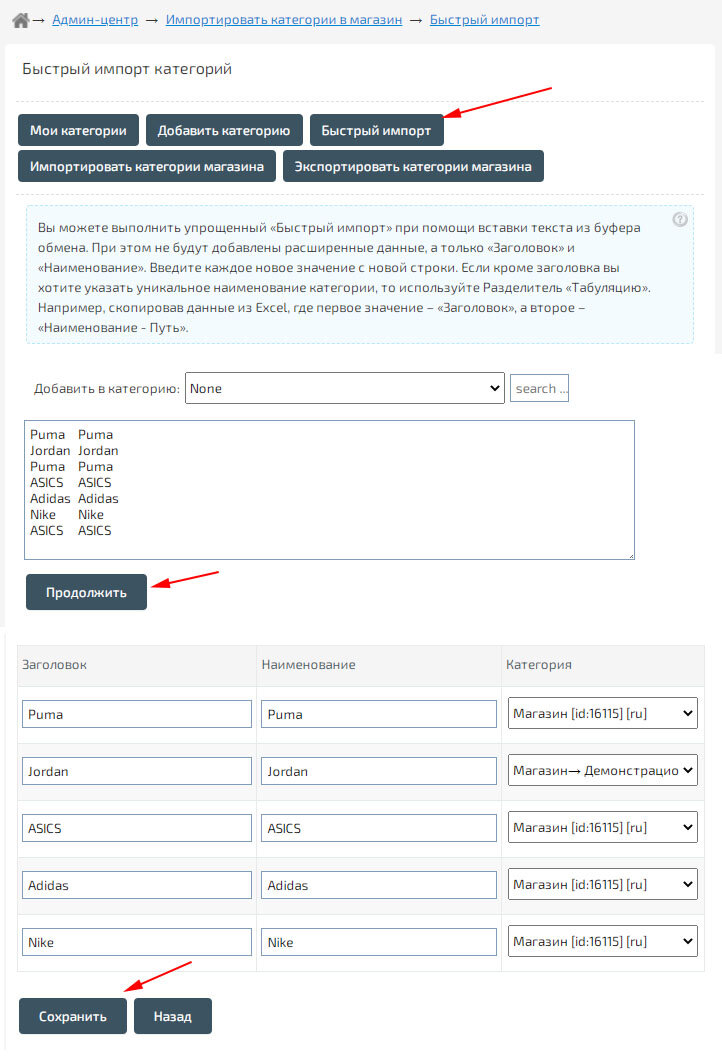
Added "Quick" import of store categories. The list of categories with "Title" and Latin "Name" can be copied from the clipboard, for example, from "Excel".