To connect the iPay payment system, register at https://cabinet.ipay.ua/login and create a Merchant. Copy the received values: "Merchant ID" and "Payment Key".
In the Admin Panel, go to "Shop" → "Payment Systems". Click "Add Payment Method".
Select "iPay.ua" and fill in the fields:
Merchant ID — Account, Payment Key — Secret Key.The payment system supports: Visa, MasterCard, Apple Pay, Google Pay.
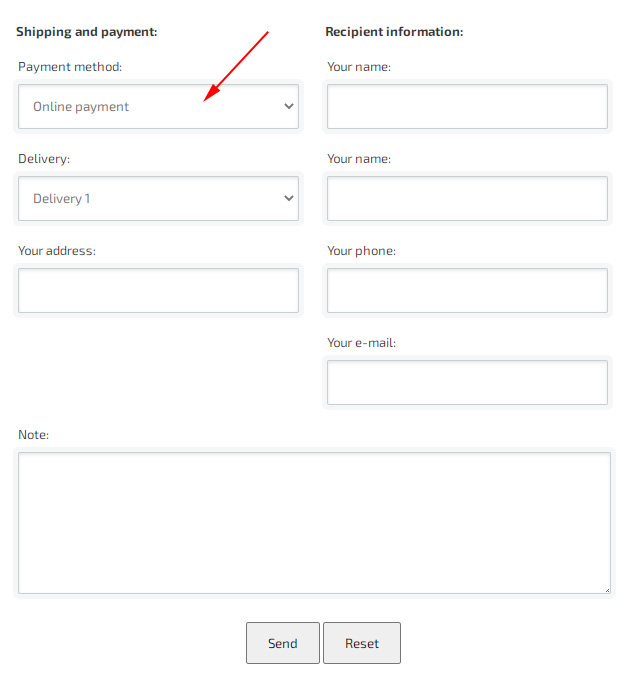
After filling in the payment method information, it will be available in the checkout form.
Capabilities
Payment type
regular debit or hold / two-stage payment
Subscription / recurring payments
not supported via API
Installment / credit
not supported
Payment methods
Visa/MasterCard cards, Apple Pay, Google Pay (determined on the iPay side)
PRRO
supported (order composition transfer)
Refunds
implemented (refund from sales statistics; authorization cancellation)
Commission
from 1.3% to 2%
Currencies
UAH
Test environment (sandbox)
available
For iPay, payment cancellation in the sales statistics is implemented, as well as receiving the payment refund response (in case of cancellation, the information will be sent to e-mail and to the sales statistics).
Step-by-step iPay.ua integration for business
1
Go to the iPay.ua for business page.
2
Fill in the online application: specify your company type, company name and contact details.
3
Wait for a call from a manager who will clarify your business details and help choose the best terms and tariffs.
4
Provide the required documents for remote registration and contract conclusion.
5
Set up the integration of the payment page, links or chatbots with the help of service specialists.
The selected payment method is displayed after completing the checkout.