Formula-based Delivery Cost on BooStore: Commission and Delivery in One Field
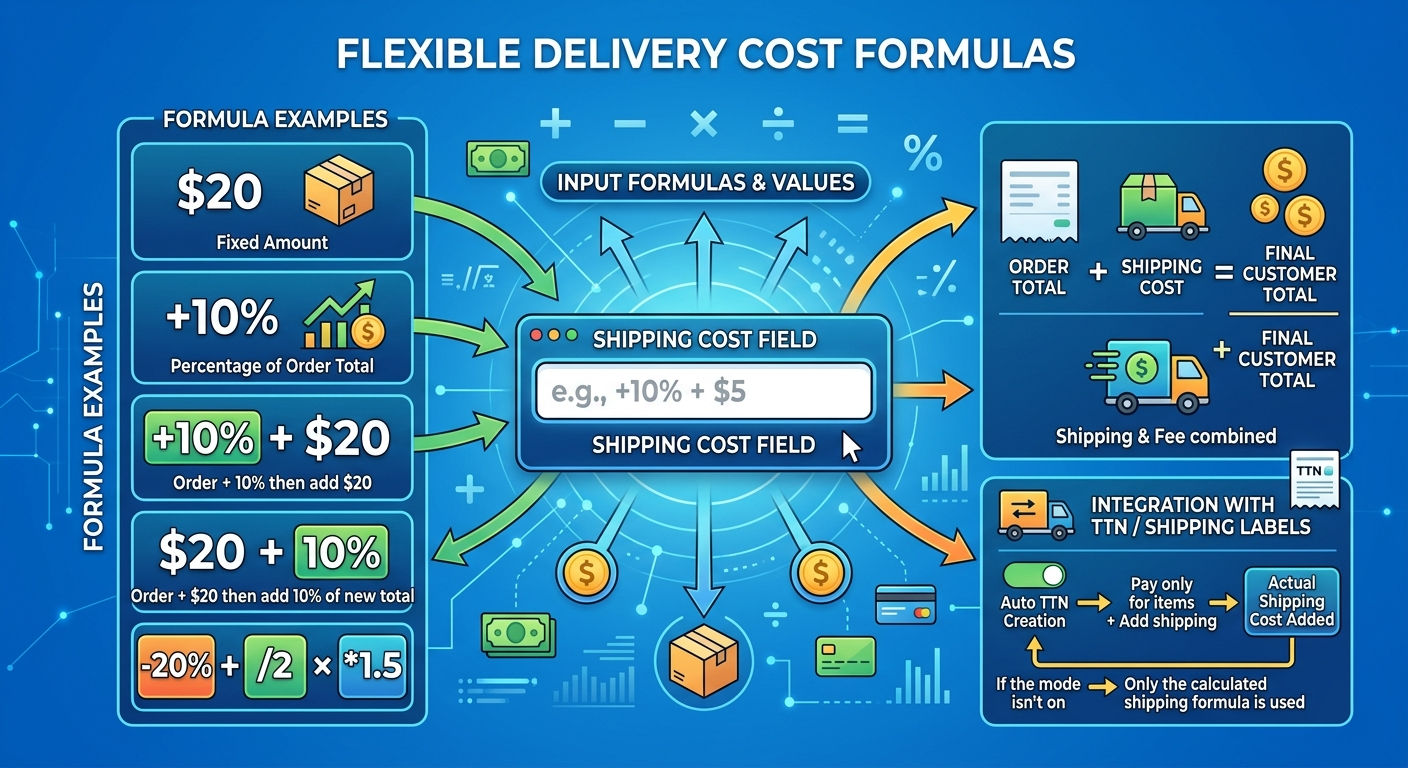
We have added a new option that makes delivery setup even more flexible — formula-based delivery cost. Now, in the «Delivery cost» field of a selected delivery method, you can enter not just a number but a math expression. This is handy when you need to add a fixed amount, a percentage of the order, or both at once — in fact, delivery and commission in a single field.
How does it work?
The value of the «Delivery cost» field is always added to the order total. The expression is evaluated left to right, and % is taken from the running total (the order sum including what has already been added). The operators +, -, *, / are available.
20— add 20 to the order total;+10%— add 10% of the order total;+10% + 20— first 10% to the order total, then +20;20 + 10%— first +20 to the order total, then 10% to the result;-20%,/2,*1.5— decrease, divide or multiply.
If the field is empty, no delivery is added. If a value is set, it is calculated by formula or as a number, stored in the order as the delivery cost, and the order total already includes it.
Together with the TTN (waybill)
If the delivery method has automatic TTN creation enabled and the mode «Recipient pays for goods only + add delivery cost to the order total» is selected, the actual delivery cost from the TTN is additionally added to the specified (or formula) delivery cost. If this mode is not selected, the actual TTN cost is not added to the order total.
So delivery and commission are configured in one field — flexibly, transparently and without manual calculations.