Ready-made style sets for forms added to the design editor
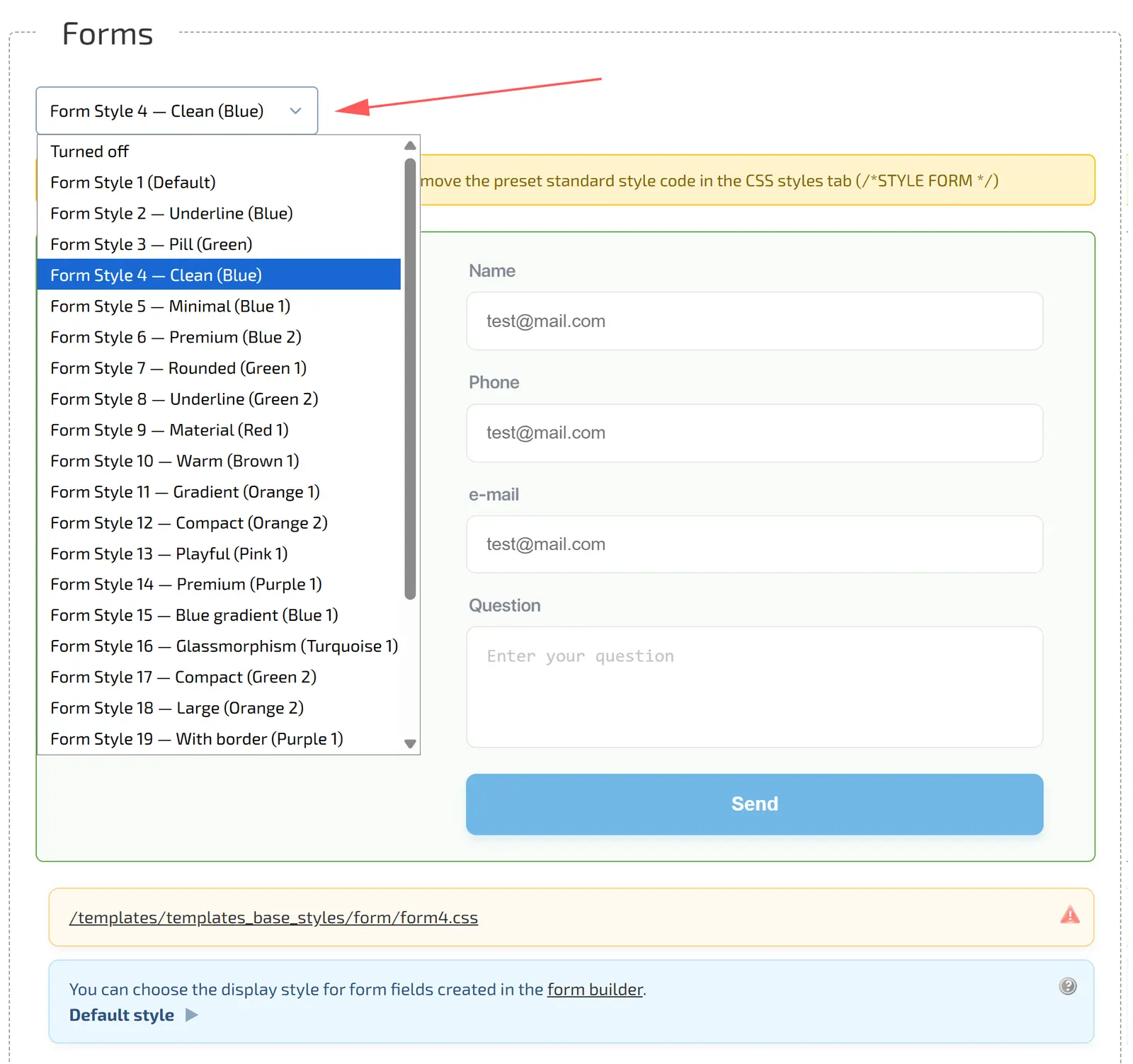
New interface customization functionality has been added to the design editor. Now you can quickly change the design and color scheme of web forms without editing CSS.
- Where to find it: «Design Editor → Style Catalog → Forms»
- What has been added: More than 20 ready-made presets (Minimalism, Gradients, Glassmorphism, Underlines) in various colors (Blue, Green, Red, Orange, Purple).
- How it works: Select a style from the drop-down list — the preview form instantly changes its look. A direct link to the active CSS file is displayed below.