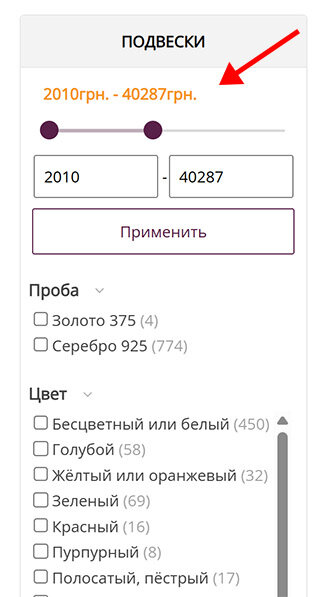
The Price Range Swiper — a price range slider in the search filter — has been added to the BooStore platform. Now users can conveniently set the minimum and maximum price using the “From” and “To” sliders, which are displayed above the search form. This improves the ease and accuracy of product price filtering.
To install this code, follow these steps:
- Go to the «Pages» → «HTML Widgets» section.
- In the «Price range swiper - Price range slider in the search filter» item, copy the JavaScript code.
- Create a menu block and paste the copied code into it.
- Check the «JavaScript / CSS style» option.
- In the appeared parameters field, select «Javascript - async».
To connect styles:
- Copy the CSS style from the Price Range Swiper instruction page.
- Paste it into the design editor under the «CSS styles» tab.
The code is available at the link: #Price_range_swiper